
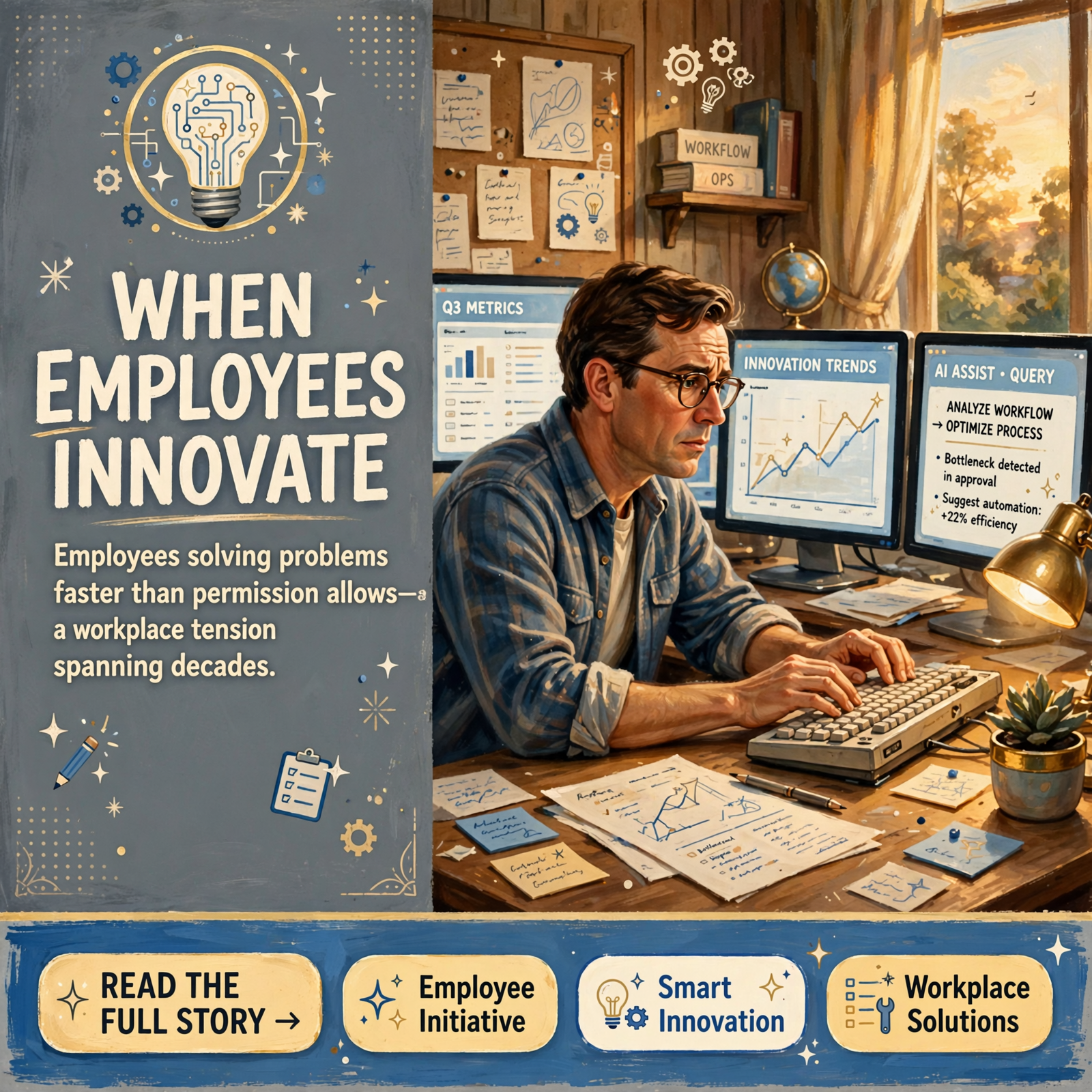
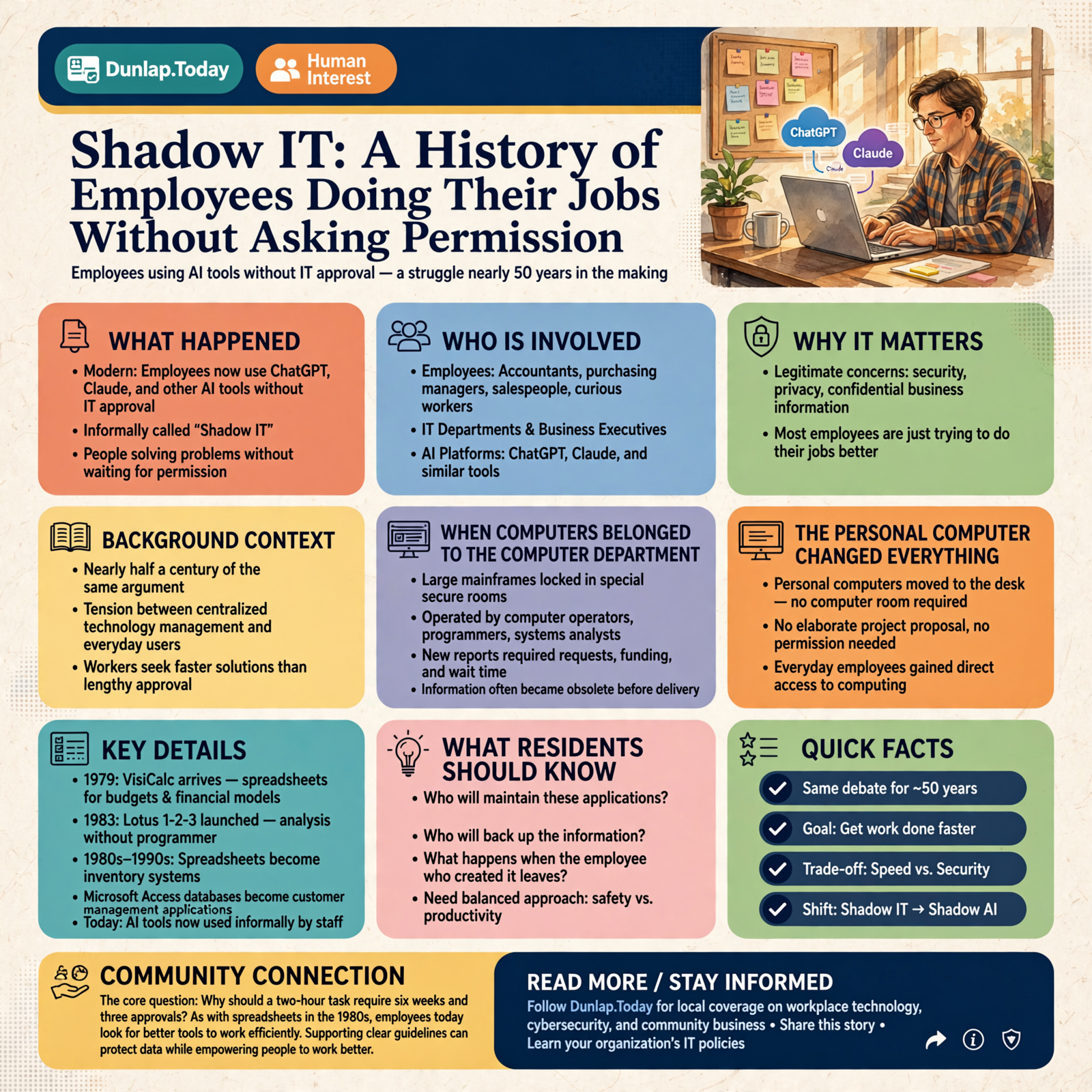
Shadow IT: A History of Employees Doing Their Jobs Without Asking Permission

I started in Shadow IT.
Of course, we didn’t call it that back then. We were just people who discovered that computers could solve problems, and we weren’t particularly interested in waiting six months for someone to give us permission.
Today, business executives are being warned about something called “Shadow AI.” Employees are using ChatGPT, Claude, and other artificial intelligence tools without getting approval from their company’s information technology department.
There are legitimate concerns about security, privacy, and confidential business information.
But before we start treating these employees like criminals, perhaps we should consider something.
Most of them are probably just trying to do their jobs better.
And if you look at the history of business computing, we’ve been having essentially the same argument for nearly half a century.
When Computers Belonged to the Computer Department

There was a time when computers were expensive, mysterious machines that lived in special rooms.
Large corporations had mainframes. They had computer operators, programmers, systems analysts, and entire departments dedicated to keeping the machines running.
Ordinary employees didn’t simply sit down and start experimenting.
If the accounting department needed a new report, somebody might have to submit a request. That request would compete with other requests for attention, funding, and programming time.
If you were lucky, you’d get your report before the information became obsolete.
The system made sense in its own way. Computers were enormously expensive, resources were limited, and businesses needed control.
But there was one little problem.
The people who understood the business problems weren’t always the same people who controlled the computers.
And sometimes they weren’t particularly patient.
The Personal Computer Changed Everything

Then came the personal computer.
Suddenly, an accountant, purchasing manager, salesperson, or curious employee could have a computer sitting right on a desk.
No computer room required.
No elaborate project proposal.
And, in some cases, no permission.
The arrival of VisiCalc in 1979 and Lotus 1-2-3 in 1983 transformed what ordinary business users could accomplish. Spreadsheets made it possible to build financial models, prepare budgets, and analyze information without waiting for a programmer.
Imagine being an accountant who previously waited weeks for a report, only to discover you could produce something similar yourself in an afternoon.
Would you stop because the computer department hadn’t approved it?
Some people did.
Others bought a computer, found some software, and got to work.
The corporate computer department wasn’t always enthusiastic.
Who would maintain these applications? Who would back up the information? What happened when the employee who created a complicated spreadsheet left the company?
Those were legitimate questions.
But so was the employee’s question:
Why should something that takes me two hours require six weeks and three approvals?
And so began the modern struggle between centralized technology management and the people actually using the technology.
The Spreadsheet That Became a Business System

As personal computers became common during the 1980s and 1990s, employees began building their own solutions.
Spreadsheets became inventory systems.
Microsoft Access databases became customer management applications.
Macros automated repetitive work.
Someone in accounting created a purchasing report. Someone in sales developed a customer tracking system. Someone in the warehouse figured out how to print labels without waiting for an official software project.
Before long, an entire department might depend on a system created by an employee who had never been hired as a programmer.
Some of those systems were ingenious.
Others were held together by undocumented formulas, mysterious macros, and the continued employment of one person named Bob.
Nobody knew exactly how Bob’s system worked.
But everybody knew not to delete the spreadsheet.
This was Shadow IT in action, whether anyone called it that or not.
And here’s the interesting part.
A tremendous amount of business productivity came from employees who understood their work well enough to improve it themselves.
The same freedom also created real risks. A broken formula could produce incorrect financial results. A forgotten database could expose private information. An essential application might have no backup, documentation, or support.
Both sides of the argument had a point.
Then the Internet Made Everything Easier

In the 1990s, the internet introduced another way around traditional technology departments.
Employees could download software, share information, communicate with customers, and eventually use applications hosted on somebody else’s computers.
By the 2000s, businesses had a new problem.
Employees no longer needed to install software to use it.
They could open a web browser and sign up for an online service.
Need to share a large file? Use a file-sharing service.
Need to manage a project? Sign up for an online project management application.
Need customer information organized? Find a cloud-based database.
Need to communicate with a team? Download another messaging application.
The company might have an officially approved system for all these activities.
But employees sometimes found the official solution difficult, slow, outdated, or inconvenient.
So they used something else.
Then smartphones introduced yet another chapter.
People brought their personal phones and tablets to work, expecting to read email, exchange files, and access business information.
IT departments called this Bring Your Own Device, or BYOD.
Employees simply called it using their phone.
Once again, convenience raced ahead of corporate policy.
Artificial Intelligence Is the Next Chapter

Now we’ve arrived at artificial intelligence.
An employee needs to write a proposal, analyze a spreadsheet, summarize a contract, research a product, or prepare a presentation.
They discover that an AI assistant can help them accomplish in minutes something that previously required hours.
They don’t need a programmer.
They don’t need to install a complicated application.
Sometimes they don’t even need to pay for it.
All they need is a browser and a question.
Naturally, they start experimenting.
And just as naturally, some business leaders are becoming nervous.
This time, however, the risks have some important new dimensions.
An employee might copy confidential financial information, customer records, personnel information, or proprietary business documents into an AI service without understanding how that information will be stored or used.
A February 2025 survey by TELUS Digital found that 57% of surveyed enterprise employees who used generative AI at work admitted entering sensitive or high-risk information into publicly available AI assistants.
That is a troubling finding, although it is important to understand that the statistic describes surveyed employees using generative AI at work, not all employees.
But here’s another important distinction.
Not every AI service handles information the same way.
Business versions of services such as ChatGPT and Claude generally provide different data protections from their consumer counterparts. Both companies state that their commercial offerings do not use customer inputs and outputs to train their models by default, subject to their applicable terms and exceptions.
Consumer accounts have different policies, settings, and circumstances under which information may be used for model improvement.
And model training isn’t the only concern. Businesses must also consider retention, access controls, third-party connections, confidentiality obligations, and the possibility that an AI-generated answer might be inaccurate.
The real question isn’t simply whether someone is using artificial intelligence.
It’s what information they’re sharing, which service they’re using, and what happens to that information afterward.
The Part Business Leaders Keep Missing

When employees find ways around official technology systems, management often sees a compliance problem.
Sometimes it is.
But it may also be a message.
Maybe the official software is unnecessarily complicated.
Maybe it takes too long to get a new application approved.
Maybe employees are being asked to accomplish more work without being given better tools.
Or maybe someone has discovered a genuinely better way to solve an old problem.
That doesn’t mean every workaround should be allowed.
It means the first question shouldn’t always be, “Who authorized this?”
Sometimes a better question is:
“What problem were you trying to solve?”
That question can uncover opportunities that management didn’t even know existed.
And it just might reveal that the employee using unauthorized technology has found something worth adopting throughout the business.
Why Banning AI Probably Won’t Work

Companies can certainly prohibit employees from using unauthorized AI tools.
For some sensitive activities, restrictions are necessary.
But history suggests that simply announcing a ban won’t eliminate the underlying demand.
People who discover an easier way to perform their jobs don’t suddenly forget that the easier way exists.
Some will comply. Others will seek workarounds. And some may not even realize that an AI feature embedded in software they already use is subject to company restrictions.
The more productive response is to provide tools employees can use safely.
A small business doesn’t necessarily need an expensive artificial intelligence program, a new technology department, or a consultant carrying a briefcase full of invoices.
It needs some sensible decisions.
Five Things Every Small Business Can Do
- Choose approved tools. Identify AI services employees can use for everyday business activities. Evaluate the tools’ privacy policies, security controls, and account options rather than assuming every product offers the same protection.
- Establish clear information boundaries. Explain what employees may share with AI systems and what must remain confidential. Customer information, financial records, passwords, proprietary information, and employee records deserve particular attention.
- Make the approved tools easy to use. If an official solution is unnecessarily difficult, expensive, or slow to obtain, employees will have an incentive to find alternatives.
- Teach employees what AI can and cannot do. Explain its benefits, limitations, and mistakes. Require human review for consequential decisions and important business outputs.
- Encourage employees to share discoveries. Create a simple process for workers to recommend useful tools, demonstrate productivity improvements, and help turn successful experiments into supported business practices.
The goal isn’t to eliminate employee initiative.
It’s to make employee initiative safer, more useful, and easier to share.
The approved solution should be at least as convenient as the unauthorized workaround.
Otherwise, the business may be creating its own incentive for Shadow IT.
The Next Generation of Shadow IT May Build Its Own Software

Here’s where the story gets particularly interesting.
Artificial intelligence isn’t just helping employees write emails and summarize documents.
Increasingly, it can help people create applications.
An employee who once would have built an Excel spreadsheet might now use AI to help design a database, create a dashboard, automate a workflow, or develop a small application.
In the past, doing that required some programming knowledge.
Now the barrier is getting lower.
Imagine a warehouse employee who understands an inventory problem better than anyone else in the company.
Instead of waiting for a software vendor to add a feature, that employee may be able to describe the problem to an AI assistant and help create a working solution.
That’s an extraordinary opportunity.
It’s also a potential management nightmare if nobody verifies the software, protects the data, or documents how the system works.
An application created in an afternoon might become important enough that a business depends on it every day.
But what happens when the employee leaves? Who updates the application? Who verifies that its calculations are correct? Who makes sure it doesn’t accidentally expose confidential information?
We could end up with thousands of new versions of Bob’s mysterious spreadsheet.
Except this time, Bob might have an entire application running a business process he built last Tuesday.
The technology has changed.
The underlying organizational problem hasn’t.
This emerging world of employee-created software makes the relationship between workers, business owners, and technology departments even more important.
Companies that find ways to encourage experimentation while maintaining quality and security may gain an enormous advantage.
Companies that treat every new idea as a threat may discover that innovation simply moves somewhere they can’t see it.
Maybe We Need a Different Attitude

Looking back over the history of business computing, there’s a recognizable pattern.
First, a new technology becomes available.
Second, curious employees discover ways it can help them.
Third, some employees begin using it before corporate policies catch up.
Fourth, management worries about losing control.
Finally, businesses figure out how to incorporate the technology into normal operations.
Personal computers often followed that pattern.
So did spreadsheets.
Departmental databases, internet applications, cloud services, and smartphones provided new variations on the same theme.
Artificial intelligence is doing it again.
That doesn’t mean Shadow IT is always good.
Some unauthorized systems have caused expensive failures, inaccurate reporting, operational disruptions, and serious security problems. Responsible management is important.
But innovation and disobedience have occasionally occupied the same cubicle.
And businesses would do well to remember that.
What This Means for Businesses in the Sequatchie Valley

You don’t have to run a multinational corporation to experience Shadow IT.
It can happen in a family-owned construction company, a local manufacturer, a retail store, a restaurant, a farm, or a small professional office.
Perhaps the bookkeeper discovers that an AI tool can help organize reports.
Maybe someone handling inventory creates a spreadsheet that makes ordering supplies easier.
A real estate professional might use AI to prepare property descriptions, while a small business owner experiments with creating advertising or analyzing expenses.
These activities aren’t automatically dangerous, and they aren’t automatically safe.
What matters is the information involved, the reliability of the results, the technology being used, and whether the business understands what is happening.
For a small business with limited technical resources, a reasonable approach is to start with a short, understandable policy rather than a hundred-page manual.
Tell employees which tools are approved.
Explain what information must be protected.
Provide examples of acceptable uses.
Encourage people to ask questions and recommend improvements.
And make sure somebody knows how the important systems work.
Especially Bob’s.
A Final Thought From Someone Who Started in Shadow IT

I have a certain sympathy for employees who see a problem, find a useful technology, and want to get something accomplished.
I’ve been on that side of the equation.
I also understand why businesses need safeguards, accountability, and control over their information.
The answer isn’t to choose one side and declare the other wrong.
The answer is to recognize that the employees closest to a problem may also be the people most capable of discovering a solution.
Give them the tools.
Give them reasonable boundaries.
And give them a way to turn a clever workaround into something the entire organization can benefit from.
Because the history of Shadow IT teaches us something important:
The employee who is finding a better way to do the job today might be showing you how everyone will be doing that job tomorrow.
And if that employee happens to be named Bob, perhaps we should finally ask him to document the system.
Sources
- Computer History Museum — 1979 Computer History Timeline and VisiCalc
- Computer History Museum — Personal Computing in 1983
- TELUS Digital — Enterprise Employees and Shadow AI Survey, February 26, 2025
- OpenAI — Business Data Privacy, Security, and Compliance
- OpenAI — How Your Data Is Used to Improve Model Performance
- Anthropic — Is My Data Used for Model Training? Commercial Products
- Anthropic — Is My Data Used for Model Training? Consumer Products
Know about an upcoming event or story in the Sequatchie Valley? Submit it here.



0 Comments