
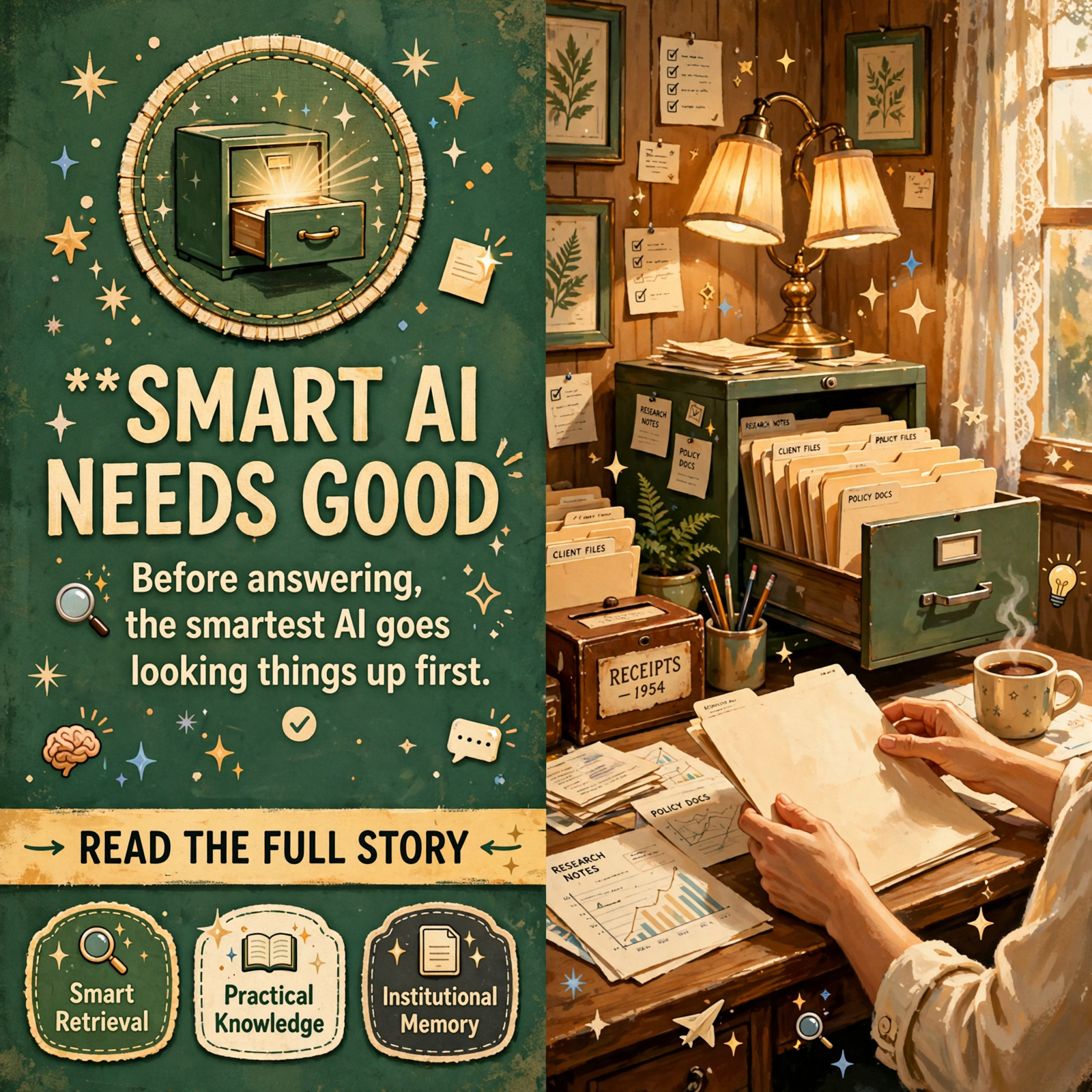
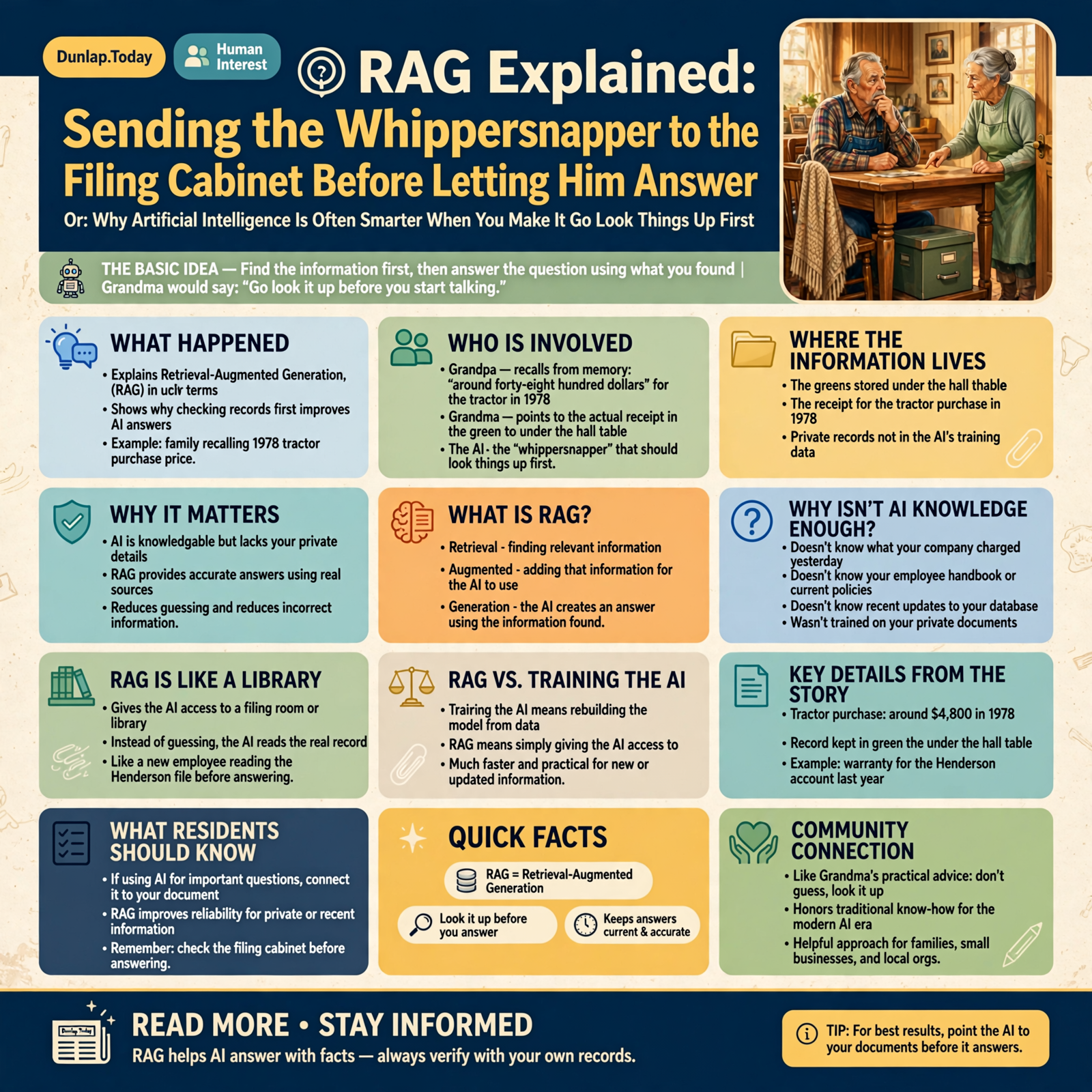
🗄️ RAG Explained: Sending the Whippersnapper to the Filing Cabinet Before Letting Him Answer

Or: Why Artificial Intelligence Is Often Smarter When You Make It Go Look Things Up First
There is a considerable difference between remembering something and knowing where to find it.
Older generations understood this perfectly well.
You might ask Grandpa:
“What did we pay for that tractor in 1978?”
Grandpa may stare toward the ceiling for a moment.
He may say:
“Seems like it was around forty-eight hundred dollars.”
Then Grandma, from the next room, says:
“Don’t guess. The receipt is in the green box under the hall table.”
And just like that, Grandma has introduced the family to one of the hottest concepts in modern artificial intelligence.
Retrieval-Augmented Generation.
Most folks simply call it:
RAG.
Computer scientists managed to squeeze an entire filing cabinet into three letters.
But the basic idea is simple.
Before the AI answers an important question…
send the whippersnapper to the filing cabinet.
🤖 First, What Does RAG Actually Mean?

RAG stands for:
Retrieval-Augmented Generation.
That phrase sounds like somebody was paid by the syllable.
Let us translate it.
Retrieval means finding relevant information.
Augmented means adding that information to what the AI can use.
Generation means the AI produces an answer.
So RAG basically means:
Find the information first, then answer the question using what you found.
Grandma would have called this:
“Go look it up before you start talking.”
🧠 Why Isn’t the AI’s Own Knowledge Enough?

Artificial intelligence models can contain an astonishing amount of learned knowledge.
They may know about:
- history,
- science,
- literature,
- computer programming,
- business,
- medicine,
- law,
- engineering,
- and more subjects than any human being could study in one lifetime.
But there are several things an AI model may not know.
It may not know:
- what your company charged a customer yesterday,
- what your employee handbook says,
- what is inside your private documents,
- what changed in your database this morning,
- what your latest policy is,
- or what Aunt Betty wrote in the church minutes last Tuesday.
Those things were not necessarily part of the AI’s original training.
And even if the AI knows something general about a subject, that does not mean it knows your information.
That is where RAG becomes useful.
🗃️ Think of RAG as Giving the AI Access to the Filing Room

Imagine hiring an extremely intelligent new employee.
He has read thousands of books.
He knows accounting.
He knows computers.
He understands contracts.
He can write clearly.
But it is his first day at your company.
You ask:
“What warranty did we promise the Henderson account last year?”
The intelligent employee has two choices.
Choice One:
Guess what your company usually does.
Choice Two:
Open the Henderson file and read the actual agreement.
RAG is Choice Two.
The AI retrieves the relevant record, reads it, and then uses that information to answer.
This does not magically make the AI perfect.
But it is considerably better than allowing a brilliant stranger to make up your company policy from memory.
📚 RAG Is Not the Same Thing as Training the AI

This distinction confuses a lot of people.
If you have a pile of company documents, you do not necessarily need to “train an AI” on all of them.
Training a model is a much larger process.
RAG is more like giving the AI access to a library.
Suppose you hire a new accountant.
You have two options.
Option A:
Spend twenty years educating her until she memorizes every invoice your business ever created.
Option B:
Give her access to the accounting records and teach her how to find the right one.
Most people would choose Option B.
RAG works on the same principle.
The AI does not need every document permanently baked into its brain.
It needs a reliable way to find the right information when it matters.
🔍 Step One: Find the Right Information

The first part of RAG is retrieval.
Suppose you ask:
“What did we promise customers about returns on discontinued products?”
A RAG system searches the information available to it.
That might include:
- policy manuals,
- contracts,
- emails,
- web pages,
- customer notes,
- PDF files,
- database records,
- or internal documents.
It tries to find the pieces most relevant to your question.
This is similar to walking into a records room and saying:
“Find me everything about discontinued-product returns.”
The quality of what comes back matters enormously.
If the clerk retrieves the wrong folder, even the smartest person in the world may produce the wrong answer.
🧩 Step Two: Give the AI the Relevant Pieces

Once the system finds useful material, it places those pieces into the AI’s working context.
You can think of it as setting the relevant paperwork on the kitchen table.
The AI can now see:
- the question,
- the relevant records,
- and whatever instructions you gave it.
Then it produces an answer using those materials.
This is why RAG connects naturally to the context-window concept from our previous article.
The AI does not necessarily need your entire filing cabinet spread across the table.
It needs the few folders relevant to the question.
That is a much better use of space.
🎯 Good Retrieval Is More Important Than People Think

The most sophisticated AI in the world cannot answer reliably from information it never receives.
If your RAG system retrieves the wrong document, the AI may confidently answer from the wrong evidence.
This creates an important lesson:
RAG is not just about generation.
Retrieval quality matters.
A lot.
Imagine telling your teenage employee:
“Go get the warranty agreement for the Smith account.”
He returns with:
“Here’s the Johnson divorce settlement.”
The problem is no longer the intelligence of the employee.
The problem is that somebody brought the wrong paperwork.
🧠 How Does the Computer Know Which Documents Are Related?

This is where things get a little more technical, but the basic concept is still understandable.
Modern RAG systems often convert pieces of text into mathematical representations sometimes called embeddings.
An embedding helps a computer represent the meaning of a piece of information in a way that can be compared with other information.
That sounds peculiar.
So imagine a giant hardware store.
The store does not organize everything alphabetically.
Instead, related items are kept near each other.
Hammers are near nails.
Paintbrushes are near paint.
Garden hoses are near sprinklers.
If you ask for something related to watering the garden, the clerk knows which section is likely relevant.
Embeddings help computers perform a similar kind of meaning-based organization.
📐 A Vector Database Is Basically a Very Strange Filing Cabinet

You may hear the term vector database when people discuss RAG.
Do not let the name scare you.
A vector database is a system designed to store and search those mathematical representations efficiently.
Instead of asking:
“Find documents containing the exact words ‘broken air conditioner.'”
a meaning-based search may also find documents discussing:
- AC failure,
- cooling system repair,
- compressor problems,
- HVAC service,
- or no cold air.
The words are different.
The meaning is related.
This is much closer to the way a good human clerk searches through records.
You tell him what you mean.
He does not insist that you remember the exact title printed on the folder.
✂️ Why Documents Often Get Cut Into Pieces

A large document may contain hundreds of pages.
If you ask one question, the AI probably does not need all of them.
So RAG systems often divide documents into smaller pieces commonly called chunks.
Suppose you have a 300-page employee manual.
Your question is:
“How many vacation days does a new employee receive?”
The AI does not need:
- the fire-evacuation policy,
- the dress code,
- the parking rules,
- and 290 other pages.
It needs the section about vacation time.
Chunking is like cutting a giant binder into clearly labeled sections so the clerk can bring you three useful pages instead of dropping the entire thing on your foot.
📏 But Chunking Can Go Wrong Too

Suppose the document says:
“Employees receive ten vacation days after completing…”
and the chunk ends there.
The next chunk begins:
“…one full year of employment.”
If the retrieval system brings only the first piece, the answer may become misleading.
This is why building good RAG systems requires care.
The chunks must be:
- large enough to preserve meaning,
- small enough to retrieve precisely,
- and sometimes overlapping enough to keep related sentences together.
Grandma would phrase the same design principle differently:
“Don’t tear the recipe in half right between ‘two cups’ and ‘of flour.'”
🏷️ Labels Help the Filing Cabinet

Another useful part of RAG is metadata.
Metadata is information about information.
A document may have labels such as:
- customer name,
- date,
- department,
- document type,
- product number,
- location,
- author,
- or status.
This makes retrieval more precise.
If you ask:
“Find the latest service agreement for Jones Hardware.”
the system can use both:
meaning
and
labels.
This is exactly why people put labels on filing cabinets.
A perfectly organized filing room beats throwing every piece of paper into one refrigerator box marked:
“IMPORTANT STUFF.”
🕰️ RAG Can Help Keep AI Current

AI models do not automatically know everything that changed five minutes ago.
But a retrieval system can connect them to information that changes constantly.
For example:
- current inventory,
- today’s prices,
- latest company policies,
- new customer records,
- recent support tickets,
- updated product manuals,
- and newly published information.
This is one of RAG’s greatest strengths.
You do not necessarily need a brand-new AI model every time your business changes something.
You update the records.
The AI retrieves the latest records.
That is much more practical.
🏪 Small Businesses May Have Been Building RAG Libraries for Decades Without Knowing It

Every small business accumulates knowledge.
It may be scattered across:
- file cabinets,
- email,
- spreadsheets,
- old invoices,
- customer notes,
- product manuals,
- photographs,
- employee notebooks,
- website pages,
- and somebody’s desk drawer.
For years, much of that knowledge has been difficult to use because people had to remember where everything lived.
RAG creates the possibility of putting an AI interface in front of that information.
A business owner may someday ask:
“Have we ever sold one of these before?”
Or:
“Which customers bought this product in the last five years?”
Or:
“What problems have customers reported with this model?”
Or:
“What did we decide the last time this situation happened?”
The AI can search the records and help assemble the answer.
That is a much more useful kind of intelligence than merely knowing general facts about the world.
👴 RAG Can Preserve Institutional Memory

This may become one of its most valuable uses.
Every business has somebody who knows where the bodies are buried.
Hopefully figuratively.
That employee knows:
“We tried that supplier in 2019.”
“That machine requires the older fitting.”
“Mrs. Thompson always calls before renewing.”
“Don’t ship those parts through that carrier.”
“Wayne knows why we changed that process.”
Much of this knowledge exists only inside people’s heads.
When experienced employees retire, leave, or simply forget, businesses lose part of their memory.
A well-built knowledge system can capture more of that information in documents and records that AI can retrieve later.
RAG does not make the AI all-knowing.
It makes organizational knowledge easier to reach.
🔐 Of Course, Not Every Filing Cabinet Should Be Open

Here comes our old friend from the guardrails article:
permissions.
If an AI can search business records, it should not automatically search every record for every person.
An employee asking about product instructions may need access to product manuals.
That does not mean the same employee should retrieve:
- payroll records,
- medical information,
- banking records,
- confidential contracts,
- or everybody’s personnel file.
A smart RAG system should respect the same access rules as the underlying information.
Just because the whippersnapper knows where the locked filing cabinet is does not mean you hand him the key.
📎 Citations Make RAG Much More Useful

One of the best features a RAG system can provide is the ability to show where an answer came from.
Instead of merely saying:
“Employees receive ten vacation days.”
the system can say:
“According to the Employee Handbook, Section 4.2…”
Then the user can inspect the original.
This matters because AI can still misunderstand information.
A citation gives the human a way to check.
In household terms, this is the difference between:
“Billy said so.”
and
“Here is the receipt.”
One inspires considerably more confidence.
🤥 Can RAG Still Hallucinate?

Yes.
RAG reduces certain kinds of hallucination.
It does not eliminate them.
The retrieval system may:
- find the wrong document,
- miss the right document,
- retrieve outdated information,
- retrieve contradictory information,
- or provide too little context.
The AI may then:
- misread what it found,
- combine unrelated statements,
- overstate what the source says,
- or fill in a missing detail by guessing.
This is why good RAG systems should encourage the AI to say things like:
“I found evidence for this.”
“I found conflicting records.”
or
“I could not find enough information to answer confidently.”
Sometimes the smartest answer is still:
“I don’t know.”
🧑⚖️ Sometimes RAG Needs a Second Opinion

More advanced systems may add another step.
After retrieving information, another process may:
- rank the documents,
- remove irrelevant results,
- compare multiple sources,
- check whether the answer is supported,
- or send the result to another AI for review.
This is similar to sending the teenager to the records room and then having Grandma inspect what he brought back.
It may sound excessive.
But Grandma has been right often enough to justify the extra step.
🔄 RAG Can Become Part of an Autonomous Agent

This is where several articles in our series begin connecting.
An autonomous AI agent may encounter a question it cannot answer confidently.
Instead of guessing, it can:
1. Search the knowledge base.
2. Retrieve the relevant records.
3. Read the sources.
4. Compare them.
5. Decide what to do next.
6. Ask a human if the evidence remains unclear.
That is a much more mature system than an agent that simply charges ahead based on whatever sounds plausible.
The goal is not an AI that knows everything.
The goal is an AI that knows when it should go find out.
🧰 RAG Is Really a Tool, Not a Brain Transplant

This is perhaps the easiest way to think about it.
RAG does not necessarily make the underlying AI model smarter.
It gives the model better information at the right moment.
A brilliant mechanic without the correct service manual may struggle.
A good mechanic with the right manual, service history, and parts diagram can often solve the problem quickly.
RAG is the manual.
The parts catalog.
The filing cabinet.
The receipt box.
The service notebook.
It gives the intelligence something concrete to work with.
🏠 You May Eventually Have Your Own Private AI Librarian

Imagine what this could look like for an ordinary household.
You might have years of:
- tax records,
- receipts,
- home-repair documents,
- vehicle records,
- warranties,
- manuals,
- family photographs,
- insurance documents,
- recipes,
- and correspondence.
Instead of hunting through folders, you might ask:
“When did we replace the water heater?”
“Is the refrigerator still under warranty?”
“Which company repaired the roof?”
“What size filter does the furnace use?”
The AI could retrieve the actual records and answer.
Not because it magically remembers your life.
Because it knows where the shoebox is.
🐓 Wisdom From the Front Porch

Artificial intelligence is often discussed as though the goal is to build one giant machine that somehow knows everything.
That may not be the most useful way to think about the future.
A better AI may not be the one that memorizes the most.
It may be the one that:
- knows what it knows,
- knows what it does not know,
- knows where to look,
- finds the right information,
- shows you where it found it,
- and admits when the records do not contain an answer.
That is a fairly good definition of wisdom in humans too.
So the next time somebody starts explaining:
“vector embeddings, semantic search, chunking, retrieval pipelines, and augmented generation…”
you can nod knowingly.
Then tell them:
“Oh. You mean you sent the kid to the filing cabinet before letting him answer.”
They may spend fifteen minutes explaining why it is more complicated than that.
Technically, they will be correct.
But Grandma will still know what you mean.
Because sometimes the future of artificial intelligence looks remarkably like an old green box under the hall table.
And sometimes the smartest thing the whippersnapper can do is quit guessing…
and go find the receipt.
— Dunlap.Today
📚 Plain-English AI Glossary

🗄️ RAG: Retrieval-Augmented Generation. A technique where an AI retrieves relevant information from external sources before generating an answer.
🔎 Retrieval: Searching documents, databases, records, or other sources for information relevant to a question.
🧠 Generation: The process where an AI produces an answer or other output.
🧩 Embedding: A mathematical representation that helps computers compare the meaning of text or other information.
📐 Vector Database: A database designed to store and search mathematical representations such as embeddings.
✂️ Chunk: A smaller section of a larger document used for indexing and retrieval.
🏷️ Metadata: Descriptive information about a record, such as its date, author, customer, category, or document type.
🎯 Semantic Search: Search based on meaning rather than requiring exact matching words.
📎 Citation: A reference showing the source used to support an AI-generated answer.
📚 Knowledge Base: A collection of documents, records, or other information organized so people or AI systems can retrieve it.
❓ Frequently Asked Questions

Does RAG mean training my own AI model?
No. RAG usually keeps your information outside the model and retrieves relevant pieces when they are needed. That is different from retraining or fine-tuning the underlying model.
Can RAG use private company information?
Yes. One of its major uses is connecting AI to private documents, databases, manuals, policies, customer records, and other internal knowledge, provided access controls are designed appropriately.
Does RAG stop AI hallucinations?
It can substantially reduce some types of hallucination by providing source material, but it does not guarantee accuracy. Poor retrieval, stale records, conflicting information, or incorrect interpretation can still cause errors.
Why do RAG systems use embeddings?
Embeddings allow systems to search for information based on meaning rather than only exact words. That helps retrieve relevant material even when a question uses different wording from the original document.
What is a vector database?
It is a database optimized for storing and searching mathematical representations such as embeddings. In a RAG system, it can help locate information that is semantically related to a question.
Do I need a vector database to use RAG?
Not always. Retrieval can use traditional search, SQL databases, document indexes, keyword search, APIs, or combinations of several methods. Vector search is one common technique, not the entire definition of RAG.
Can RAG use current information?
Yes. That is one of its advantages. If the connected source is kept current, the AI can retrieve updated information without requiring the underlying model itself to be retrained.
Is RAG useful for small businesses?
Very much so. It can help turn scattered manuals, customer records, policies, emails, product information, and institutional knowledge into information that employees can query using ordinary language.
✅ The Front-Porch RAG Checklist

Before trusting a RAG system, ask:
- ✅ What information can it search?
- ✅ Is that information current?
- ✅ Does it respect existing permissions?
- ✅ Can it find information based on meaning, not just exact words?
- ✅ Are large documents divided into sensible chunks?
- ✅ Is useful metadata attached to the records?
- ✅ Can the AI show which sources supported its answer?
- ✅ Can users inspect the original source?
- ✅ What happens when documents disagree?
- ✅ What happens when no good source can be found?
- ✅ Is retrieval quality measured and tested?
- ✅ Does the system admit uncertainty instead of filling gaps with guesses?
The basic rule is still wonderfully simple:
Before the whippersnapper gives you an important answer…
make him go get the paperwork.


0 Comments