
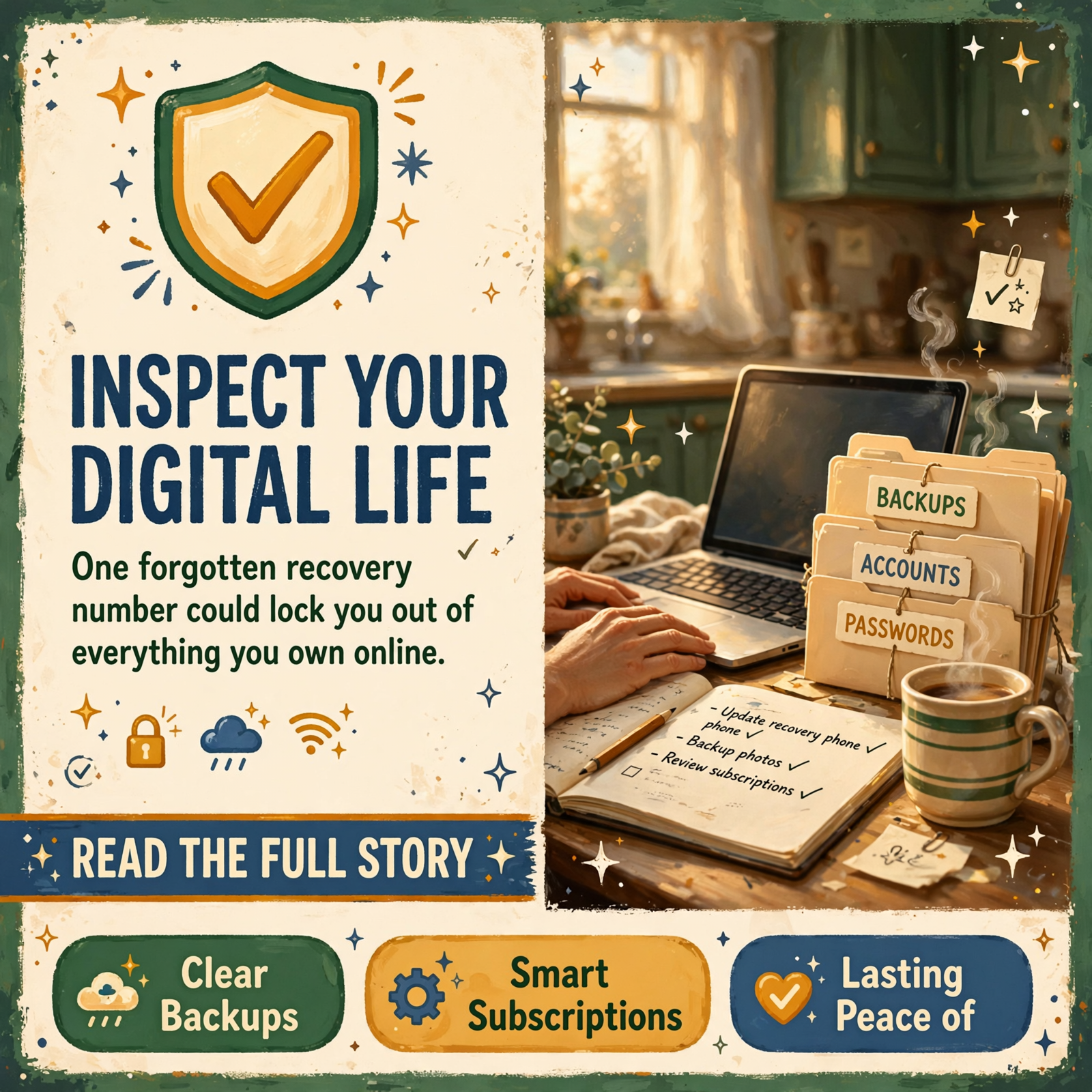
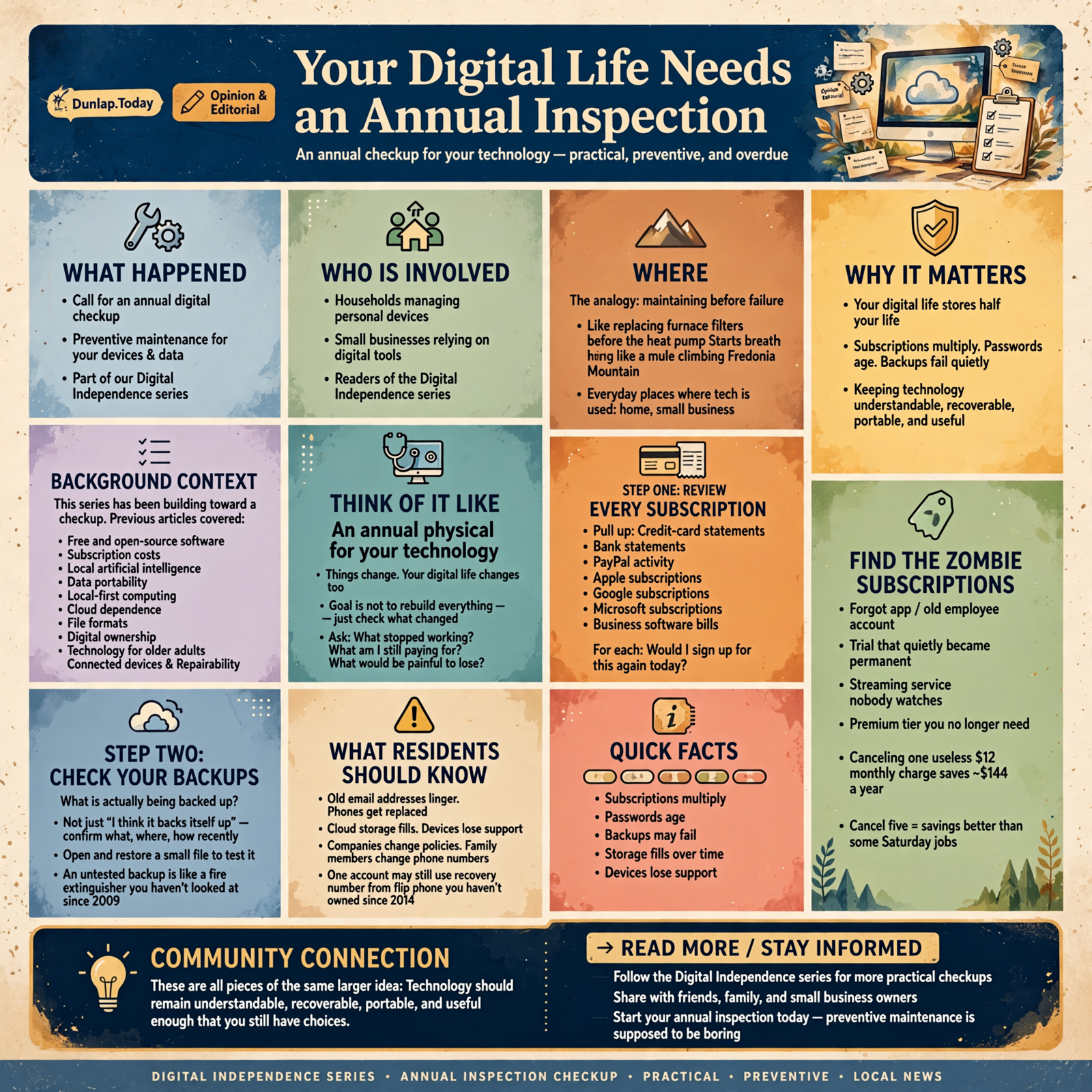
Your Digital Life Needs an Annual Inspection

Most of us understand preventive maintenance everywhere except our computers.
We change the oil before the engine seizes.
We look at the roof before rain starts dripping into the living room.
We replace furnace filters before the heat pump starts breathing like a mule climbing Fredonia Mountain.
We check tires.
We review insurance.
We balance accounts.
Then we look at the little glowing rectangles that now contain half our lives and apparently decide:
“They’ll probably sort themselves out.”
They do not.
Digital life accumulates.
Subscriptions multiply.
Passwords age.
Phones get replaced.
Old email addresses linger.
Backup systems quietly stop backing up.
Cloud storage fills.
Devices lose support.
Companies change policies.
People leave jobs.
Family members change phone numbers.
And somewhere in the middle of all that, one account still thinks your recovery number belongs to a flip phone you haven’t owned since 2014.
That’s why I think every household and small business should do one simple thing:
Give your digital life an annual inspection.
This Series Has Been Building Toward a Checkup

Over the last several articles in our Digital Independence series, we’ve talked about:
- Free and open-source software
- Subscription costs
- Local artificial intelligence
- Data portability
- Local-first computing
- Cloud dependence
- File formats
- Digital ownership
- Technology for older adults
- Connected devices
- Repairability
Those are all pieces of the same larger idea.
Technology should remain understandable, recoverable, portable, and useful enough that you still have choices.
The trouble is that even a good setup slowly drifts.
That’s why a checkup matters.
Think of It Like an Annual Physical for Your Technology

You don’t go to the doctor once because you’re planning to remain exactly the same forever.
Things change.
Your digital life does too.
The goal of an annual inspection isn’t to rebuild everything.
It is to ask:
- What changed?
- What stopped working?
- What am I still paying for?
- What would be painful to lose?
- What is becoming dependent on one person, one service, or one device?
Most years, you may fix only a few small things.
That’s good.
Preventive maintenance is supposed to be boring.
Step One: Review Every Subscription

Start with the easy money.
Pull up recent:
- Credit-card statements
- Bank statements
- PayPal activity
- Apple subscriptions
- Google subscriptions
- Microsoft subscriptions
- Business software bills
Then look for recurring charges.
For each one, ask:
Would I sign up for this again today?
If yes, keep it.
If no, investigate.
If you don’t know what it is, that’s your first clue.
Find the Zombie Subscriptions

These are the easy ones.
A service you used once.
An app you forgot about.
An old employee account.
A trial that quietly became permanent.
A streaming service nobody watches.
A premium tier you no longer need.
Canceling one useless $12 monthly charge saves about $144 a year.
Cancel five and suddenly your annual technology checkup has paid better than some Saturday jobs.
Step Two: Check Your Backups

This is the section everybody believes they have handled.
Ask:
What is actually being backed up?
Not:
“I think the computer backs itself up.”
What?
Where?
How recently?
For important information, confirm that the backup contains real files.
Open something.
Restore something small if practical.
A backup system that hasn’t been tested is like a fire extinguisher you’ve never looked at since 2009.
It may be fine.
That’s not the same as knowing.
Check the Things You Cannot Recreate

Start with:
- Family photographs
- Home videos
- Tax records
- Business databases
- Customer records
- Original creative work
- Important email
- Family history
- Scanned documents
Software can usually be reinstalled.
Your father’s voice cannot.
Step Three: Review Passwords and Account Recovery

You do not need to change every password every January merely to create activity.
What matters more is whether important accounts are still set up sensibly.
Check:
- Primary email
- Banking
- Cloud storage
- Password manager
- Apple or Google account
- Microsoft account
- Important business accounts
Ask:
- Is the password unique?
- Does recovery still go to the right phone?
- Does the recovery email still exist?
- Is two-step verification still configured correctly?
- Could I recover this if my phone disappeared today?
The Lost-Phone Test

This is one of the most useful tests you can perform mentally.
Imagine your phone falls into the lake tonight.
What happens tomorrow?
Can you still:
- Access email?
- Log into banking?
- Recover two-factor authentication?
- Find your photographs?
- Contact important people?
If the phone has become the only key to everything, you may want a spare recovery path.
Step Four: Review Old Devices

We accumulate electronics.
Old laptops.
Old phones.
Old tablets.
Old hard drives.
Old routers.
Some are backups.
Some are sentimental.
Some are apparently being preserved for archaeologists.
Once a year, ask:
Why do I still have this?
Before Getting Rid of a Device, Think About the Data

An old computer may still contain:
- Tax returns
- Photographs
- Saved passwords
- Business files
Don’t throw it away casually.
Preserve anything important.
Then properly remove personal information before disposal, donation, resale, or recycling.
Step Five: Check Whether Important Software Still Has a Future

Earlier in this series, we discussed file formats and repairability.
The same idea applies to software.
Ask:
- Is this program still being maintained?
- Does it still receive security updates?
- Does it still run on current systems?
- Can I export my information?
- Am I depending on something abandoned?
There is no emergency simply because software is old.
But aging systems deserve more attention when they hold important data.
Don’t Wait Until the Old Computer Dies

This happens constantly.
Somebody has one important old program.
It runs on one old computer.
Everybody says:
“Don’t touch that machine.”
That is not a long-term plan.
That is a countdown.
If important information depends on one old device, investigate migration while the machine is still alive.
Step Six: Review Your Cloud Accounts

Cloud services are useful.
But ask:
- What do I store there?
- How much am I storing?
- Can I export it?
- Do I have another copy of irreplaceable information?
- Am I paying for more storage than I need?
- Is the account still associated with the right email and phone?
Your cloud account should not be a mysterious attic.
The “What If This Disappears?” Test

Choose your most important online service.
Imagine it disappears tonight.
Would you lose:
- Information?
- Access?
- History?
- Customers?
- Photos?
If the answer would be serious, check your exit path.
Step Seven: Review Your Important Files

Your file system can quietly become a junk drawer.
Downloads.
Desktop.
Documents.
Pictures.
Random folders called:
New Folder (7)
Once a year, find the things that matter.
They do not need perfect organization.
They need understandable organization.
Use Names Future You Will Understand

Good:
2026 Taxes
Family Photos 2026
House Insurance
Arrow Vendor Contracts
Less good:
Stuff
Misc
Temp2
UseThis_FINAL_Final2
Future You deserves better.
Step Eight: Check Your Domain Names and Websites

If you own a business, organization, or personal website, review:
- Domain renewal date
- Registrar account
- Hosting account
- Website backups
- Administrative users
- Contact information
A domain name can become one of the most valuable digital assets a small business owns.
Do not discover after expiration that nobody knows which account controlled it.
Remove Old Administrators

Businesses change.
Employees leave.
Consultants finish projects.
Old website administrators may remain active for years.
Once a year, review access to:
- Website administration
- Cloud services
- Business email
- Accounting systems
- Social media
- Marketing tools
If somebody no longer needs administrative access, remove it appropriately.
Step Nine: Review Your Smart Devices

Our last article discussed connected hardware.
Those devices deserve a periodic check too.
Look at:
- Cameras
- Doorbells
- Thermostats
- Smart plugs
- Appliances
- Home assistants
Ask:
- Do I still use this?
- Is it still receiving updates?
- Am I paying a subscription for it?
- Does it still belong to an old account?
- Would I buy it again?
Step Ten: Review Your Digital Estate Plan

This isn’t only for seniors.
Anybody with:
- Children
- A spouse
- A business
- Important photographs
- Online accounts
- Websites
- Digital financial information
should eventually think about what happens if they cannot manage those things themselves.
Someone trustworthy should be able to find the map.
Not necessarily every password.
But the map.
Ask the Uncomfortable Question

If I died tomorrow, would my family know:
- Where the important photographs are?
- Which bills are recurring?
- What subscriptions should be canceled?
- Where the business records are?
- Who controls the websites?
- Which accounts matter?
If the answer is no, add a little documentation.
That is kindness to the people who will eventually have to handle it.
Step Eleven: Review Artificial Intelligence Accounts and Work

AI is becoming another layer of digital life.
Ask:
- Which AI subscriptions am I paying for?
- Do I still use them?
- Is important work trapped in chat histories?
- Have I saved valuable output elsewhere?
- Could some routine work run locally?
- Do I understand what business information is being uploaded?
AI can become incredibly useful.
It can also become another invisible pile of accounts and subscriptions if you never review it.
Step Twelve: Check Whether Your Technology Still Fits Your Life

This may be the most important step.
Technology often outlives the reason we bought it.
You may still use:
- A complex accounting program for a business that has changed
- A premium photo service when you barely take photographs
- A cloud system designed for ten employees when you now have three
- A streaming bundle purchased for children who moved out
Ask:
Does this setup still fit the life I actually have?
Not the life you had five years ago.
Not the life you expected to have.
The one you have now.
Small Businesses Need a Slightly More Formal Version

A household can probably do this with coffee and a notebook.
A business should be slightly more systematic.
Once a year, list:
- Software
- Subscriptions
- Cloud services
- Domains
- Critical hardware
- Administrative accounts
- Backups
- Key vendors
- Important databases
- AI tools
For each one, identify:
- Owner
- Cost
- Purpose
- Recovery method
- Backup method
- Exit path
You don’t need an enterprise IT department.
You need enough documentation that the business isn’t operating entirely on memory.
The “One Employee Left” Test

Choose the most technically knowledgeable person in the business.
Imagine they quit tomorrow.
Could somebody else find:
- Accounts?
- Documentation?
- Backups?
- Provider contacts?
- Recovery instructions?
If the answer is no, the business has a dependency worth reducing.
The “One Vendor Disappeared” Test

Now choose your most important technology provider.
Imagine it disappears.
Could the business:
- Retrieve data?
- Continue temporarily?
- Move to another provider?
- Contact customers?
You don’t need a perfect replacement ready to go.
You need to avoid complete surprise.
The “One Computer Died” Test

Now imagine your most important computer will not turn on Monday morning.
What is lost?
If the answer is:
“Nothing important. We replace the machine and restore the work.”
Excellent.
If the answer is:
“That computer contains the only copy of everything since 2019.”
Cancel lunch.
You’ve found today’s project.
You Don’t Need to Fix Everything at Once

This article may sound like a fairly long chore list.
Don’t turn it into punishment.
Find the biggest weakness.
Fix it.
Then fix the next one.
Digital independence is built gradually.
One backup.
One canceled subscription.
One documented account.
One recovered password.
One exported database.
Schedule the Checkup

The easiest way to make this happen is to choose a recurring date.
Maybe:
- January
- Your birthday month
- Tax season
- The first rainy Saturday of fall
The date doesn’t matter.
The repetition does.
If you do this every year, the job usually gets easier because you’re maintaining rather than rescuing.
Wisdom From the Front Porch

The best time to discover a weak fence is while the cows are still on your side of it.
That’s the digital checkup in one sentence.
Look for the weak spots while nothing is wrong.
Then you can fix them without panic.
Plain-English Glossary

Digital Audit
A review of important technology, accounts, subscriptions, files, backups, and dependencies to make sure they still serve their intended purpose.
Recovery Method
The process used to regain access to an account when a password, device, or normal login method is unavailable.
Administrative Account
An account with higher-level permission to change settings, users, security, or configuration within a system.
Backup Verification
Checking that a backup actually contains usable information and can be restored rather than merely assuming the backup process worked.
Technology Dependency
A situation where a person, business, device, service, or process relies heavily on another technology to continue functioning.
Digital Estate
The accounts, files, websites, subscriptions, online services, and other digital property or records that may need to be handled if a person dies or becomes unable to manage them.
Unsupported Software
Software that no longer receives normal maintenance, security updates, or technical support from its developer or provider.
Single Point of Failure
One device, account, person, or service whose loss could stop an entire process or cause significant data loss.
The Dunlap.Today Annual Digital Checkup

- ☐ Review all recurring subscriptions.
- ☐ Cancel unused or forgotten services.
- ☐ Review annual renewals before they charge again.
- ☐ Verify important backups contain current files.
- ☐ Test recovery of at least one backed-up item.
- ☐ Confirm primary email recovery information.
- ☐ Confirm important accounts have appropriate two-step verification.
- ☐ Check recovery methods if your phone is lost.
- ☐ Review old computers, phones, tablets, and drives.
- ☐ Preserve important files before disposing of devices.
- ☐ Review software that is becoming old or unsupported.
- ☐ Export important cloud data where appropriate.
- ☐ Organize irreplaceable files so someone else could find them.
- ☐ Review domain names and website accounts.
- ☐ Remove unnecessary old administrative users.
- ☐ Review subscriptions and support for smart devices.
- ☐ Update digital estate information.
- ☐ Review AI subscriptions and preserve valuable AI-generated work.
- ☐ Identify the biggest single point of failure in your household or business.
- ☐ Fix at least one significant weakness discovered during the review.
Frequently Asked Questions

How often should I perform a digital checkup?
Once a year is a practical minimum for many households. Businesses with many software services, employees, and critical systems may benefit from reviewing some areas more frequently.
Do I need to change all my passwords every year?
Not necessarily. More important priorities include using unique passwords, protecting important accounts with appropriate additional verification, and making sure recovery methods still work.
What should I check first?
Start with whatever would hurt most if lost: primary email, important photographs, business records, passwords, financial information, or other irreplaceable data.
How do I know whether a backup is good?
Check the date, inspect the contents, and periodically test restoring a real file. A backup is most trustworthy when you’ve demonstrated that recovery actually works.
Should I delete old accounts?
Accounts that are no longer needed can create unnecessary complexity. Before closing one, preserve any important information, understand whether other accounts depend on it, and confirm that cancellation will not remove something you still need.
What should I do with old computers?
Preserve important data first, then remove personal information appropriately before selling, donating, recycling, or disposing of the device.
How should a small business conduct this review?
Create a simple inventory of important technology and identify the purpose, owner, cost, backup, recovery method, and exit path for each critical system.
What is the biggest technology risk for a small business?
There is no universal answer, but common risks include important data existing in only one place, one person being the only administrator, failed backups, forgotten subscription costs, and critical operations depending on one provider without a recovery plan.
Should AI be included in a digital audit?
Yes. Review AI subscriptions, understand what information is being sent to outside services, save valuable work in appropriate permanent systems, and remove tools that no longer provide enough value.
What if I find a lot of problems?
Prioritize them. Fix issues that could cause permanent loss or serious business interruption first. Digital independence improves through steady maintenance rather than one giant cleanup.
The Goal Is Not a Perfect Digital Life

There is no such thing.
Your passwords will eventually need attention.
A service will change.
A hard drive will die.
A new phone will create some aggravation.
Some company will redesign an app just when you finally learned where everything was.
That’s life with technology.
The goal isn’t eliminating problems.
It’s making problems recoverable.
The Bottom Line

Digital independence is not something you achieve once and frame on the wall.
It’s maintenance.
The subscription that made sense last year may not make sense now.
The backup that worked last year may have stopped.
The phone number attached to account recovery may have changed.
The software you depend upon may be nearing the end of support.
The employee who knew everything may have retired.
Nothing has to be wrong for those things to matter.
Once a year, look around.
Check the accounts.
Check the subscriptions.
Check the backups.
Check the recovery paths.
Check the important files.
Check the devices.
Then fix whatever looks weakest.
You don’t inspect the roof because you expect it to collapse tomorrow.
You inspect it because a loose shingle is easier to handle than rain in the living room.
Your digital life deserves the same common sense.
A little maintenance while everything works is a whole lot easier than figuring it out while everything doesn’t.




0 Comments