
🔍 Your Phone Is Already a Magnifying Glass: Read Fine Print on Medicare Letters, Pill Bottles and Seed Packets Without Squinting
Or: Left Your Reading Glasses in the Truck Again? Your Phone Has a Pair Built Right In
By Thomas Seest, Dunlap.Today · Saturday, October 24, 2026
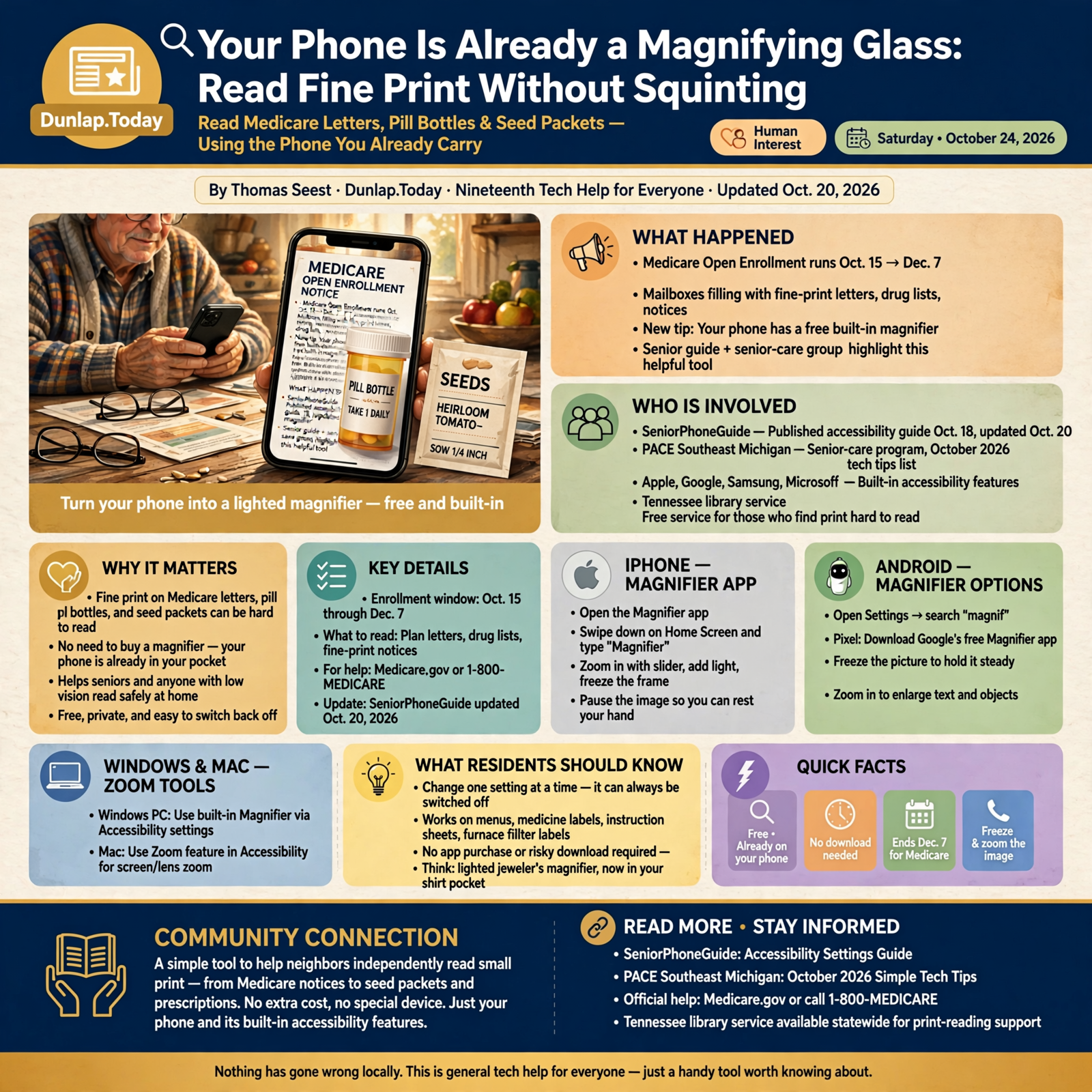
This time of year, the mailbox at the end of the drive fills up with small print. Medicare Open Enrollment runs Oct. 15 through Dec. 7, and plan letters, drug lists and fine-print notices are stacking up on kitchen tables all over the Valley. Add pill bottles, seed packets and the tiny numbers on the back of the furnace filter, and a body can wear out a pair of reading glasses. Here’s the cheerful part: the phone you already carry has a free, built-in magnifier. A senior phone guide updated Oct. 20 and an October tip sheet from a senior-care group both point to it as one of the most useful settings folks never find. Today we’ll find it together.
Here’s what’s in this nineteenth Tech Help for Everyone: why your phone makes a good magnifying glass, the Magnifier app on an iPhone, the magnifier choices on Android phones, the zoom tools on a Windows PC or a Mac, putting it to work on Medicare mail and pill bottles, and a free Tennessee library service for folks who find print hard to read.
These are built-in features from Apple, Google, Samsung and Microsoft. They work the same in Dunlap as anywhere else. Medicare Open Enrollment is national, and the library service is statewide. Nothing here is a Sequatchie Valley news report, and nothing has gone wrong locally. It’s just a handy tool worth knowing about.
⏱️ What this means for you in 30 seconds
- Your phone’s camera can work like a lighted magnifying glass. It’s free and already there.
- iPhone: Open the Magnifier app (swipe down on the Home Screen and type “Magnifier”).
- Android: Open Settings and search “magnif.” Pixel owners can get Google’s free Magnifier app.
- Freeze the picture so your hand can rest, then zoom in on the still image.
- Medicare Open Enrollment ends Dec. 7. Read the fine print, but get answers from Medicare.gov or 1-800-MEDICARE.
🔍 The Magnifying Glass You Already Carry
SeniorPhoneGuide published a plain-spoken guide to phone accessibility settings on Oct. 18 and updated it Oct. 20. Its short answer: open your phone’s Settings, then look for Accessibility, where you’ll find free tools to make things bigger, bolder and easier to hear. Its golden rule is a good one: change one setting at a time, and remember that every switch can be switched back off.
PACE Southeast Michigan, a senior-care program, put out an October 2026 list of simple technology tips. One of them is “Turn your phone into a magnifying glass.” It notes that many smartphones have a built-in Magnifier feature that uses the camera to enlarge text and objects, handy for a menu, a medicine label or an instruction sheet. Its advice: search your phone for “Magnifier” or “Magnification.”
What it means for you: Think of it like the big lighted magnifier on a jeweler’s bench, except it rides in your shirt pocket and never gets left on the dash. You don’t need to buy anything or download anything risky. On most phones, it’s already sitting there waiting for you.
👉 Read more: SeniorPhoneGuide’s accessibility settings guide · PACE Southeast Michigan’s simple tech tips
🍎 iPhone: The Magnifier App
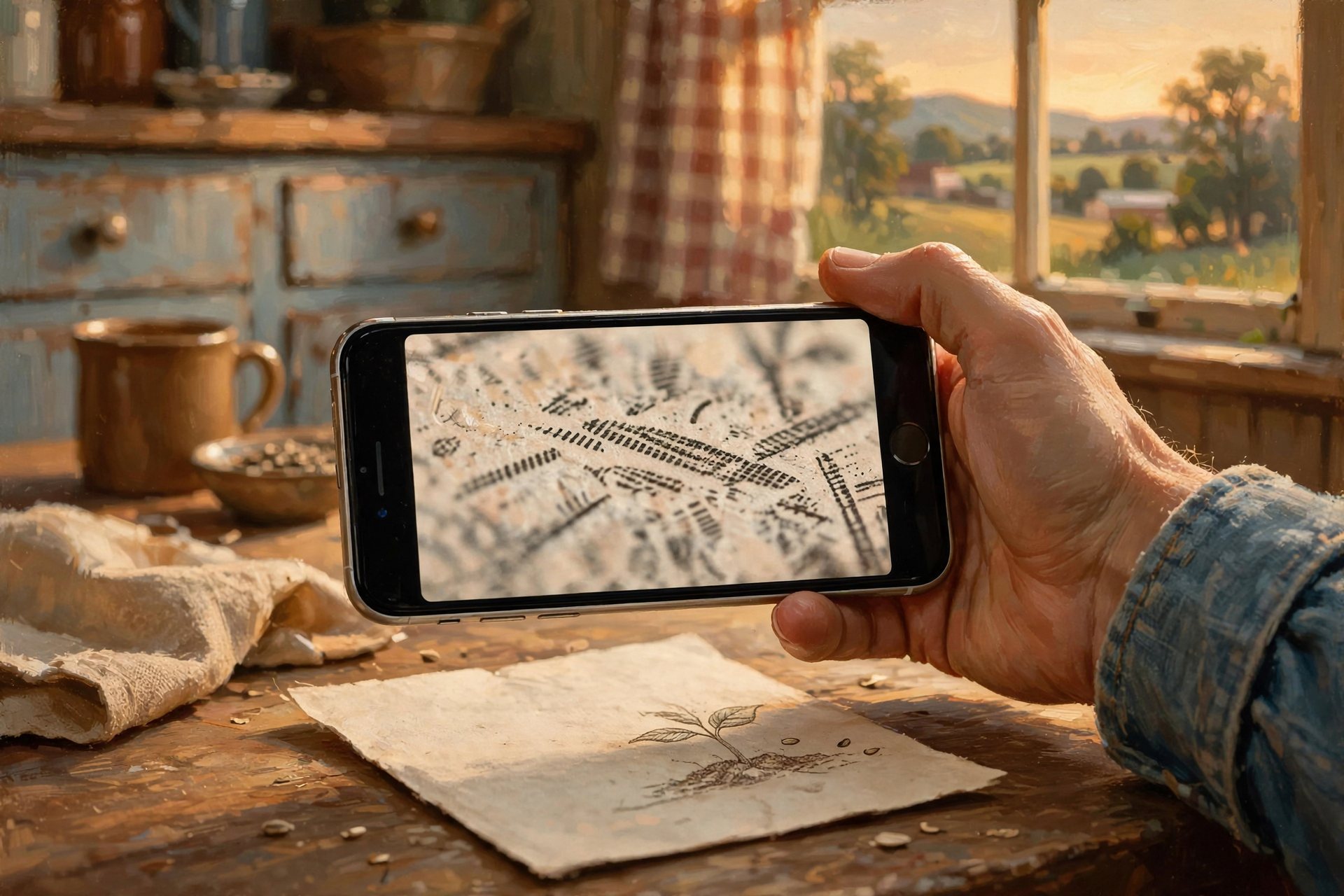
Apple’s iPhone User Guide says the Magnifier app lets you “use your iPhone like a magnifying glass to zoom in on text or objects around you.” Here’s how Apple lays it out:
- Open the Magnifier app. If you can’t spot it, swipe down on the Home Screen and type Magnifier.
- Point the camera at the words, then drag the slider to zoom in or out.
- Tap the capture button to freeze the frame. Apple says this temporarily captures the picture without saving it to Photos, so your photo album doesn’t fill up with pill bottles.
- You can add handy controls like Flashlight, Brightness and Contrast, which help in a dim kitchen.
- When you freeze a frame with words in it, Apple says you can view the text in an easier-reading format or have it read out loud.
What it means for you: The freeze button is the secret. Hold the phone over the letter, tap once, and then set your elbows on the table and zoom in on the still picture at your own pace. Apple also says you can set up a shortcut to open Magnifier from Control Center or by pressing a button, so it’s as quick to grab as the porch light switch. On newer iPhones with Apple Intelligence (iPhone 15 Pro and later models), Apple says you can even tap Ask and ask a question about what the camera sees, like the total on a bill.
👉 Read more: Apple’s guide to Magnifier on iPhone · Customize Magnifier controls
🤖 Android: Pixel, Samsung and the “Search Settings” Trick

Android phones come from lots of makers, so the magnifier lives in a few different spots, like every church kitchen keeping the coffee in a different cupboard. Here are the main ones:
- Google Pixel: Google’s help page says the free Magnifier app works on Pixel 5 and later (not the Pixel Tablet), and you get it from the Google Play Store. Point the camera, then tap Plus or Minus or pinch to zoom. Google says you can also capture an image and search for a word, like one item on a menu, and Magnifier will highlight it.
- Samsung Galaxy: Tech site TechWiser describes a camera magnifier under Settings > Accessibility > Vision enhancements > Magnifier, plus a Magnifier widget you can add to the home screen (press and hold an empty spot, tap Widgets, then find Magnifier). It includes a flashlight button and filters for brightness and contrast.
- Any Android phone: Open Settings and type “magnif” in the search box. Google’s Android accessibility guide also describes Select to Speak, which can point your camera at something to hear it read or described aloud.
What it means for you: Menu names change a little from phone to phone, and that’s normal. If one path doesn’t match your screen, the Settings search box is your best friend. Ask a grandchild to set up the shortcut once, and you’re set for good.
👉 Read more: Google’s Pixel Magnifier help · Android accessibility overview · Samsung Magnifier how-to (TechWiser)
💻 Computers Too: Windows Magnifier and Mac Zoom

- Windows: Microsoft says Magnifier is built into Windows, with nothing to download. Press the Windows logo key and the Plus sign (+) together to turn it on and zoom in. Press the Windows logo key and Minus (-) to zoom out, and the Windows logo key and Esc to turn it off. Microsoft says Magnifier can also read text aloud.
- Mac: Apple says to go to Apple menu > System Settings > Accessibility > Zoom and turn on Use keyboard shortcuts to zoom. Then press Option-Command-8 to turn zoom on or off, Option-Command-Plus to zoom in and Option-Command-Minus to zoom out.
What it means for you: These zoom what’s on the screen, not paper. They’re just right for a long Medicare plan page, a bank statement online, or that tiny “Submit” button at the bottom of a form. Write the shortcut on a sticky note and tape it beside the keyboard.
👉 Read more: Microsoft’s Magnifier shortcuts · Apple’s Mac Zoom guide
📬 Put It to Work: Medicare Letters, Pill Bottles and Seed Packets
Medicare.gov says Open Enrollment runs Oct. 15 through Dec. 7, and changes you make take effect Jan. 1. If you’re in a Medicare plan, your plan sends an “Annual Notice of Change” each fall, usually in September, listing changes to costs and coverage for the new year. Medicare says to review it, and if you didn’t get one, contact your plan. Medicare also reminds folks that Medicare.gov, the “Medicare & You” handbook and 1-800-MEDICARE (1-800-633-4227) are its official sources of information.
What it means for you: Your phone magnifier makes the fine print readable. It doesn’t make the decision. Use it to read the premium, the drug list and the pharmacy lines on your notice, then jot your questions on a notepad for a call to 1-800-MEDICARE or a trusted helper. The same trick works on the dosage on a pill bottle (your pharmacist is still the one to ask if anything’s unclear), the planting depth on a seed packet, and the model number on the back of the water heater when you call for a part.
👉 Read more: Medicare Open Enrollment · Medicare’s Annual Notice of Change page
📚 When Regular Print Gets Hard: A Free Tennessee Library Service

For neighbors who find regular print hard going, the Tennessee State Library and Archives runs the Library for Accessible Books & Media (LABM). The Tennessee Secretary of State’s page says it loans braille, audio and large-print books, plus players for the audio books, to any Tennessee resident with a qualifying condition, including low vision, blindness, trouble holding a book or turning pages, or reading disabilities. Materials come and go by mail using the Postal Service’s Free Matter privilege. An application needs the signature of a certifying authority, and you can call (800) 342-3308, Monday through Friday, 8 a.m. to 4:30 p.m.
What it means for you: A phone magnifier is great for a quick look at a label. If Grandpa used to read every Louis L’Amour on the shelf and his eyes won’t let him anymore, an audio book arriving in the mailbox might be the better gift. This is a statewide service out of Nashville, so it reaches Sequatchie County mailboxes just the same.
👉 Read more: Tennessee Library for Accessible Books & Media
✅ Your Saturday Magnifier Checklist

- ✅ Find it today: iPhone, search for Magnifier. Android, open Settings and search “magnif.”
- ✅ Pixel owner? Get Google’s free Magnifier app from the Play Store (Pixel 5 or later).
- ✅ Samsung owner? Look under Accessibility > Vision enhancements, or add the Magnifier widget.
- ✅ Practice once on something easy, like a cereal box, before you need it.
- ✅ Use the freeze button so your hand can rest, then zoom on the still picture.
- ✅ Turn on the flashlight control for dim rooms and the back of the pantry.
- ✅ Windows: Windows key + Plus to zoom, Windows key + Esc to stop. Mac: Option-Command-8 (after turning on the shortcut).
- ✅ Medicare: Read your Annual Notice of Change, and remember Open Enrollment ends Dec. 7.
- ✅ Questions? Medicare.gov or 1-800-MEDICARE. Pill questions go to your pharmacist.
- ✅ Know someone who can’t read print anymore? Tennessee’s LABM: (800) 342-3308.
Practical rule: Don’t squint. Point, freeze, zoom, then read.
— Dunlap.Today
📚 Plain-English Tech Glossary
- Magnifier: A free tool that uses your phone’s camera to make small things look bigger on the screen.
- Accessibility settings: A section of Settings with free tools that make a phone or computer easier to see, hear and touch.
- Freeze frame (capture): Taking a still picture inside Magnifier so you can zoom in without holding the phone steady.
- Widget: A small button or box you can put on your home screen to open something quickly.
- Select to Speak: An Android feature that reads words aloud, including words your camera is pointed at.
- Screen magnification / Zoom: Making what’s on the screen bigger, as opposed to paper in front of the camera.
- Annual Notice of Change (ANOC): The letter your Medicare plan sends each fall listing next year’s changes in costs and coverage.
- LABM: Tennessee’s Library for Accessible Books & Media, which mails free braille, audio and large-print books to eligible residents.
❓ FAQ
Do I have to buy or download anything?
Usually not. Apple’s Magnifier app comes with the iPhone, Microsoft says Magnifier is built into Windows, and Apple’s Mac Zoom is in System Settings. Pixel owners get Google’s free Magnifier app from the Play Store. Samsung phones include their own magnifier under Accessibility.
Will Magnifier fill up my photo album?
On iPhone, Apple says freezing the frame captures the picture temporarily, without saving it to Photos, unless you choose to save it.
My hands shake a little. Can I still use it?
Yes. Tap the capture or freeze button to take a still picture, then rest your hands and zoom in on the picture.
Can it read the words out loud?
Often, yes. Apple says Magnifier can read captured text aloud, and its Detection Mode can read text it sees. Google’s Select to Speak can read what your camera is pointed at, and Microsoft says Windows Magnifier can read text aloud too.
What if I can’t find “Magnifier” on my Android phone?
Open Settings and type “magnif” in the search box. Menu names differ by brand. If nothing turns up, a family member or the store where you bought the phone can help you find the right spot.
Can the magnifier help me choose a Medicare plan?
It helps you read the fine print, not choose. Medicare says its official sources are Medicare.gov, the “Medicare & You” handbook and 1-800-MEDICARE (1-800-633-4227). Open Enrollment runs through Dec. 7.
Is this a Sequatchie Valley problem?
No. These are built-in features that work the same everywhere. Medicare Open Enrollment is national, and Tennessee’s LABM serves the whole state, Sequatchie County included.
🔗 Other Resources
- Apple: Magnify or get information about things around you with Magnifier on iPhone
- Apple: Detect text around you and have it read out loud using Magnifier
- Google: Use Pixel’s Magnifier
- Google: Android accessibility overview
- Microsoft: Magnifier keyboard shortcuts and touch gestures
- Apple: Zoom in on your Mac screen
- SeniorPhoneGuide: Phone accessibility settings for seniors
- Medicare.gov: Open Enrollment
- Tennessee Secretary of State: Library for Accessible Books & Media
🌻 Rest Your Eyes, Not Your Curiosity
Small print doesn’t have to stop you. Take two minutes this weekend, find the magnifier on your phone, and practice on the cereal box. Then when the next Medicare letter or prescription bottle lands on the table, you’ll point, freeze, zoom and read like you’ve done it all your life. Share this with a neighbor who keeps losing their reading glasses. They’ll thank you.
Keep learning, keep exploring and keep your cool. Read Dunlap.Today for calm, clear Valley news, and find local folks who can help with phones and computers anytime on Dunlap.Directory.
Know about an upcoming event or story in the Sequatchie Valley? Submit it here.




0 Comments