
Digital Independence for Seniors: How to Keep Technology From Owning You

There is a particular sentence that has become increasingly common in American households:
“I don’t know. You’ll have to ask the kids.”
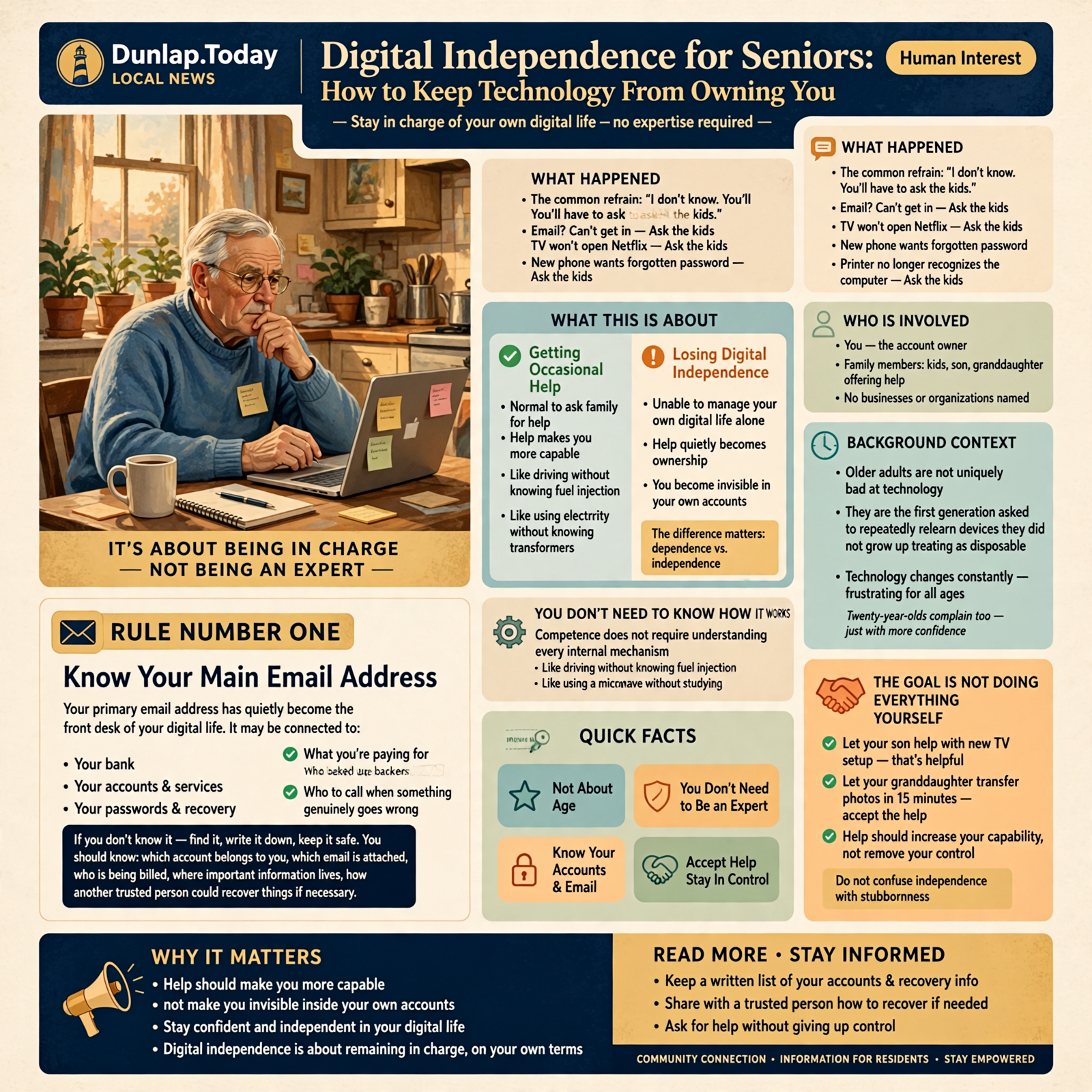
Can’t get into the email?
Ask the kids.
Television stopped showing Netflix?
Ask the kids.
New phone wants a password nobody remembers?
Ask the kids.
Printer has decided it no longer recognizes the computer it has been sitting beside for six years?
Definitely ask the kids.
There is nothing wrong with asking for help.
Human beings have been helping one another since somebody first needed a second person to hold the ladder.
But there is a difference between:
getting occasional help
and:
being unable to manage your own digital life without somebody else.
That difference is what this article is about.
You do not need to become a computer expert.
You don’t need to understand artificial intelligence, computer networking, cloud architecture, or whatever Microsoft has decided to rename something this week.
You need enough understanding to remain in charge.
That’s digital independence.
This Isn’t About Age Nearly as Much as People Think

Let’s clear something up right away.
Older people are not uniquely bad at technology.
They are simply the first generation being asked to repeatedly relearn devices they did not grow up treating as disposable.
For much of human history, when you learned to operate something, the basic rules remained fairly stable.
A hammer didn’t receive a Tuesday update.
The refrigerator didn’t move the milk to a new menu because somebody redesigned the interface.
Your truck did not suddenly announce:
“We’ve improved your driving experience. The brake pedal is now under Settings.”
Modern technology changes constantly.
That frustrates twenty-year-olds too.
They simply complain with greater confidence.
You Don’t Need to Know How It Works

Most people drive automobiles without understanding fuel injection.
They use electricity without knowing how a transformer works.
They operate a microwave without studying electromagnetic radiation.
Competence does not require understanding every internal mechanism.
Digital competence works the same way.
You need to know things like:
- Where important information is stored
- How to get into your accounts
- How to recover those accounts
- What you’re paying for
- How important files are backed up
- Who to call when something genuinely goes wrong
You do not need to know what a DNS server is.
Unless you enjoy that sort of thing.
In which case, bless your heart, there’s plenty to read.
The Goal Is Not Doing Everything Yourself

Digital independence should not be confused with digital stubbornness.
If your son knows more about setting up a new television, let him help.
If your granddaughter can transfer photographs from the old phone in fifteen minutes while it would take you three days and a Baptist prayer chain, accept the help.
The important thing is that help does not quietly become ownership.
You should still know:
- Which account belongs to you
- Which email address is attached to it
- Who is being billed
- Where the important information lives
- How another trusted person could recover things if necessary
Help should make you more capable.
It should not make you invisible inside your own accounts.
Rule Number One: Know Your Main Email Address

This sounds almost too simple to mention.
It isn’t.
Your primary email address has quietly become the front desk of your digital life.
It may be connected to:
- Your bank
- Your insurance
- Medical portals
- Shopping accounts
- Social media
- Streaming services
- Cloud storage
- Password resets
- Travel reservations
- Utility accounts
If somebody asks:
“What’s your main email address?”
you should know the answer.
You should also know how to open that email without depending entirely on one particular phone.
Your Email Password May Be the Most Important Password You Own

Why?
Because many other accounts can be reset through email.
If somebody gains control of your primary email account, they may gain a path toward resetting other accounts too.
That means your email deserves a strong, unique password.
Not:
bootsie123
Not:
password
And preferably not the same password you’ve used since George W. Bush was president.
Password Managers Solve a Real Problem
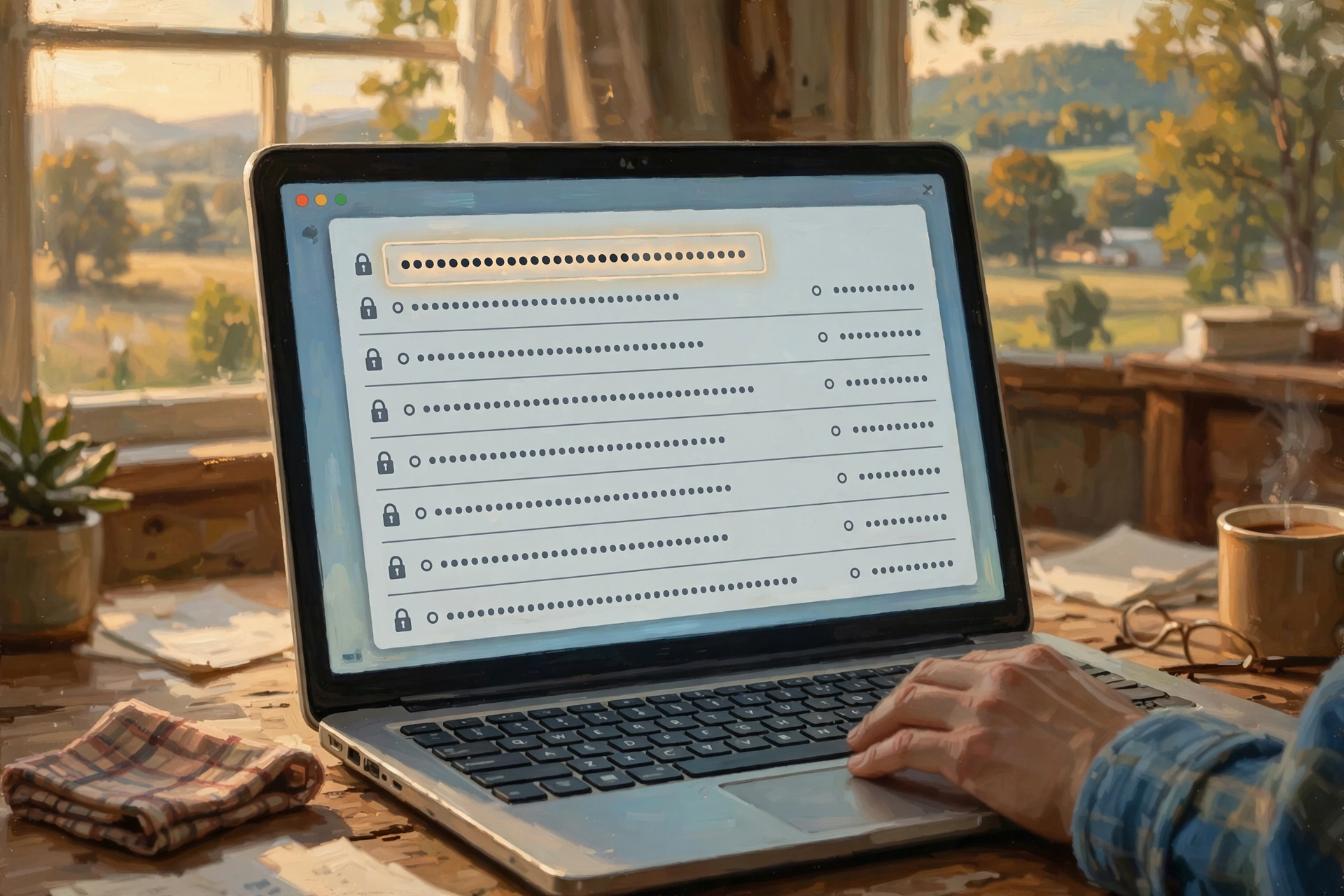
The old advice used to be:
“Memorize your passwords.”
That worked when you had three of them.
Today a normal person might have dozens or hundreds of accounts.
The human brain was not designed for:
q7!Lz4#Pm2@xR
multiplied by 83 websites.
A password manager is basically a locked digital notebook designed to remember account passwords for you.
You remember one strong master password.
The manager stores the others.
This can be enormously useful.
But whichever system you use, make sure account recovery has been thought through.
The Little Notebook Is Not Automatically Evil

Computer-security advice sometimes becomes detached from real life.
People are told never to write passwords down.
Then they reuse the same weak password everywhere because that’s the only practical alternative they understand.
For some older adults, a carefully protected physical record kept securely at home can be safer than repeating one password across fifty accounts.
The important phrase is:
carefully protected.
Not taped to the laptop.
Not labeled:
BANK PASSWORDS — PLEASE DO NOT STEAL.
Security should solve real problems rather than merely satisfy rules.
Two-Step Verification Is Worth Understanding
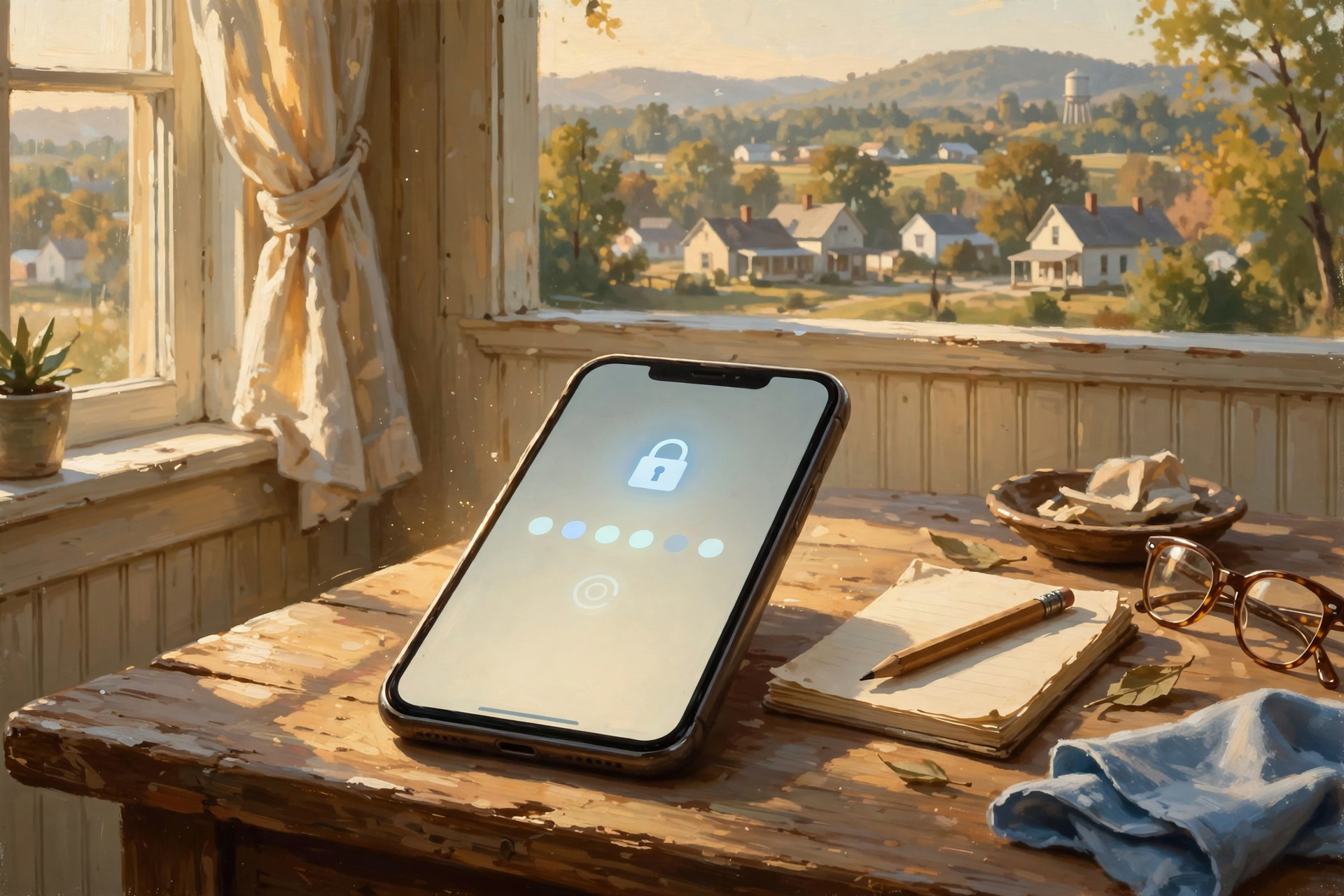
You may have encountered this.
You enter your password.
Then the service sends a number to your phone or asks you to approve the login another way.
That’s often called:
two-factor authentication
or:
two-step verification.
The plain-English idea is:
Your password alone isn’t enough to get in.
That’s useful if somebody steals your password.
But it creates another question:
What happens if you lose your phone?
That’s why recovery methods matter.
Recovery Is Part of Security

People often think security means keeping everybody out.
Good security also means making sure you can still get back in.
For important accounts, understand:
- Which phone number receives recovery messages
- Which email address receives recovery messages
- Whether recovery codes exist
- Whether a trusted family member needs emergency instructions
A vault nobody can break into sounds excellent.
Until you lock yourself inside.
Rule Number Two: Know What You’re Paying For

Earlier in this Digital Independence series, we talked about subscription audits.
This matters especially after retirement.
Small monthly charges can disappear into credit-card statements:
- Office software
- Cloud storage
- Antivirus
- Streaming television
- Music
- Photo storage
- Newspaper subscriptions
- Apps
- Games
- Artificial intelligence
You don’t need to cancel all of them.
If a service makes your life better and fits comfortably into your budget, wonderful.
The important thing is to know:
What is this?
How much is it?
Do I still use it?
Turn Monthly Prices Into Annual Prices

Here’s one little trick worth using.
Whenever you see:
$9.99 per month
translate it mentally into:
about $120 per year.
$19.99 per month becomes roughly $240 a year.
Five little subscriptions can become real money.
A fixed income makes annual costs particularly worth understanding.
Watch for “Free” Trials

A free trial may mean:
“Use this free for 30 days.”
It may also mean:
“Please give us your credit card so we can start charging you when you forget this exists.”
Neither arrangement is automatically dishonest.
But know which one you’re accepting.
If you start a trial, put the cancellation date on your calendar immediately.
Rule Number Three: Know Where Your Photographs Are

This one matters.
Family photographs may be among the most valuable possessions on your phone.
Not financially valuable.
Actually valuable.
Children.
Grandchildren.
Parents.
Friends.
Pets.
People and moments that cannot be recreated.
Ask:
If this phone falls into the Tennessee River tomorrow, what happens to the photographs?
If you don’t know, find out.
A Phone Is Not a Family Archive

Phones are astonishing devices.
They are also:
- Dropped
- Lost
- Stolen
- Broken
- Replaced
Your family history deserves more than one little rectangle of glass in your pocket.
Important photographs should exist somewhere else too.
That could be:
- A cloud photo service
- A computer
- An external drive
- Another carefully maintained backup
Better yet, more than one.
Print Some of the Important Ones

Here’s a radical technology suggestion:
Print photographs.
Not all 27,000 of them.
Please don’t do that unless you own stock in an ink company.
But especially important family photographs can still benefit from a physical copy.
Printed photographs don’t need a password.
Grandchildren can find them in a box fifty years from now.
There is something to be said for technology that survives being unplugged.
Rule Number Four: Keep Important Documents Somewhere Understandable

Taxes.
Insurance.
Wills.
Property records.
Vehicle records.
Medical information.
Business records.
You may keep these digitally, physically, or both.
What’s important is that you understand the system.
A beautiful digital filing system that only your nephew understands may not be much of a filing system for you.
Use Folder Names Human Beings Understand

There is no prize for clever file organization.
A folder called:
2026 Taxes
is excellent.
A folder called:
Important Documents
may be perfectly fine.
A folder called:
Stuff2_Final_NEW_UseThisOne
suggests we’ve lost control of the situation.
Rule Number Five: Back Up What You Can’t Replace

We have discussed backups throughout this series for a reason.
Computers fail.
Phones fail.
Hard drives fail.
Accounts fail.
People accidentally delete things.
None of that is unusual.
A backup turns:
disaster
into:
annoyance.
That’s one of the better bargains in technology.
Don’t Just Assume the Backup Is Happening

Lots of people say:
“I think it’s backed up.”
That’s worth checking.
Once in a while:
- Look at the backup.
- Check the date.
- Open a file.
- Make sure recent photographs are there.
The comforting little green checkmark only matters if the files can actually come back.
Rule Number Six: Don’t Let One Person Become Your Entire Technology Department

Every family has one.
The person who knows:
- The Wi-Fi password
- Which account pays for Netflix
- Why the printer works only from Mom’s laptop
- Where Dad’s photographs are backed up
- How Grandma’s phone is configured
This person is valuable.
Be kind to this person.
Possibly feed this person.
But do not build a system where everything collapses if this person moves to Idaho.
Ask Them to Explain, Not Just Fix

When somebody helps you with technology, occasionally ask:
“Show me what you did.”
You don’t need to remember every click.
But understand the broad idea.
Was the problem:
- A forgotten password?
- An expired credit card?
- A disconnected cable?
- A setting?
- An account problem?
Every little bit of understanding reduces future dependence.
Rule Number Seven: Never Let a Stranger Rush You

This is especially important.
Technology scammers love urgency.
They want:
NOW.
Your computer is infected NOW.
Your bank account is closing NOW.
Your Social Security number has been suspended NOW.
Your grandchild needs money NOW.
Your package has a problem NOW.
Urgency is useful because it prevents you from doing the thing scammers hate most:
thinking.
The Front-Porch Rule for Suspicious Messages

Imagine somebody knocked on your front door and said:
“Hello. I’m from your bank. I need your checking password immediately.”
You’d probably close the door.
Email and text messages deserve the same skepticism.
If something claims to be from your bank, insurance company, Medicare provider, delivery service, or another important organization:
Do not use the phone number or link in the suspicious message.
Go through the normal route you already trust.
Open the official app.
Use a statement.
Use the phone number on the back of the card.
Make a separate call.
Being Skeptical Is Not Being Rude

This matters because many older people were raised to be polite.
Scammers know that.
You are allowed to hang up.
You are allowed to say:
“I’ll call the company myself.”
You are allowed to ignore the text.
You are allowed to ask your daughter.
You are allowed to make a caller wait.
A legitimate organization will survive your caution.
Rule Number Eight: Updates Are Usually Your Friend

I understand why updates frustrate people.
The computer works perfectly on Monday.
Tuesday morning it announces:
UPDATE REQUIRED.
Then it restarts for reasons known only to God and Microsoft.
Updates can change interfaces.
They can introduce bugs.
But they also frequently repair security problems.
For ordinary users, keeping major devices and mainstream software reasonably current is generally much safer than deliberately freezing everything for years.
But You Don’t Need Every Shiny New Thing

Staying current does not mean buying a new phone every year.
If your device:
- Still receives important security updates
- Runs the applications you need
- Has acceptable battery life
- Works reliably
you may have no compelling reason to replace it.
Digital independence includes resisting unnecessary upgrades too.
Rule Number Nine: Keep Technology as Simple as Your Life Allows

Complexity accumulates.
Three email accounts become seven.
Two cloud services become five.
A television gets six streaming subscriptions.
Every smart device wants its own app.
Eventually you need an administrative assistant to turn on the porch light.
There’s value in simplification.
If two services do the same thing, maybe you need one.
If an app hasn’t been used in two years, perhaps it can go.
If an old account isn’t needed, consider closing it after preserving anything important.
Technology Should Reduce Work

This sounds obvious, but it’s a good test.
Ask:
Does this device or service make my life easier?
If a “smart” thermostat requires three passwords, two apps, a subscription, and your grandson’s assistance every time the weather changes…
the thermostat may be smarter than the purchasing decision.
Rule Number Ten: Have a Digital Estate Plan

This topic isn’t cheerful.
It is important.
Eventually, somebody may need to deal with your digital life after you cannot.
That includes things like:
- Email accounts
- Photographs
- Cloud storage
- Social-media accounts
- Subscription services
- Websites
- Online businesses
- Digital financial records
- Important documents
A traditional estate plan deals with physical and financial property.
A modern one increasingly needs to consider digital belongings too.
Someone Should Know Where the Map Is

This does not mean handing every password to every relative.
It means creating an orderly way for an authorized, trusted person to understand:
- Which important accounts exist
- Where recovery information is maintained
- Which subscriptions need cancellation
- Where photographs and family documents are stored
- Which digital assets should be preserved
The goal is not access for everybody.
The goal is preventing your digital life from becoming an archaeological dig.
Artificial Intelligence Can Actually Help Seniors

We’ve discussed local and cloud AI earlier in this series.
Used thoughtfully, AI can be especially useful for older adults.
It can help:
- Explain confusing letters
- Rewrite difficult instructions in plain language
- Help draft emails
- Explain computer terminology
- Organize notes
- Compare products
- Generate checklists
- Walk through unfamiliar tasks
One of the best uses of AI may simply be:
“Explain this to me like a normal person.”
There is no shame in asking the machine to translate computer people into English.
But AI Is Not Automatically Correct

This is equally important.
Artificial intelligence can sound confident while being wrong.
Do not treat an AI answer as unquestionable authority on:
- Financial transactions
- Legal documents
- Medical decisions
- Suspicious account messages
- Large purchases
Use it as another tool for understanding.
Verify important decisions through appropriate reliable channels.
The Best Technology Setup Is the One You Understand

Computer enthusiasts can build magnificent systems.
Automatic backups.
Home servers.
Private clouds.
Local artificial intelligence.
Complex password systems.
Wonderful.
But a system somebody cannot understand well enough to maintain may not increase independence.
It can simply replace dependence on a corporation with dependence on the person who built the system.
Families Should Design for the Person Using It

If you’re helping an older parent with technology, resist the temptation to build the system you would enjoy.
Build the system they can operate.
That may mean:
- Fewer apps
- Larger text
- Clear shortcuts
- One main email account
- Automatic backups
- Simple printed instructions
- Fewer unnecessary notifications
The best system isn’t the cleverest system.
It’s the one that works when the person who designed it isn’t standing there.
A Printed Cheat Sheet Is Perfectly Respectable Technology

There is no rule saying every solution has to be digital.
A sheet beside the computer might say:
- Open this program for email.
- If the printer doesn’t work, check this cable.
- Photos are backed up here.
- Call this person if something unusual happens.
- Never give a caller remote control of the computer.
That’s not primitive.
That’s documentation.
Large corporations spend fortunes creating documentation.
Grandma is allowed to use a piece of paper.
Wisdom From the Front Porch

You don’t need to know how to rebuild the tractor to know where the key is, where the fuel goes, and who you trust to work on it.
That’s digital independence for most people.
Not becoming an expert.
Knowing enough to make decisions.
Knowing enough to recognize when something looks wrong.
Knowing enough to recover.
And knowing when to ask somebody trustworthy for help.
Plain-English Glossary

Account
Your individual identity with an online service, usually connected to an email address, username, password, or other login method.
Password Manager
Software designed to securely store and retrieve passwords so you don’t need to memorize a different complicated password for every account.
Two-Step Verification
A login process that requires something beyond a password, such as a code, device approval, or security key.
Recovery Email
An alternate email address used to help restore access if you lose access to an account.
Cloud Storage
Files stored on computers operated by an online provider rather than only on your own device.
Backup
An independent copy of important information maintained so it can be recovered if the primary copy is lost, damaged, or deleted.
Subscription
A recurring payment for continued access to a product or service.
Digital Estate
The accounts, files, photographs, websites, subscriptions, and other digital property or records that may need attention when a person dies or becomes unable to manage them.
Phishing
A fraudulent message or website designed to trick you into revealing passwords, financial information, or other valuable information.
The Dunlap.Today Digital Independence Checklist for Seniors

- ☐ I know my primary email address.
- ☐ I know how to recover access to that email account.
- ☐ My important accounts do not all use the same password.
- ☐ I understand how my password system works.
- ☐ I understand the recovery method for important accounts.
- ☐ I know which subscriptions I’m paying for.
- ☐ I review recurring charges occasionally.
- ☐ My important photographs exist in more than one place.
- ☐ Important documents are organized somewhere I understand.
- ☐ I know whether my computer and phone are being backed up.
- ☐ I occasionally verify that the backup contains real files.
- ☐ I know who I trust for technology help.
- ☐ I do not allow unexpected callers to rush me into computer or financial actions.
- ☐ I know how to contact important companies through a trusted route.
- ☐ My major devices still receive updates.
- ☐ I have eliminated accounts and services I no longer need.
- ☐ A trusted person could locate critical digital information if I became unable to manage it.
- ☐ Important family photographs and records will not disappear with one phone or account.
Frequently Asked Questions

Do seniors need to become computer experts to stay safe online?
No. Most people need practical familiarity with accounts, passwords, backups, recovery procedures, subscriptions, and common scams rather than deep technical knowledge.
Should I use the same password everywhere so I can remember it?
No. Reusing one password means a compromise at one service can potentially expose several other accounts. A password manager or another carefully designed password system can reduce the need to memorize dozens of unique passwords.
Is it unsafe to write passwords down?
The important question is how the record is protected. A securely stored physical record may be more practical for some people than reusing weak passwords everywhere. Passwords should not be left openly visible or stored where strangers can easily find them.
Should I use two-step verification?
It provides an important additional layer of protection for many accounts. Make sure you also understand how account recovery works if your phone or verification device is lost.
How do I know whether my photographs are backed up?
Identify where the original photographs live, identify the second copy, and occasionally verify that recent photographs actually appear there. Do not rely only on assuming that a cloud icon means everything is safely preserved.
Should I cancel software subscriptions after retirement?
Not automatically. Keep services that provide enough convenience, entertainment, productivity, or security to justify their cost. Review recurring charges so you aren’t paying indefinitely for services you no longer use.
How should I respond to an urgent message from my bank?
If the message is unexpected, avoid relying on links or contact information contained in the message itself. Contact the institution through a route you already trust, such as its official app, a known website, a statement, or the telephone number printed on your card.
Should my adult children know all my passwords?
Not necessarily. Families should choose an arrangement appropriate to their circumstances. The important goal is having a secure recovery or estate plan so an authorized trusted person can eventually handle important accounts if necessary.
Can AI help older people with technology?
Yes. AI can be particularly useful for explaining unfamiliar terminology, simplifying instructions, drafting messages, creating checklists, and helping users understand technology. Important financial, legal, medical, and security decisions should still be independently verified.
What’s the single best way to become more digitally independent?
Pick one important part of your digital life—email, passwords, photographs, subscriptions, or backups—and make sure you personally understand how it works and how you would recover it. Then move to the next one.
You Are Allowed to Say “No, I Don’t Need That”

Technology companies are very good at telling us what the future looks like.
Smart watches.
Smart homes.
Artificial intelligence.
Cloud everything.
Subscriptions.
Connected appliances.
Some of these things are wonderful.
Some may improve your life enormously.
Others may solve problems you never had.
You are allowed to choose.
You are allowed to say:
“That’s useful.”
And you’re equally allowed to say:
“No thank you. My light switch is working fine.”
The Point of Independence Is Choice

This entire series has been leading toward that idea.
Digital independence isn’t about rejecting modern technology.
It isn’t about avoiding subscriptions.
It isn’t about abandoning the cloud.
It isn’t about running your own servers.
And it certainly isn’t about proving you can fix everything yourself.
It’s about retaining enough understanding and control to choose what serves you.
The Bottom Line

Technology should extend your independence.
It should let you talk to family far away.
Preserve photographs.
Manage finances.
Learn new things.
Write.
Read.
Travel.
Create.
Stay connected.
Get help when you need it.
It should not leave you afraid to touch the wrong button.
You do not need to understand everything.
Nobody does.
You need to know enough to ask good questions.
Enough to recognize suspicious situations.
Enough to know where your important things are.
Enough to know what you’re paying for.
Enough to recover when something goes wrong.
And enough to say:
“This technology works for me.”
Not:
“I suppose I work for it now.”
Know about an upcoming event or story in the Dunlap, TN area? Submit it here.




0 Comments