
What Happens If Your Favorite Cloud Service Disappears Tomorrow?

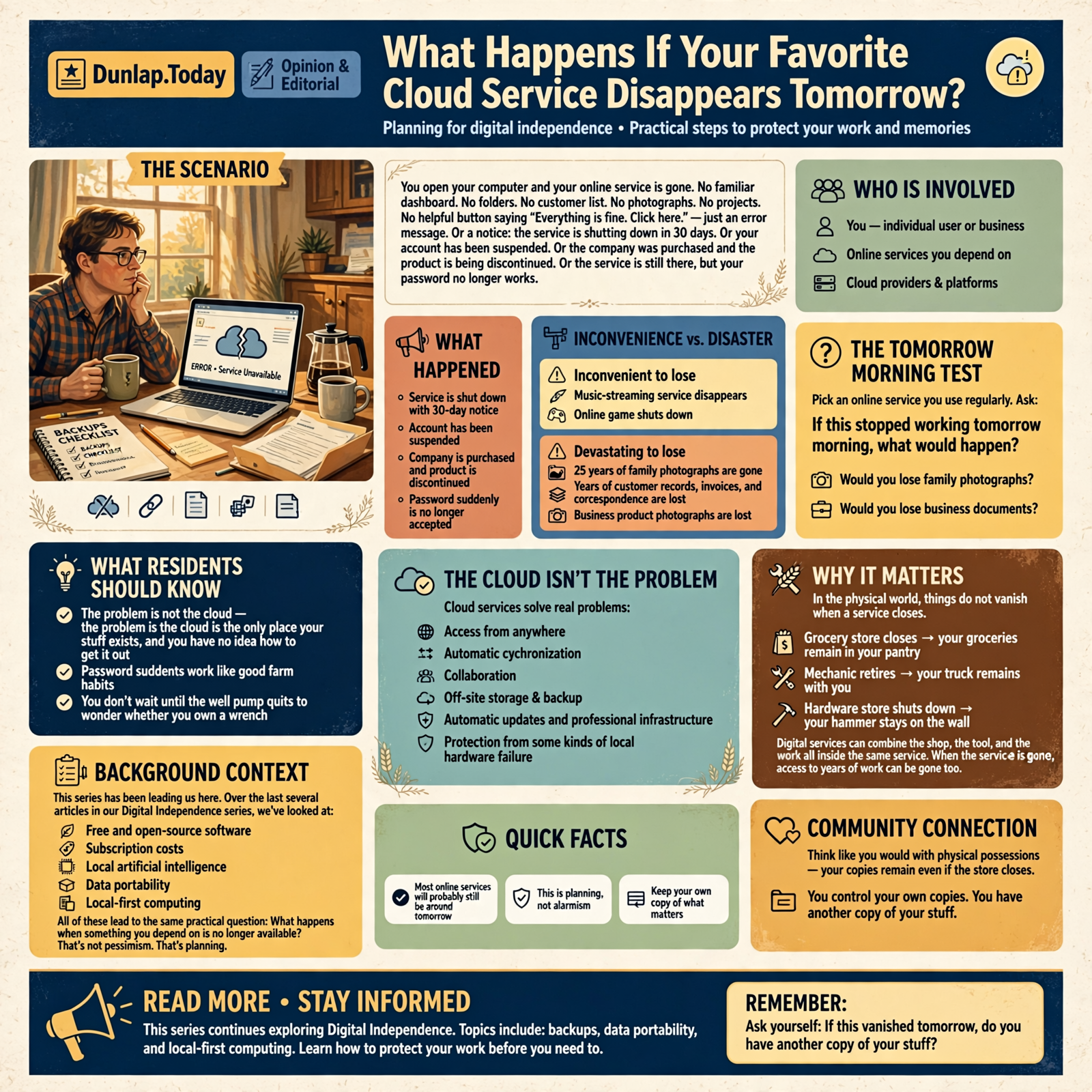
Imagine waking up tomorrow morning, pouring a cup of coffee, opening your computer, and discovering that one of the online services you depend on is simply gone.
No familiar dashboard.
No folders.
No customer list.
No photographs.
No projects.
No helpful little button saying:
“Everything is fine. Click here.”
Just an error message.
Or perhaps an announcement explaining that the service is shutting down in thirty days.
Or your account has been suspended.
Or the company was purchased and the product is being discontinued.
Or the service is still there, but your password suddenly isn’t getting you through the front door.
Most of the online services we use today will probably still be around tomorrow.
This is not an article suggesting that civilization is held together by three extension cords and a nervous fellow named Kevin in a data center.
But good digital habits work a lot like good farm habits.
You don’t wait until the well pump quits to wonder whether you own a wrench.
And you don’t wait until an online service disappears to ask:
“Do I have another copy of my stuff?”
This Series Has Been Leading Us Here

Over the last several articles in our Digital Independence series, we’ve looked at:
- Free and open-source software
- Subscription costs
- Local artificial intelligence
- Data portability
- Local-first computing
- The difference between running software yourself and paying somebody else to operate it
All of those subjects eventually lead to the same practical question:
What happens when something you depend on is no longer available?
That’s not pessimism.
That’s planning.
We Already Understand This in the Physical World
Suppose your favorite grocery store closes.
That’s inconvenient.
But your groceries don’t vanish from your pantry.
If your mechanic retires, your truck does not disappear with him.
If the hardware store shuts down, your hammer remains hanging on the wall.
Digital services can create a stranger relationship.
Sometimes the place you shop, the tool you use, and the thing you’ve created all live inside the same service.
That’s why an online shutdown can affect more than convenience.
It can affect access to years of work.
The Cloud Isn’t the Problem

Let’s keep this balanced.
Cloud services solve real problems.
They give us:
- Access from anywhere
- Automatic synchronization
- Collaboration
- Off-site storage
- Automatic updates
- Professional infrastructure
- Protection from some kinds of local hardware failure
For many households and businesses, cloud services are one of the best bargains in technology.
The problem is not:
“My stuff is in the cloud.”
The problem is:
“The cloud is the only place my stuff exists, and I have no idea how to get it out.”
The Difference Between Inconvenience and Disaster

Suppose your music-streaming service disappears.
Annoying.
You find another one.
Now suppose the only copies of twenty-five years of family photographs disappear.
That’s different.
Suppose an online game shuts down.
Disappointing.
Now suppose your business loses years of customer records, invoices, product photographs, and correspondence.
That’s different too.
A sensible digital plan begins by distinguishing:
things that would be inconvenient to lose
from:
things that would be devastating to lose.
The “Tomorrow Morning” Test

Pick an online service you use regularly.
Then ask:
If this stopped working tomorrow morning, what would happen?
Would you lose:
- Family photographs?
- Business documents?
- Customer information?
- Email history?
- Appointments?
- Financial records?
- Website content?
- Notes?
- Passwords?
- AI conversations?
- Research?
- Creative work?
If your answer is:
“I have absolutely no idea.”
Congratulations.
You’ve found this weekend’s technology project.
There Are Several Ways a Service Can “Disappear”

We tend to imagine companies simply going out of business.
That’s only one possibility.
The Company Shuts the Product Down
A product may no longer make financial or strategic sense.
The company gives customers notice and closes it.
The Company Gets Purchased
A buyer may continue the service.
Or combine it with something else.
Or gradually remove features you depended upon.
The Price Changes
The service doesn’t technically disappear.
It simply becomes something you’re no longer willing or able to pay for.
If leaving is impossible, that distinction gets mighty academic.
Your Account Gets Locked
The company remains perfectly healthy.
Everybody else can log in.
You can’t.
From your chair, the service has effectively disappeared.
The Internet Goes Down
Your account exists.
The provider exists.
Your data exists.
You just can’t reach any of it.
The Service Changes
Sometimes nothing closes.
The company simply redesigns the product, removes a feature, changes a policy, or alters how data is stored.
If the feature you needed disappears, the result can be surprisingly similar to a shutdown.
Businesses Have More to Lose
For a household, losing access to an application may be frustrating.
For a business, it can stop work.
Consider how many ordinary small businesses now depend on online services for:
- Accounting
- Credit-card processing
- Customer management
- Scheduling
- Inventory
- Payroll
- Website hosting
- File storage
- Social media
- Marketing
- Artificial intelligence
That’s not necessarily bad.
In many cases, the online system is far more reliable than anything the small business could operate itself.
But dependence should be understood.
The Important Question: What Can You Still Do?

Imagine your primary business platform is unavailable for one day.
Can employees still:
- Find customer phone numbers?
- See today’s appointments?
- Look up basic product information?
- Prepare orders?
- Answer common customer questions?
- Access procedures?
- Contact one another?
You may not be able to complete every transaction.
That’s fine.
The goal is not magical immunity from outages.
The goal is graceful failure.
That’s a computer term worth translating.
It means:
When something breaks, everything else doesn’t have to fall over with it.
The Tractor With One Fuel Line

Imagine a tractor where one tiny rubber fuel line controls:
- The engine
- The lights
- The hydraulics
- The brakes
- The radio
- The seat
If that little hose cracks, the entire tractor becomes a lawn ornament.
You would rightly question the design.
Digital systems can become the same way.
One password.
One provider.
One cloud account.
One employee who knows how everything works.
One Internet connection.
When too much depends on one thing, computer people call it a single point of failure.
Ordinary people call it:
“Well, that’s unfortunate.”
Start With the Irreplaceable Things

You don’t need to back up the entire Internet.
Start with things you cannot easily recreate.
For a household, that might include:
- Family photographs
- Home videos
- Scanned documents
- Family history
- Tax records
- Creative writing
- Important correspondence
For a business:
- Customer information
- Financial records
- Product information
- Contracts
- Original photographs
- Website content
- Procedures
- Employee records
- Important email
- Custom databases
You can reinstall software.
You cannot reinstall Grandpa’s voice.
Export Is Your Friend
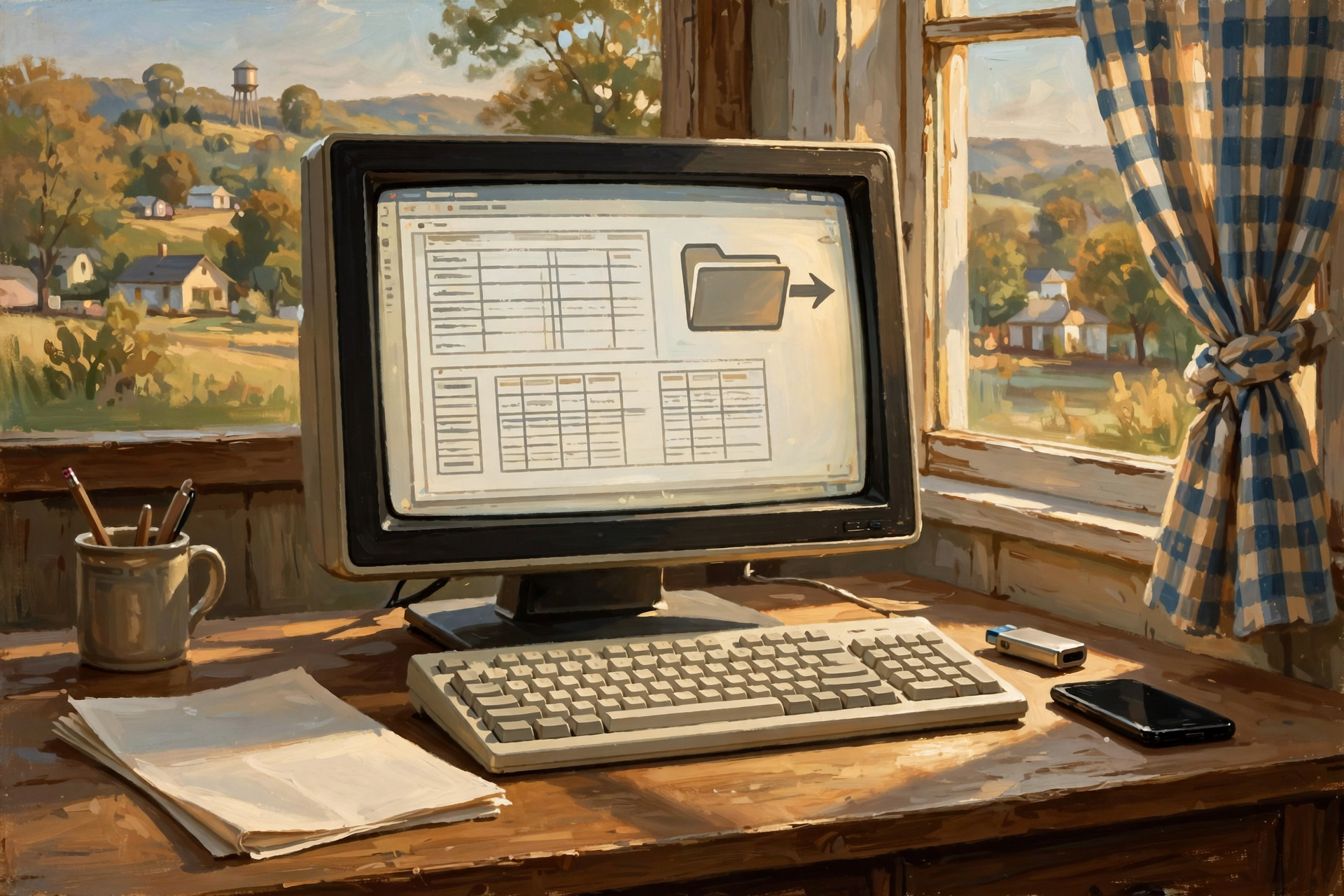
We talked about this earlier in the series, but it becomes especially important here.
If a service contains important information, learn how to export it.
Not someday.
Not when the company announces a shutdown.
Now.
A useful export should ideally produce information in formats that other software can understand.
Common examples include:
- CSV for rows and columns of data
- PDF for finished documents
- JPG or PNG for images
- TXT or Markdown for text
- Standard office document formats
- Structured formats such as JSON or XML for more technical data
You don’t need to understand every format.
You need to know whether the information can leave.
Export Once and Open It

This is the step almost everybody skips.
They click:
EXPORT.
A file downloads.
They feel responsible.
Then they never open it.
Don’t do that.
Open the export.
Check several records.
Look at the photographs.
Make sure attachments are there.
Confirm that phone numbers have not magically become scientific notation.
An untested backup is partly a backup and partly an act of faith.
Don’t Confuse a Copy With a Backup

Suppose your photos exist:
On your phone.
And synchronized to a cloud service.
You may have two physical copies.
That’s good.
But if deleting the photo on your phone automatically deletes the cloud copy, those two copies may still behave like one system.
A proper backup should give you some protection from:
- Accidental deletion
- Corruption
- Account problems
- Hardware failure
- Ransomware
- Service failure
Redundancy works best when the copies are not all dependent on the same mistake.
Your Email Deserves Special Attention

Email is one of the easiest things to underestimate.
For many people, their email account contains fifteen or twenty years of:
- Family correspondence
- Receipts
- Travel reservations
- Business agreements
- Passwords and account notices
- Photos
- Contact information
- Proof of purchases
For a business, email can be institutional memory.
Lose the mailbox and suddenly nobody remembers why the customer got that special price in 2021.
Important email should be treated like important data.
Your Website Needs an Emergency Exit Too

Small-business owners sometimes assume:
“My website is backed up by the hosting company.”
Maybe.
But that’s worth verifying.
And even when a host maintains backups, an independent copy can protect against problems involving:
- The hosting account
- The billing relationship
- The provider itself
- Administrative mistakes
- A compromised site
At minimum, understand how you would recover:
- Website files
- The database
- Uploaded images
- Important configuration
- Domain access
Your website is a storefront.
You should know where the spare key is.
Your Domain Name May Be More Important Than the Website

This surprises many business owners.
A website can usually be rebuilt.
A domain name may be the address customers have known for years.
It may appear on:
- Business cards
- Trucks
- Signs
- Invoices
- Search results
- Email addresses
Know:
- Who controls the domain
- Which account it is registered under
- When it renews
- Who can access it
Do not let the answer be:
“Some fellow built our website eight years ago. I think his name was Jeff.”
Passwords Can Become a Single Point of Failure

You can have beautiful backups and still be in trouble if nobody can access them.
This matters especially in families and businesses.
If one person handles every important account, what happens if that person:
- Gets sick?
- Leaves the company?
- Dies?
- Forgets the password?
- Loses access to the authentication device?
Important systems need appropriate recovery arrangements.
Not necessarily shared passwords taped under the keyboard.
Please don’t take the wrong lesson from this article.
But somebody should understand the recovery path.
Artificial Intelligence Is Creating a New Version of This Problem

AI services are becoming places where people create and store valuable intellectual work.
Inside an AI conversation may be:
- Research
- Article drafts
- Business strategy
- Code
- Product ideas
- Customer analysis
- Creative writing
- Decision history
That’s increasingly valuable information.
Don’t let the only copy of an important idea live inside one chat thread.
If the result matters, move it into a system you deliberately maintain.
Your Social Media Audience Is Another Kind of Rented Property

Here’s a slightly different form of dependence.
Suppose a business has:
20,000 followers.
Sounds wonderful.
But can the business contact those 20,000 people outside the platform?
Usually not.
The business has access to an audience.
It does not necessarily possess a customer list.
That’s why businesses often benefit from building things they control alongside social platforms:
- Email lists
- Websites
- Customer databases
- Direct contact information
Use social media.
Enjoy the reach.
Just remember that a following on somebody else’s platform is more like renting a booth at the county fair than owning Main Street.
Convenience Can Hide Concentration

The easiest system is often the one where everything is connected.
Email.
Calendar.
Files.
Photos.
Documents.
Passwords.
AI.
One login.
Wonderful.
Until the one login doesn’t work.
This doesn’t mean you should deliberately make your technology inconvenient.
It means high convenience sometimes creates high concentration.
Know where that concentration exists.
Small Businesses Need a “Can We Open Tomorrow?” File

Here’s a practical idea.
Create a simple emergency information package for the business.
Not a secret notebook left on the front counter.
A properly secured package containing enough information for authorized people to understand:
- Critical providers
- Domain registrar
- Website host
- Email provider
- Accounting platform
- Backup locations
- Key contacts
- Recovery procedures
- Who has administrative authority
The purpose is simple:
If the person who normally handles technology is unavailable, can the business still open tomorrow?
Don’t Build a Disaster Recovery Plan for the Apocalypse

This subject can get ridiculous quickly.
Computer people love designing systems that survive meteor strikes.
Meanwhile, the business owner really needs protection from:
- A dead laptop
- A forgotten password
- A bad update
- A canceled credit card
- An Internet outage
- An employee leaving
Plan for the ordinary failures first.
You can work on the asteroid later.
Use the “One Thing Broke” Test

For each important system, ask:
If this one thing broke, what else would stop?
If the answer is:
“Pretty much everything.”
you’ve identified a concentration risk.
You don’t necessarily have to fix it immediately.
But you should know it exists.
Wisdom From the Front Porch

You don’t need two of everything.
You do need another way home when the only bridge washes out.
That’s the heart of digital resilience.
You aren’t trying to eliminate every possible failure.
You’re trying to prevent one ordinary failure from becoming a catastrophe.
Graceful Failure Is Better Than Perfect Prevention

You cannot guarantee that:
- Your Internet never fails
- A provider never has an outage
- A company never changes
- A computer never dies
- A person never makes a mistake
Trying to prevent every failure becomes very expensive very quickly.
A more realistic goal is:
When something fails, can we recover?
That’s a much better question.
Build a Digital Exit Plan

You don’t need a three-ring binder labeled:
OPERATION DIGITAL DOOMSDAY.
For most households, a simple plan will do.
- Identify the information you cannot replace.
- Find out where it currently lives.
- Make at least one independent copy.
- Learn how to export important online data.
- Test that export.
- Make sure somebody else knows where critical family information is stored.
For a business, add:
- Identify critical online services.
- Identify who controls each account.
- Document recovery procedures.
- Maintain appropriate independent exports or backups.
- Create a temporary outage procedure.
- Test restoring something occasionally.
The Best Time to Leave a Service Is While You Still Like It

That sounds backwards.
But think about it.
The best time to test whether you can export your information is when:
- The service is working
- Your account is active
- Your password works
- You’re not angry
- Nothing is on fire
That’s when you have time to discover:
“Well, that export wasn’t quite what I expected.”
You can solve the problem calmly.
Emergency migration is a terrible hobby.
Don’t Cancel a Good Service Just Because It Could Disappear

This point matters.
Everything can fail.
Your local hard drive can fail too.
Your backup drive can fail.
Your server can fail.
Your filing cabinet can burn.
Your truck can break.
The possibility of failure doesn’t mean we stop using useful things.
It means we build reasonable resilience around things that matter.
A Good Cloud Service May Still Be Safer Than Your Computer

Large providers often operate infrastructure far more sophisticated than anything a household or small business could afford to reproduce.
That’s an argument for cloud services.
But professional infrastructure doesn’t eliminate:
- Account risk
- Business-model changes
- Human error
- Lock-in
- Your own need for independent access
The strongest arrangement often combines professional services with independent copies of what truly matters.
The Goal Is Options

This entire Digital Independence series keeps coming back to one word:
options.
Free software gives you options.
Open formats give you options.
Data exports give you options.
Local software gives you options.
Cloud services give you options.
Self-hosting gives you options.
Backups preserve options.
Digital dependence becomes dangerous when you unknowingly lose all of them.
Plain-English Glossary
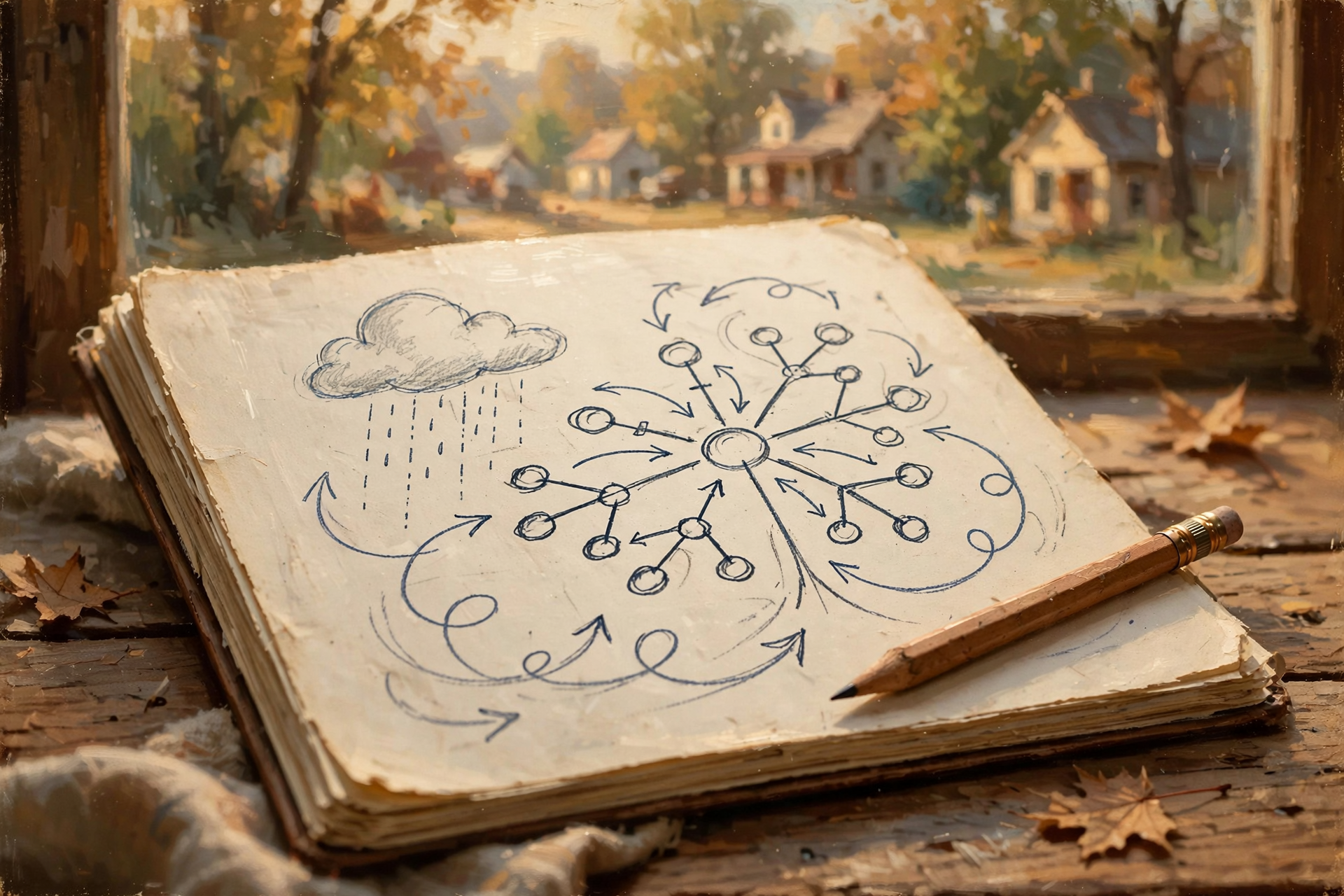
Cloud Service
A digital service operated on remote computers and accessed through the Internet.
Service Shutdown
When a provider permanently ends a product or service.
Data Export
A copy of information taken out of a system, ideally in a format that can be stored or used elsewhere.
Single Point of Failure
One component whose failure can stop an entire process or system.
Business Continuity
Planning for how an organization continues important operations when normal systems are disrupted.
Graceful Failure
A system’s ability to continue operating in a limited or recoverable way when one component stops working.
Vendor Lock-In
A situation where changing providers becomes unusually difficult or expensive because data, workflows, or other dependencies are difficult to move.
Redundancy
Having another copy, path, or system available so one failure does not eliminate everything.
The Dunlap.Today “What If It Disappears?” Checklist

- ☐ Identify the online services holding irreplaceable information.
- ☐ Identify which services your household or business cannot easily operate without.
- ☐ Learn how each important service exports data.
- ☐ Perform at least one test export.
- ☐ Open the exported information and verify it.
- ☐ Maintain independent copies of irreplaceable photographs and documents.
- ☐ Know who controls your domain name.
- ☐ Know who controls important business accounts.
- ☐ Understand account-recovery procedures.
- ☐ Preserve important AI-generated work outside individual chat threads.
- ☐ Consider whether important email needs independent archiving.
- ☐ Make sure critical business information isn’t known by only one employee.
- ☐ Identify your biggest single point of failure.
- ☐ Create a simple plan for a one-day Internet or provider outage.
- ☐ Test recovery before an emergency tests it for you.
Frequently Asked Questions

Should I stop using cloud services?
No. Cloud services provide tremendous convenience, reliability, collaboration, and off-site storage. The goal is to understand important dependencies and maintain appropriate recovery options for information you cannot afford to lose.
What should I back up first?
Begin with information that is irreplaceable or expensive to recreate: family photographs, financial records, business databases, original creative work, important correspondence, website content, and other unique records.
Is synchronizing to the cloud a backup?
It can provide valuable redundancy, but synchronization and backup are not always identical. A synchronized deletion or corruption may sometimes propagate across copies. A strong backup strategy provides a way to recover older, deleted, or independent versions of important information.
What is a single point of failure?
It is one component whose failure can disable a larger system. Examples might include one Internet connection, one administrator account, one server, one employee with critical knowledge, or one service holding the only copy of important data.
What should a small business do if an online service goes down temporarily?
Identify essential functions beforehand and determine which can continue offline or through temporary procedures. Maintain access to critical contact information, procedures, and other operational information needed to continue as much work as reasonably possible.
Should I export data from services even if I don’t plan to leave?
For important information, periodic exports can provide an independent copy and confirm that the provider’s export process actually produces useful data. The best time to test portability is while the service is functioning normally.
What should happen to important work created with AI?
Save valuable results in a system you intentionally control or maintain, such as documents, project files, databases, or your content-management system. An AI chat history should not be the only home of important business or creative work.
Are local systems safer than cloud systems?
Not automatically. Local systems introduce their own risks, including hardware failure, theft, malware, inadequate backups, and poor maintenance. The strongest strategy often combines local control with professionally operated remote services and independent backups.
How often should I test backups?
The appropriate frequency depends on how important and rapidly changing the information is. The essential principle is to test occasionally rather than assuming a backup works simply because a file or status message says it exists.
What is the simplest way to improve digital resilience today?
Choose the one online account containing information you would most hate to lose, learn how to export it, make an independent copy, and confirm that you can actually open what you downloaded.
The Bottom Line

Most cloud services aren’t going to disappear tomorrow.
Most accounts won’t suddenly lock you out.
Most Internet outages will be temporary.
Most companies will continue doing exactly what you expect them to do.
But independence isn’t built around what usually happens.
It’s built around keeping an ordinary problem from becoming an extraordinary one.
You don’t need to abandon the cloud.
You don’t need servers scattered around the house.
You don’t need three copies of every grocery list you’ve ever written.
You simply need to know:
What matters?
Where is it?
Can I get it out?
Do I have another copy?
And can I keep going if this one thing doesn’t work tomorrow?
That’s not fear.
That’s preparedness.
And in the digital world, preparedness is really just another word for having options.


0 Comments