

📱 New Phone Season: Read the "Free Phone" Fine Print, Move Your Stuff Over, Then Sign Out and Erase the Old One

Or: Pack Up, Carry Over, Sweep Out, the Same Way You’d Move House
By Thomas Seest, Dunlap.Today · Saturday, November 14, 2026
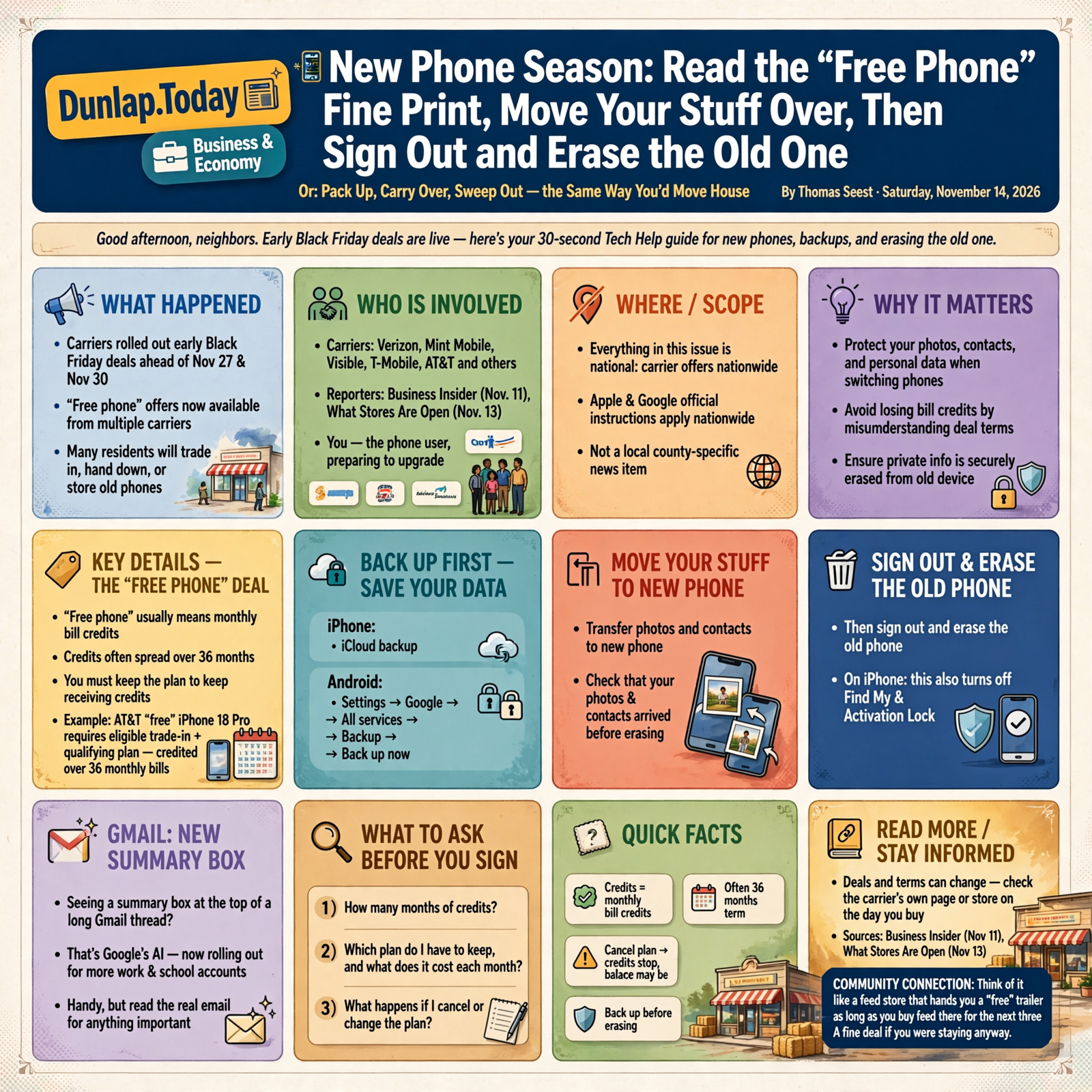
Good afternoon, neighbors. The big phone companies have already rolled out their early Black Friday deals, and between now and Christmas a good many phones in the Valley will be traded in, handed down to a grandchild or tucked into a drawer. Getting a new phone should be the fun part. The only tricky bits are reading the deal’s fine print and making sure your photos and contacts come along while your private stuff doesn’t stay behind on the old one.
Here’s what’s in this fortieth Tech Help for Everyone: what “free phone” usually means on a carrier deal, how to back up and carry your things over to the new phone, the right order to sign out and erase the old phone on an iPhone or an Android, and what that new summary box at the top of some Gmail messages is, now that Google is turning it on for more work and school accounts.
Everything in today’s issue is national: carrier offers, Apple and Google instructions and a Google announcement. Nothing here is a Sequatchie County news item, and nothing here means your phone or email has a problem. Deals and terms can change, so check the carrier’s own page or store on the day you buy.
⏱️ What this means for you in 30 seconds
- “Free phone” usually means monthly bill credits, often spread over 36 months, and you have to keep the plan to keep getting them.
- Back up first. iPhone: iCloud backup. Android: Settings → Google → All services → Backup → Back up now.
- Move your things to the new phone and check that your photos and contacts arrived before you erase anything.
- Then sign out and erase the old phone. On an iPhone that also turns off Find My and Activation Lock.
- Seeing a summary box at the top of a long Gmail thread? That’s Google’s AI. Handy, but read the real email for anything important.
🏷️ “Free Phone!” Usually Means “Free, a Little at a Time”

This is national shopping news from Business Insider (Nov. 11) and What Stores Are Open (Nov. 13).
Carriers didn’t wait for Black Friday (Friday, Nov. 27) or Cyber Monday (Nov. 30). Business Insider reported on Nov. 11 that Verizon, Mint Mobile, Visible, T-Mobile, AT&T and others already have early deals running, including “free” phones and free watch-and-earbud bundles. But it added an important note: most of these promotions have very specific eligibility requirements, and phone discounts are often applied as monthly credits on your bill, so you have to keep your plan to get the whole deal.
One example from Business Insider: AT&T’s “free” iPhone 18 Pro needs an eligible trade-in and a qualifying plan, and “the cost of the phone will be credited over 36 monthly bills.” What Stores Are Open, a shopping-hours site that read the carriers’ pages on Nov. 13, found the same pattern: Verizon’s page says its bill credit “ends if eligibility req’s are no longer met,” and T-Mobile’s holiday announcement says canceling the account stops the remaining credits and the phone’s balance may become due.
What it means for you: It’s like a feed store that hands you a “free” trailer, as long as you buy your feed there for the next three years. That can be a fine deal if you were staying anyway. Before you sign, ask three plain questions: How many months of credits? Which plan do I have to keep, and what does it cost each month? What do I owe if I leave early? Write the answers on the back of the receipt.
👉 Read more: Business Insider, The best early Black Friday phone deals · What Stores Are Open, Verizon, AT&T and T-Mobile Black Friday 2026
📦 Pack the Boxes First: Back Up and Carry Your Stuff to the New Phone

This is national how-to guidance from Apple and Google.
Apple’s checklist for anyone selling, giving away or trading in an iPhone starts with two steps: create a backup, then transfer your information to the new device. If your old iPhone has iOS 11 or later, Apple says to use Quick Start, which moves things over automatically when you hold the two phones near each other during setup. Apple also notes that if your phone number will change, you should add another trusted phone number to your Apple Account first so you don’t get locked out.
On Android, Google’s help page says your phone can back up apps, call history, contacts, device settings and text messages to your Google Account. To do it by hand: Settings → Google → All services → Backup → Back up now (the menu names can vary a little by phone maker). Google says you get 15 GB of backup storage at no charge, and a backup can take up to 24 hours. When you set up the new phone and sign in with the same Google Account, it offers to restore what you backed up. One catch Google mentions: the new phone needs to be on the same or a newer Android version than the old one.
What it means for you: Moving phones is like moving house: you don’t sweep out the old place until the boxes are on the truck. Give the backup a full day if you can, so start it the night before, not in the store parking lot. Then, on the new phone, open your photos, your contacts and your text messages and make sure the important ones are really there.
👉 Read more: Apple, What to do before you sell, give away or trade in your iPhone · Google, Back up or restore data on your Android device
🧹 Then Sweep Out the Old Phone: Sign Out, Then Erase
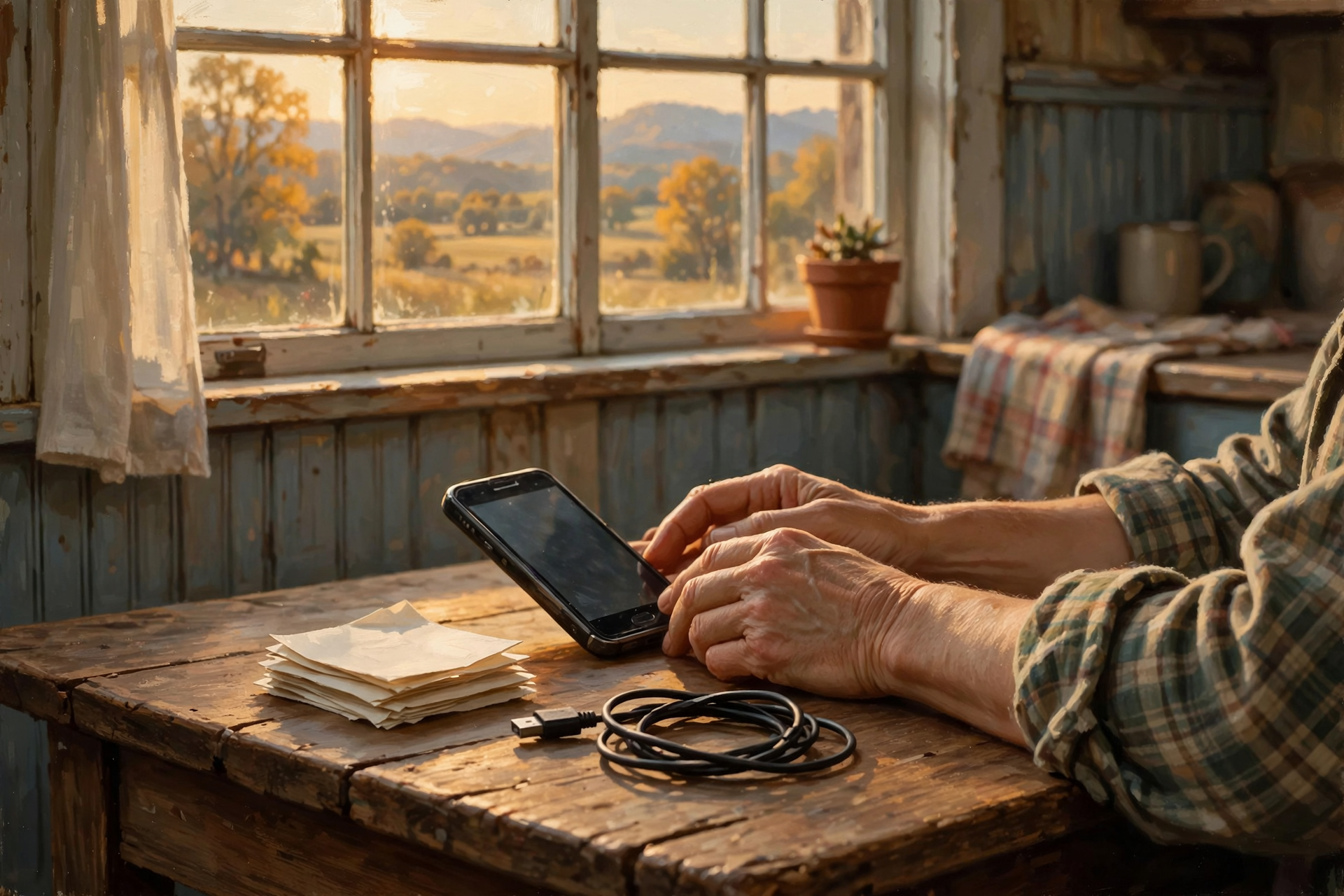
This is national how-to guidance from Apple and Google.
On an iPhone, Apple’s steps after you’ve backed up and moved over are:
- If you have an Apple Watch paired to it, unpair the watch first.
- Sign out: on iOS 26 or later, open Settings → [your name] → Sign Out.
- Switching to an Android phone? Turn off iMessage on the old iPhone so your texts find you on the new phone.
- Erase: Settings → General → Transfer or Reset iPhone → Erase All Content and Settings. Apple says this removes cards you added for Apple Pay, photos, contacts and apps from the phone, but your content stays safe in iCloud. Apple also says erasing turns off Find My and Activation Lock, which the next owner needs.
- If the phone uses an eSIM (a built-in digital SIM card) and you’re selling it, Apple says to choose the option that erases the eSIM too. Only do that after your phone number is working on the new phone.
On an Android phone, Google says a factory reset erases all your data from the phone. Before you do it, Google says to make sure you know your Google Account email and password and your screen-lock PIN, to charge the phone to at least 70% and to stay on Wi-Fi or cell service, because a reset can take up to an hour. Apple’s trade-in page adds that if you’re trading an Android phone in to Apple, you need to sign out of your account on the phone before you erase it, or it can affect the trade-in. Exact menu names vary by phone maker, so Google suggests checking the manufacturer’s support site for your model.
What it means for you: Handing someone an old phone without erasing it is like selling the truck with your checkbook still in the glove box. And handing it over without signing out is like giving them the truck but keeping the only key. Sign out, then erase, and the next person (or the trade-in desk) gets a clean, usable phone.
👉 Read more: Apple, Remove your personal information from your old device · Apple, Prepare your iPhone or Android device for trade in · Google, Reset your Android device to factory settings
✉️ That New Box at the Top of Your Gmail Is an AI Summary, and You’re the Boss of It

This is a national Google announcement from Nov. 10.
Google announced on Nov. 10 that it is expanding two Gemini AI features in Gmail to all Google Workspace users 18 and older. That includes many work, school and small-business email accounts. The two features are AI Overview summaries, which appear at the top of long email threads and pull together the key points and replies, and Help me write, which drafts an email from a short request. Google says the features are on by default, users can turn them off, and the rollout can take up to 15 days to reach everyone. Everyday personal Gmail accounts already had these summaries; this week’s change brings them to more work and school accounts.
Gmail’s help page says you can hide a summary by clicking Minimize, and if a summary says something wrong, you can click Bad suggestion under it. If you don’t want summaries at all, Google says you can turn off Gmail’s smart features, but that also turns off other tools like AI-assisted writing and proofreading. Google’s own fine print says Gemini “may suggest inaccurate or inappropriate information” and shouldn’t be relied on for medical, legal or financial advice.
What it means for you: The summary is like a neighbor telling you what happened at the church business meeting: quick and usually right, but if it’s about money, a date or a doctor, read the minutes yourself. One nice touch for folks with busy memories: when a thread mentions a task with a due date, Gmail’s summary on a computer can offer a Remind me button that puts a reminder in Google Tasks and Calendar.
👉 Read more: Google Workspace Updates, Expanding Gemini in Gmail (Nov. 10) · Gmail Help, AI Overview conversation summaries
✅ Your New-Phone Moving-Day Checklist

- ✅ Before signing up for a “free” phone, ask: how many months of credits, which plan, and what if I leave early?
- ✅ Write those answers on the receipt or in a note on the fridge.
- ✅ Back up the old phone the night before (Android backups can take up to 24 hours).
- ✅ Know your Apple Account or Google Account password and your phone PIN before you go to the store.
- ✅ Move your things to the new phone, then open your photos, contacts and texts to check they arrived.
- ✅ Make sure your phone number works on the new phone before erasing anything on the old one.
- ✅ Unpair any watch, sign out, then erase the old phone.
- ✅ Pop out any SIM or memory card before you hand the old phone over.
- ✅ Gmail summary at the top of an email? Use it as a preview, and read the real message for anything about money, dates or health.
Practical rule: Back up, check, then wipe. Never erase the old phone until you’ve seen your photos on the new one.
— Dunlap.Today
📚 Plain-English Tech Glossary

- Bill credit: A discount the carrier applies to your monthly bill, a little at a time, instead of cutting the price up front.
- Trade-in: Giving the store your old phone in exchange for credit toward a new one.
- Backup: A saved copy of your phone’s photos, contacts, messages and settings, kept online (iCloud or Google) or on a computer.
- Quick Start: Apple’s way of moving your things from an old iPhone to a new one by holding them close together during setup.
- Factory reset / Erase All Content and Settings: Wiping a phone back to the way it came out of the box.
- Activation Lock: An iPhone safety lock tied to your Apple Account. It stops a stranger from using a lost or stolen phone, so it has to be turned off (by signing out and erasing) before someone else can use your old phone.
- eSIM: A digital SIM card built into the phone that holds your phone number and service, instead of a little plastic card.
- Google Workspace: Google’s paid email and office tools used by many businesses, schools and organizations.
- AI Overview (Gmail): A short computer-written summary at the top of a long email thread.
- Smart features: Gmail’s setting that turns on its automatic helpers, including AI summaries and writing help.
❓ FAQ

Is a “free” phone from a carrier a bad deal?
Not necessarily. Business Insider says the deals can offer real savings if you meet the requirements. The catch is that the discount often comes as monthly credits, so it works best for folks who planned to keep that carrier and plan for the next two or three years anyway.
How long does a phone backup take?
It depends on how many photos and apps you have. Google says an Android backup can take up to 24 hours, which is why it’s smart to start it the night before you switch phones.
If I erase my old iPhone, do I lose my pictures?
Not if they’re backed up. Apple says erasing the phone doesn’t delete your content from iCloud. That’s why the order matters: back up, move to the new phone, check your photos are there, and only then erase.
Why do I need to sign out before I trade in or hand down a phone?
Signing out and erasing turns off the iPhone’s Find My and Activation Lock, according to Apple. For Android phones traded in to Apple, Apple says not signing out of your account can affect whether the trade-in is accepted. It also keeps your accounts from staying connected to a phone you no longer have.
What if I already gave the old phone away without erasing it?
Apple suggests asking the new owner to erase it; if that’s not possible, you can erase it remotely in Find Devices on iCloud.com, remove it from your list of trusted devices and change your Apple Account password. Android users can see and sign out of old devices from their Google Account’s security page.
Is Gmail reading my email to make these summaries?
The summaries are made by Gmail’s smart features, which Google says you can turn off in Gmail’s settings. Turning them off also turns off other helpers like AI writing tools. If you’re on a work or school account, your organization’s IT person may control these settings too.
Where can I get hands-on help switching phones?
Your carrier’s store can help with moving your number and service. Bring your passwords and PIN. For local folks who help with phones and computers, check Dunlap.Directory.
Other Resources

- Business Insider — The best early Black Friday phone deals include free phones and bundles from top carriers (Nov. 11, 2026)
- What Stores Are Open — Verizon Black Friday 2026; AT&T, T-Mobile Differ (Nov. 13, 2026)
- Apple Support — What to do before you sell, give away, or trade in your iPhone or iPad
- Apple Support — Prepare your iPhone, Apple Watch, or Android device for trade in
- Android Help — Back up or restore data on your Android device
- Android Help — Reset your Android device to factory settings
- Google Workspace Updates — Expanding Gemini in Gmail to more Google Workspace users (Nov. 10, 2026)
- Gmail Help — Catch up on email threads with AI Overview conversation summaries
- Gmail Help — Learn about Gemini features in Gmail
🌿 Keep Learning, Stay Calm

A new phone is a happy thing, and switching doesn’t have to be a headache. Read the deal’s fine print so there are no surprises on the bill, pack up your photos and contacts before moving day, check they made it to the new place, and then sign out and sweep out the old phone. And when Gmail hands you a summary, enjoy the shortcut but read the real letter when it matters. Take it one step at a time, and ask for help whenever you’d like it.
For more calm, clear help made for Sequatchie Valley readers, keep reading Dunlap.Today, and find local folks who can help with phones and computers anytime on Dunlap.Directory.
Know about an upcoming event or story in the Dunlap, TN area? Submit it here.




0 Comments