

🔑 Pick Your Spare-Key Person: Recovery Contacts for iPhone and Google, a Microsoft Security-Info Check and a Legacy Plan

Or: Like Leaving a Spare House Key With Cousin Billy: Choose Who Can Help You Back Into Your Phone and Email — and Who Gets the Family Photos Someday
By Thomas Seest, Dunlap.Today · Saturday, November 7, 2026
Good afternoon, neighbors. Veterans Day is Wednesday, Thanksgiving is right around the bend, and a lot of Valley families will be sitting on the same porch at the same time. That makes this a fine weekend for a tech job that’s easiest to do in person: picking the trusted somebody who can help you get back into your accounts if you ever forget a password or lose a phone.
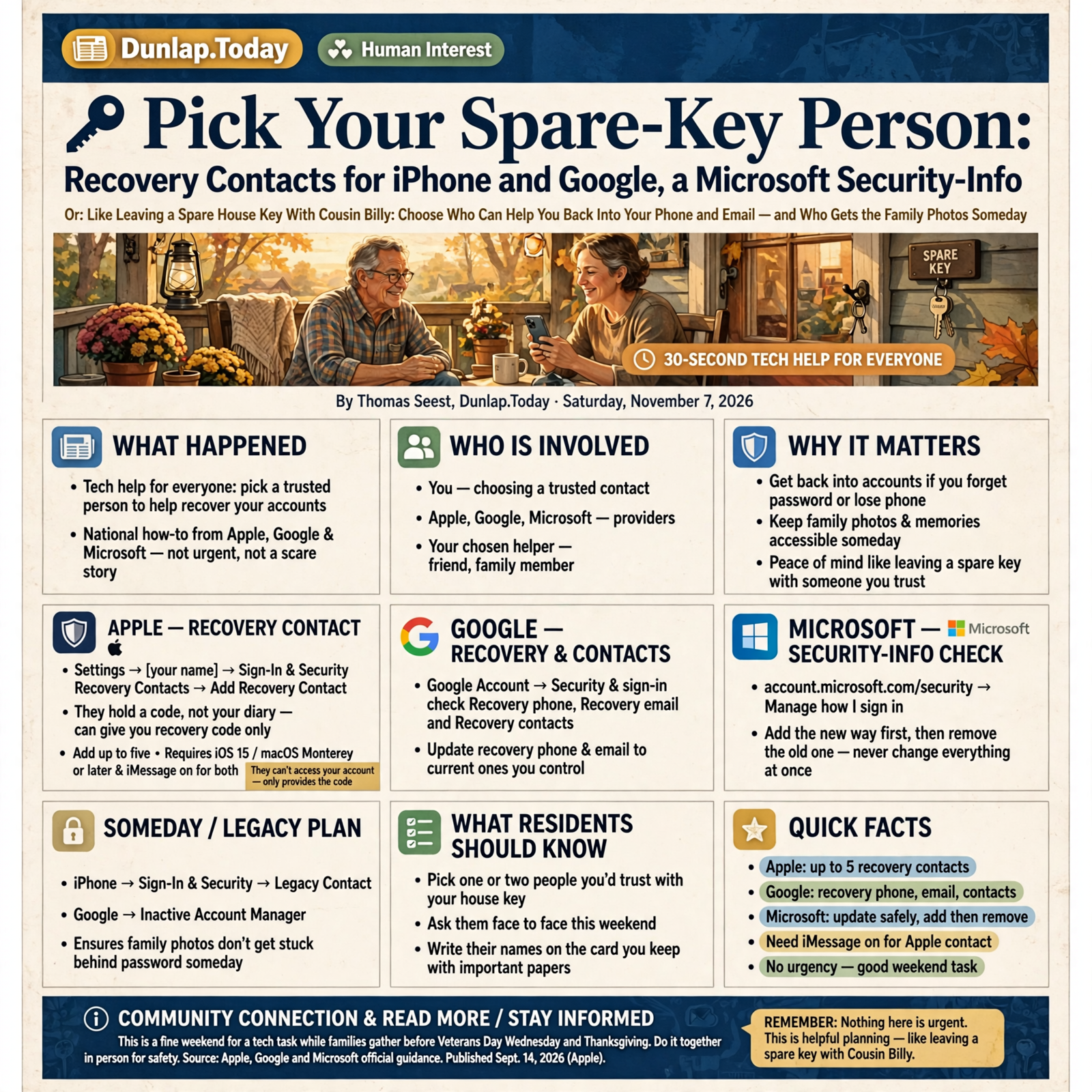
Here’s what’s in this thirty-second Tech Help for Everyone: an Apple Account recovery contact on iPhone, Google’s recovery phone, recovery email and new recovery contacts, a Microsoft (Hotmail/Outlook) security-info check done the safe way, and a legacy plan with Apple Legacy Contact or Google Inactive Account Manager so the family photos don’t get stuck behind a password someday.
Nothing here is urgent and nothing is broken. This is national how-to straight from Apple, Google and Microsoft — not a scare story. Think of it like leaving a spare key with a neighbor you trust: you hope you never need it, and you sleep better knowing who has it.
⏱️ What this means for you in 30 seconds
- iPhone: Settings → [your name] → Sign-In & Security → Recovery Contacts → Add Recovery Contact. They can give you a code — they can’t see your stuff.
- Google: Google Account → Security & sign-in → under “How you sign in to Google,” check Recovery phone, Recovery email and Recovery contacts.
- Microsoft / Hotmail / Outlook: account.microsoft.com/security → Manage how I sign in. Add the new way first, then remove the old one — never change everything at once.
- Someday plan: iPhone → Sign-In & Security → Legacy Contact. Google → Inactive Account Manager.
- Remember this: Pick one or two people you’d trust with your house key, ask them face to face this weekend, and write their names on the card you keep with your important papers.
🍎 iPhone: Add an Apple Recovery Contact (They Hold a Code, Not Your Diary)
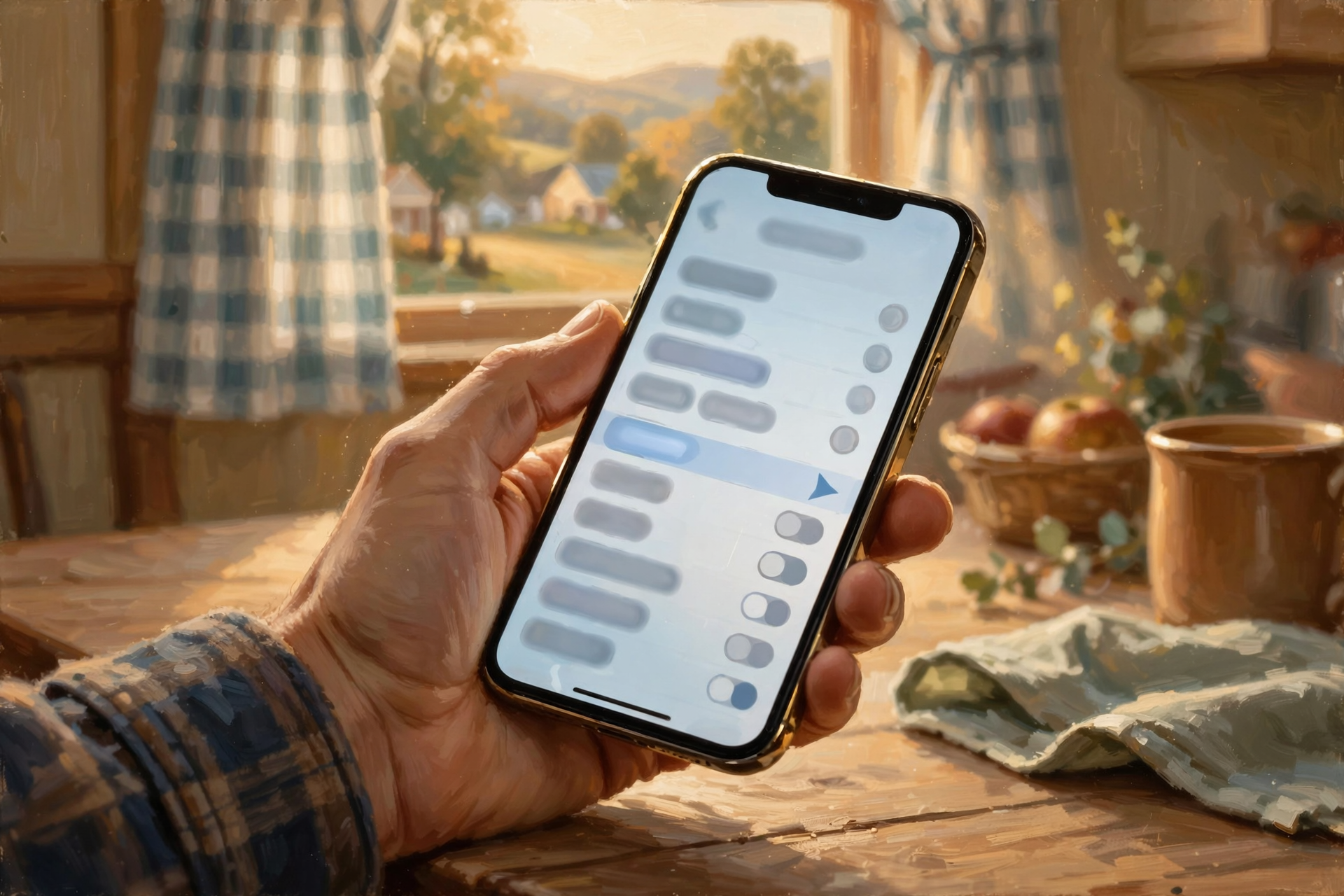
This is Apple Support guidance (published Sept. 14, 2026). It works with iPhone, iPad or Mac.
Apple says a recovery contact is a person you choose who can get a recovery code for you if you forget your Apple Account password or device passcode. You type that code on your own device and reset your password. Apple is clear that your recovery contact won’t have any access to your account — only the ability to give you that code. You can add up to five.
Plain steps on iPhone or iPad:
- Open Settings → tap [your name] at the top.
- Tap Sign-In & Security → Recovery Contacts.
- Tap Add Recovery Contact and follow the screens. Pick a suggested person or tap Choose Someone Else.
- Family Sharing members are added automatically. Anybody else gets an invitation in Messages and needs to accept it.
A few porch facts from Apple: your recovery contact needs an Apple device on iOS 15 / macOS Monterey or later, both of you need iMessage turned on, and Apple doesn’t keep a list of who your recovery contacts are — so it’s on you to remember.
What it means for you: This is the spare key under Cousin Billy’s flowerpot — except Billy can’t walk in your house; he can only hand you the key. If you ever get locked out, you call Billy (or see him at church), he reads you a six-digit code, and you’re back in.
👉 Read more: Apple Support, Set up a recovery contact for your Apple Account
📧 Google: Check Your Recovery Phone and Email — and Meet the New Recovery Contacts

This is Google Account Help guidance for personal Gmail/Google accounts. If your account comes through work or school, Google says ask your administrator.
Google says recovery info helps you get back in if you forget your password, someone else uses your account, or you’re locked out for another reason. One important catch: you can’t add recovery info while you’re already locked out, so today’s the day.
Plain steps (computer or phone browser):
- Open your Google Account → Security & sign-in.
- Under “How you sign in to Google,” tap Recovery phone. Google says use a mobile phone that gets texts, belongs only to you, and that you keep with you. Google also warns don’t use a Google Voice number as your recovery phone.
- Tap Recovery email. Use an address you check regularly — but not the same Gmail you’re protecting.
- Tap Recovery contacts → Add recovery contact → enter a trusted person’s email → Send request.
Timing to know: Google says a recovery-contact request lasts 7 days, and once they accept there’s a 7-day wait before they can be used for recovery. A changed recovery phone can also take up to 7 days to take effect. Google says recovery contacts don’t get your security alerts.
What it means for you: It’s like making sure the feed store has your current phone number on file. If the old flip-phone number from 2014 is still listed, the “we can’t reach you” call goes nowhere. Two minutes now saves a long afternoon later.
👉 Read more: Google Account Help, Set up recovery options
🪟 Hotmail, Outlook and Windows: Check Microsoft Security Info Without Tripping the 30-Day Lock

This is Microsoft Support guidance for personal Microsoft accounts — the one behind Hotmail, Outlook.com, Xbox and signing in to many Windows PCs.
Microsoft calls your backup phone numbers and email addresses security info. Here’s how it says to add a fresh one:
- Sign in at account.microsoft.com/security.
- Select Manage how I sign in.
- Select Add a new way to sign in or verify, pick an email address, the Microsoft Authenticator app or a passkey, then enter the code Microsoft sends to confirm.
- Only after the new one works, remove the old phone or email you no longer use.
The one rule worth taping to the fridge: Microsoft says don’t change all your security info at the same time. If every old method is removed and replaced at once, the account goes into a restricted state for 30 days as a safety measure. Microsoft also notes the option to add a new phone number may not be offered on some accounts — you may only see email, Authenticator or passkey choices. And it says the backup email doesn’t have to be yours: a spouse or family member who could help in an emergency is fine.
What it means for you: Treat it like swapping fence posts — put the new post in before you pull the old one, and the cows stay put. One more calm reminder from Microsoft: real verification-code emails come from @accountprotection.microsoft.com, and Microsoft support agents will not send you password-reset links.
👉 Read more: Microsoft, Account security info & verification codes · Microsoft, What “Security info change is still pending” means · Microsoft, Troubleshoot verification codes
🗂️ The Someday Plan: Apple Legacy Contact and Google Inactive Account Manager

This is Apple Support (published Sept. 14, 2026) and Google Account Help guidance. It’s a gentle, practical step — the same kind of thing many veterans and families already do with the will, the deed and the discharge papers.
Apple Legacy Contact: Apple says a Legacy Contact is someone you choose who can request access to certain data in your Apple Account — like photos, messages, notes, files and device backups — after your death. They can’t get purchased movies, music or books, or the passwords and payment info in iCloud Keychain. They’ll need the access key you create plus a death certificate. They don’t need an Apple device.
- iPhone: Settings → [your name] → Sign-In & Security → Legacy Contact → Add Legacy Contact.
- Share the access key by iMessage, or tap Print a Copy. Apple suggests also keeping a printed copy with your estate planning documents.
Google Inactive Account Manager: Google says you can pick up to 10 people to be notified, or to receive parts of your account data, if your account goes inactive for a length of time you choose. Contacts aren’t notified during setup — only if the plan is triggered. Google also says it may delete an account that’s been inactive across Google for at least two years if no plan is set up.
What it means for you: It’s like labeling the box of old photos in the closet “for the grandkids.” Nobody opens it today — but when the time comes, there’s no guessing.
👉 Read more: Apple Support, How to add a Legacy Contact · Google Account Help, About Inactive Account Manager
✅ Your Saturday Spare-Key Checklist

- ✅ Pick one or two trusted people — the folks you’d give a house key, not the whole group chat.
- ✅ Ask them in person this Veterans Day weekend or at Thanksgiving, so the invitation doesn’t look like a surprise.
- ✅ iPhone: Settings → [your name] → Sign-In & Security → Recovery Contacts → Add.
- ✅ Google: Security & sign-in → check Recovery phone and Recovery email; add a Recovery contact.
- ✅ Microsoft: account.microsoft.com/security → Manage how I sign in → add the new method before removing the old.
- ✅ Look for verification emails from @accountprotection.microsoft.com only.
- ✅ Someday plan: add an Apple Legacy Contact and print the access key; or set up Google Inactive Account Manager.
- ✅ Write on an index card for the important-papers drawer: “My spare-key people: ______. Legacy contact: ______.”
Practical rule: Choose your spare-key people on purpose, add new recovery info before deleting old, and keep their names written down with your important papers.
— Dunlap.Today
📚 Plain-English Tech Glossary

- Account recovery: The process of proving an account is yours so you can get back in after a forgotten password or lost phone.
- Recovery contact (Apple): A trusted person who can get a six-digit code to help you reset your Apple Account password. They can’t see your data.
- Recovery contact (Google): A trusted person, added by email, who can help you get back into your Google Account.
- Recovery phone / recovery email: A phone number or second email address Google uses to send you codes and alerts if you’re locked out.
- Security info (Microsoft): Microsoft’s name for the backup emails, phone numbers, apps or passkeys it uses to verify it’s really you.
- Microsoft Authenticator: A free Microsoft phone app that helps confirm sign-ins, even if the phone is offline.
- Passkey: A sign-in that uses your face, fingerprint or device PIN instead of a typed password.
- iMessage: Apple’s blue-bubble texting service, needed for Apple recovery-contact invitations.
- Legacy Contact (Apple): Someone you pick who can request access to certain Apple Account data after your death.
- Access key: The special code (or QR code) your Apple Legacy Contact needs, along with a death certificate.
- Inactive Account Manager (Google): Google’s tool to notify chosen people or share chosen data if your account goes unused for a set time.
❓ FAQ
Can my recovery contact read my email or see my photos?
No. Apple says recovery contacts won’t have any access to your account — they can only give you a recovery code. Google says recovery contacts don’t even receive your security alerts. They’re helpers, not co-owners.
What if my recovery contact doesn’t have an iPhone?
For an Apple recovery contact, Apple says the person needs an Apple device on iOS 15, iPadOS 15 or macOS Monterey or later, with iMessage on. For an Apple Legacy Contact, they don’t need an Apple device at all — you can print the access key for them. On Google, a recovery contact is added by email address.
Is a recovery contact the same as last week’s backup codes?
No. Backup codes (our Nov. 6 tip) are spare keys you keep on paper yourself. A recovery contact is a person who can help you get back in. Having both is like keeping a key in the drawer and one with a neighbor.
Why does Microsoft lock the account for 30 days if I change everything?
Microsoft says it’s a safety measure in case the change was made by someone who got into your account without permission. It sends notices to the old info during that time. The easy way to avoid it: add the new method first, confirm it works, then remove the old one.
I changed my Google recovery phone — why isn’t it working yet?
Google says a new or changed recovery phone can take up to 7 days to take effect, and it may send codes to your old info during that time. That waiting period is there to protect you.
Isn’t a legacy plan kind of gloomy?
It doesn’t have to be. Think of it like labeling the photo box or writing down where the deed is. It’s a kindness to the family, and it takes about five minutes. You can change or remove it anytime.
Other Resources

- Apple Support — Set up a recovery contact for your Apple Account
- Apple Support — How to add a Legacy Contact
- Google Account Help — Set up recovery options
- Google Account Help — About Inactive Account Manager
- Microsoft — Account security info & verification codes
- Microsoft — Troubleshoot verification code issues
- Microsoft — “Security info change is still pending”
🌿 Keep Learning, Stay Calm

Four small jobs, one porch, the whole family in one place. Pick your spare-key people, freshen up your recovery info, swap Microsoft’s fence posts one at a time, and label the photo box for someday. Then go enjoy the parade, the pie and the company.
For more calm, clear help made for Sequatchie Valley readers, keep reading Dunlap.Today, and find local folks who can help with phones and computers anytime on Dunlap.Directory.
Know about an upcoming event or story in the Dunlap, TN area? Submit it here.



0 Comments