
Your Email Address Has Become the Master Key to Your Digital Life

There was a time when losing access to your email meant you couldn’t read your email.
Annoying?
Certainly.
Catastrophic?
Usually not.
Then we spent twenty-five years attaching nearly everything else in our lives to that same email address.
Bank account.
Credit cards.
Amazon.
Insurance.
Facebook.
Cloud storage.
Photos.
Software subscriptions.
Airline accounts.
Medical portals.
Utilities.
Artificial intelligence.
Business systems.
And approximately forty-seven websites you vaguely remember joining because they promised free shipping.
Now losing access to email can mean something very different.
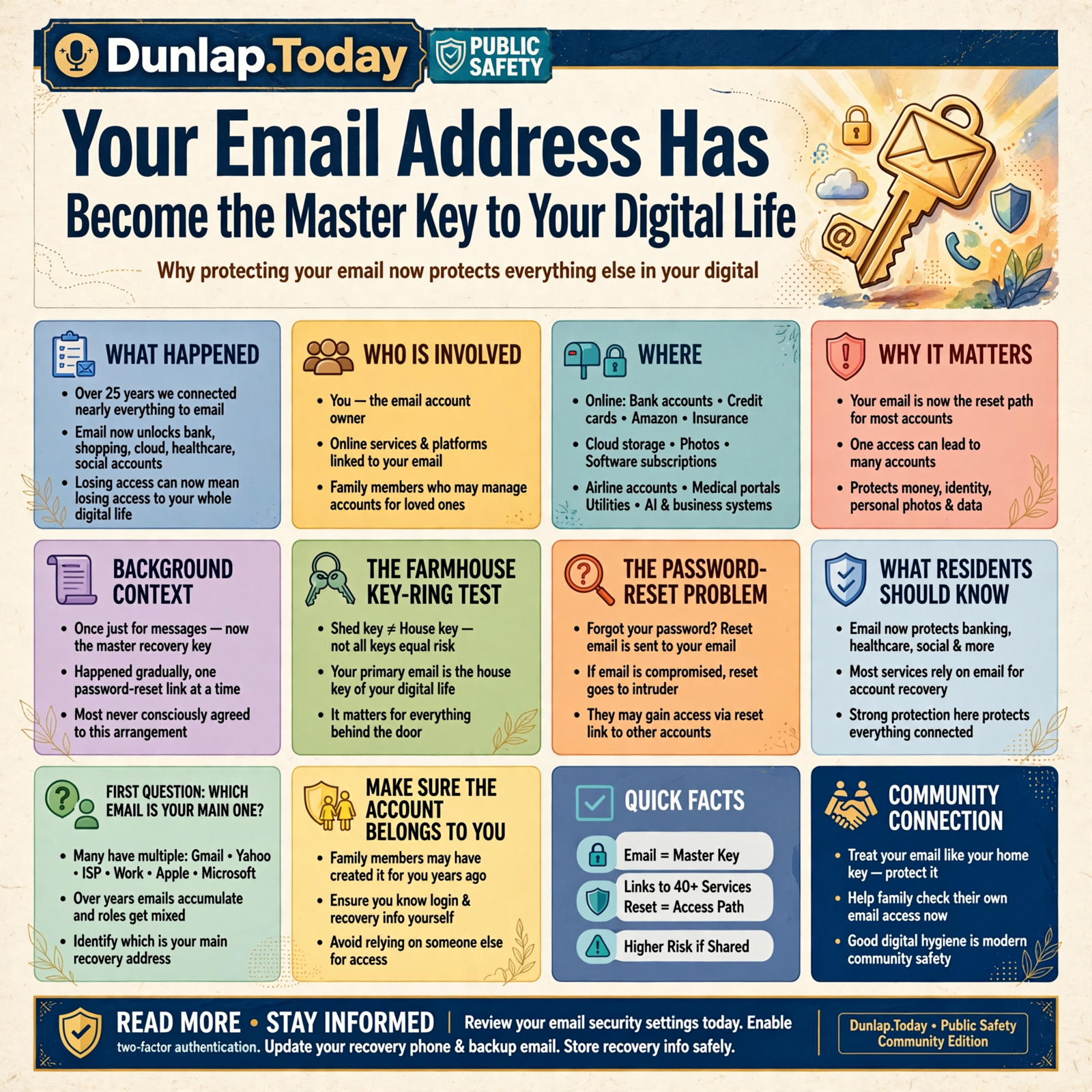
Your email account has quietly become one of the master keys to your digital life.
And most of us never consciously agreed to that arrangement.
It just happened one password-reset link at a time.
Email Isn’t Just Mail Anymore
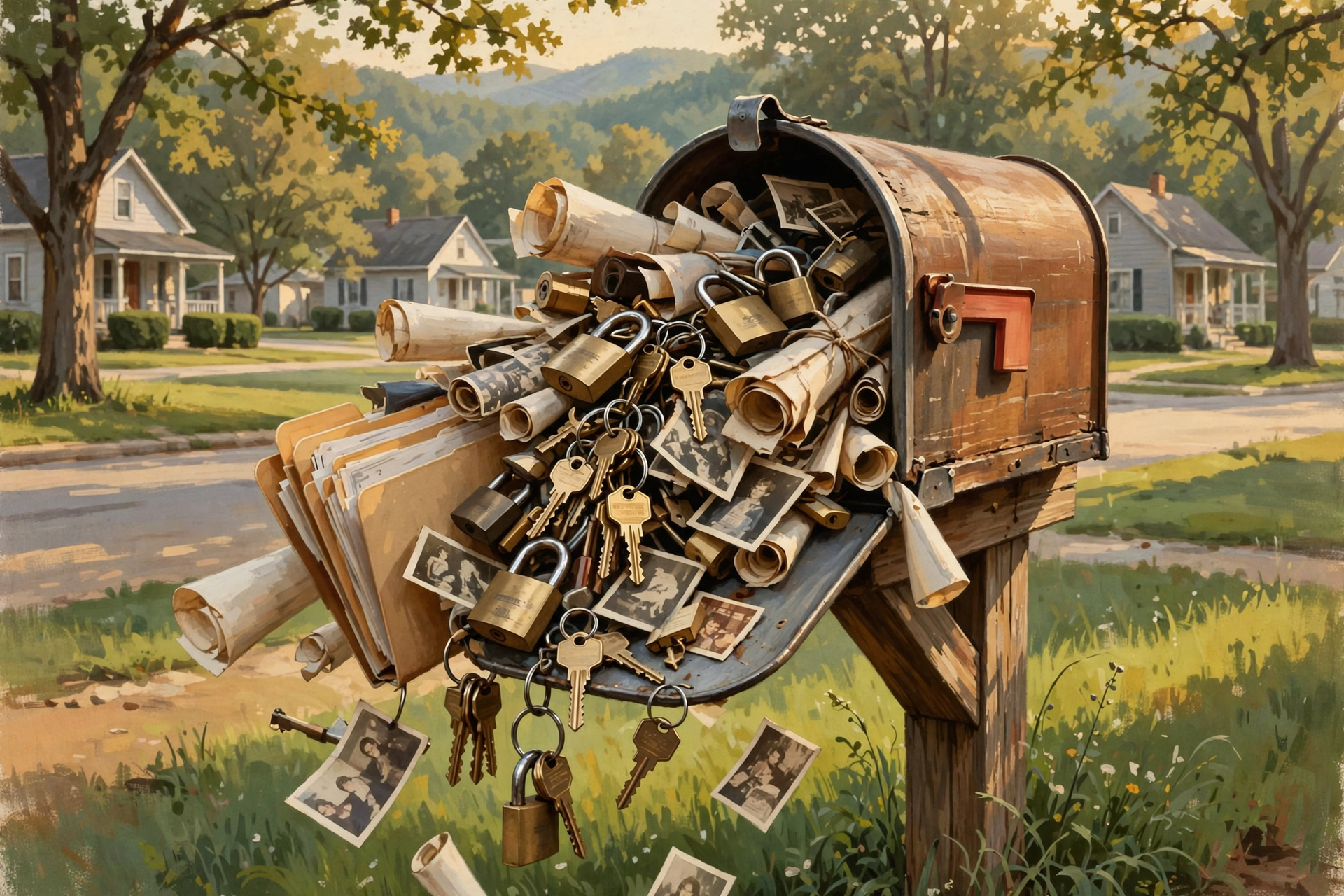
Imagine your physical mailbox.
Now imagine that same mailbox also contains:
- The spare key to your house
- The combination to your safe
- Your banking instructions
- The keys to the truck
- Your family photo albums
- Your business filing cabinet
You would probably take mailbox security fairly seriously.
Modern email has become a little like that.
Whenever a website says:
Forgot your password?
what often happens next?
It sends an email.
That email contains the path back into the account.
Which means anyone who controls your email may potentially have a path toward controlling other things attached to it.
The Password-Reset Problem

Suppose somebody somehow learns the password to your shopping account.
That’s bad.
But maybe they don’t know your bank password.
Or your social-media password.
Or your cloud-storage password.
Now suppose they control your primary email account.
They may be able to visit other websites and click:
Forgot Password.
The recovery message comes to the email account they now control.
This doesn’t mean every account can automatically be taken over through email. Security systems differ, and many use additional protections.
But it does explain why your primary email deserves stronger protection than some random account you created to download a coupon.
The Farmhouse Key-Ring Test

Most people don’t protect every key exactly the same way.
The key to the old shed containing two rakes and a bucket doesn’t need the same attention as the key to the house.
The house key matters because of everything behind the door.
Your primary email account is the same way.
It isn’t important merely because of the messages inside.
It’s important because of everything else connected to it.
First Question: Which Email Address Is Your Main One?

This sounds almost insultingly simple.
For many people, it isn’t.
Over the years, we accumulate addresses.
A Gmail account.
An old Yahoo account.
An address from the Internet provider.
A work email.
An Apple address.
A Microsoft address.
An address somebody created when setting up a new phone ten years ago.
Then someone asks:
“Which one is your primary email?”
And the answer becomes:
“Well, it depends.”
For digital independence, it helps to know which email account is the main recovery address for your important digital life.
Make Sure the Account Actually Belongs to You

This is especially important in families.
Sometimes an adult child sets up Mom’s phone.
Creates the email account.
Chooses the password.
Sets the recovery information.
Mom uses it for years.
But Mom doesn’t actually know how to access or recover the account without that child.
The arrangement works beautifully.
Until the helper is unavailable.
Good help should leave the actual user with an understandable path to the account.
The Same Problem Happens in Small Businesses

Here’s a surprisingly common business version.
A company hires somebody to build the website.
The person creates:
- The hosting account
- The domain account
- An email address
- Several software accounts
Years later, the person is gone.
The business owner has no idea:
- Which email controls the accounts
- Who receives password resets
- Which phone number receives verification codes
That is not merely inconvenient.
It is a business-continuity problem.
Your Business Should Own Its Business Email

If an employee manages important company systems, those systems should generally be connected to accounts the organization can continue controlling when that employee leaves.
For example, building the company’s critical infrastructure around:
billybob1978@gmail.com
may work perfectly while Billy Bob works there.
Then Billy Bob moves to Kentucky.
Suddenly the company’s website, advertising account, and cloud storage are all wondering where he went.
Businesses need institutional ownership of critical accounts.
Use a Strong, Unique Password for Your Main Email

If you remember only one security lesson from this article, make it this:
Your primary email password should not be reused somewhere else.
Why?
Suppose you use the same password on:
- A hobby website
- An online store
If the hobby website has a security problem and that password becomes exposed, your email is now potentially vulnerable too.
A unique password helps contain the damage.
One broken lock doesn’t automatically produce a key to the entire building.
You Don’t Have to Memorize Seventy Passwords

This is where password managers can help.
A password manager can create and store different passwords for different services.
You then protect the password manager carefully.
For somebody comfortable using one, this can make good security considerably easier.
Other people may use different systems.
The important principle is:
Don’t solve the password problem by using the same key on every door.
Two-Step Verification Matters Most on Important Accounts
We’ve mentioned this earlier in the series.
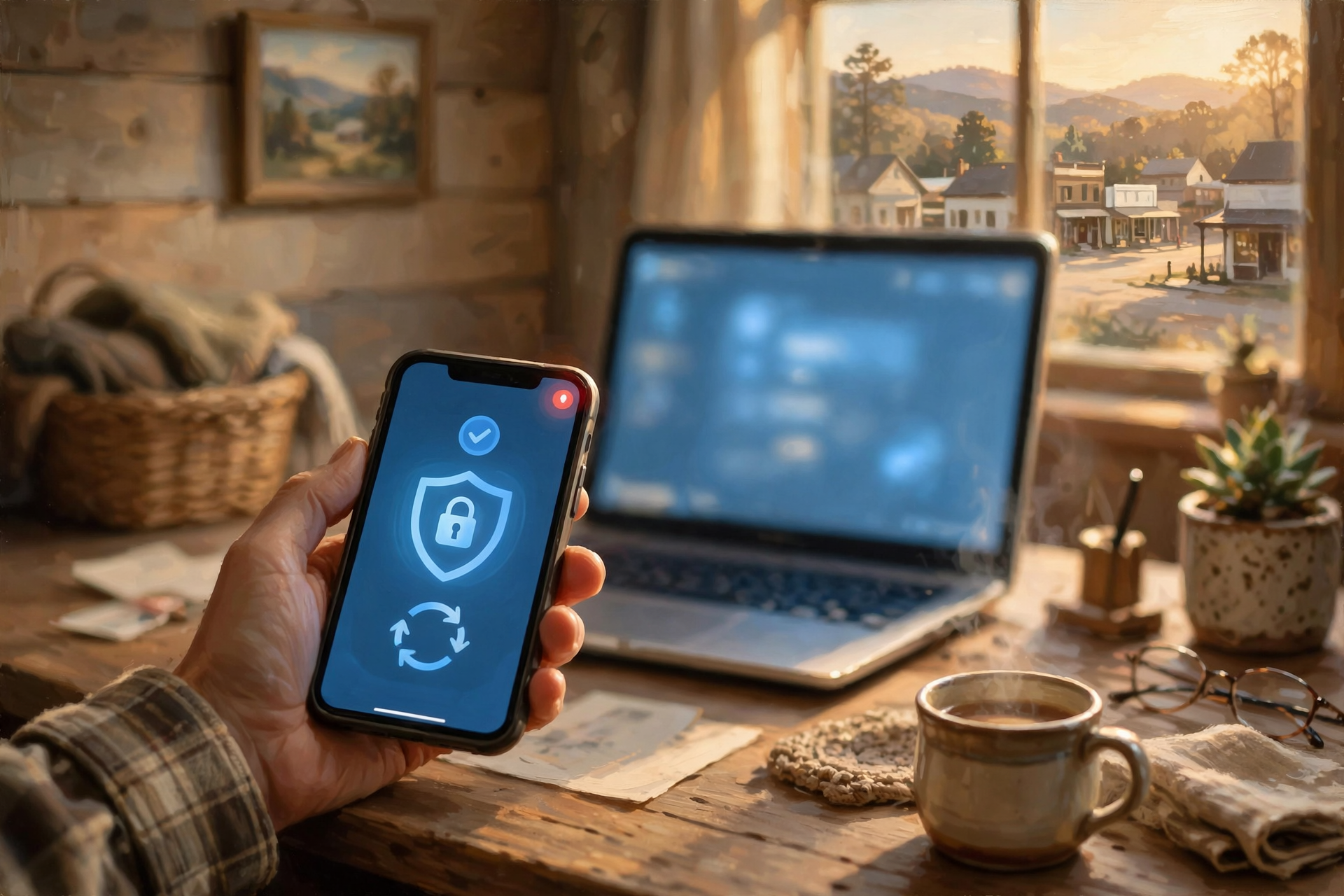
Two-step verification means that knowing your password alone isn’t necessarily enough to log in.
You may also need:
- A code
- An approval on another device
- An authenticator
- A physical security key
For your primary email, that extra layer can be particularly valuable.
But there is one catch.
You need a recovery plan.
Security Without Recovery Can Lock Out the Owner

Suppose your email uses your phone for verification.
Excellent.
Now suppose your phone:
- Falls into the lake
- Gets stolen
- Dies
- Is replaced
Can you still get into your account?
This is where recovery codes, alternate methods, trusted devices, or other provider-supported recovery mechanisms can matter.
Security is not simply keeping strangers out.
It is also preserving a legitimate route for the owner to get back in.
The Lost-Phone Drill

You don’t actually have to throw your phone into the Sequatchie River for this experiment.
Just imagine that it vanished.
Then ask:
- Could I log into my primary email?
- Could I receive verification codes another way?
- Could I recover my password?
- Could I access my contacts?
- Could I restore my photographs?
If the answer to every question is:
“It’s all on the phone,”
the phone may have become more important than you intended.
Your Phone Number Has Become a Key Too

Email isn’t the only digital master key.
Your phone number may also be connected to:
- Verification codes
- Password recovery
- Banking
- Messaging
- Business accounts
If you change numbers, take account recovery seriously.
Don’t assume every old account magically knows where you moved.
Old Recovery Information Is a Quiet Problem

This is exactly the sort of thing that surfaces during the annual digital inspection we discussed in the previous article.
An account may still list:
A phone number you no longer have.
An email address you haven’t opened in six years.
A work email from a job you left.
A family member’s old address.
The account works normally for years.
Then one day you need recovery.
That’s a poor time to discover the rescue ladder leads to a house you sold in 2017.
Recovery Email Accounts Need Protection Too

Here’s the funny part.
You protect Account A with Account B.
Wonderful.
What protects Account B?
If the answer is:
“I haven’t logged into that account since Obama was president,”
perhaps we should inspect it.
A recovery method needs to remain accessible enough to perform its job.
Don’t Build an Infinite Recovery Loop

It is possible to create an absurd arrangement:
Email A recovers through Email B.
Email B recovers through Email C.
Email C recovers through an old phone.
The old phone is in a drawer.
The battery looks like a biscuit.
At some point, simplicity becomes a security feature.
Separate Important Email From Junk When Practical

Some people find it useful to maintain more than one email address for different purposes.
For example:
- One for important personal accounts
- One for shopping and newsletters
This isn’t mandatory.
But separating high-value accounts from the address handed to every sweepstakes, coupon site, and furniture store can reduce clutter.
Less clutter makes important messages easier to notice.
But Don’t Create Twelve Accounts You Can’t Manage

We need balance.
One email account for banking.
One for shopping.
One for photos.
One for travel.
One for church.
One for coupons.
One for squirrels.
Eventually you’ve improved security by creating an administrative career.
Use as much separation as genuinely helps.
No more.
Beware the Email Address Supplied by Your Internet Provider

Some people have used the same address from their Internet company for decades.
That can work perfectly well.
But ask:
What happens if I change Internet providers?
If the email address disappears when the service ends, moving broadband companies can become much more difficult.
That can create a form of lock-in.
An email address that can travel independently of your Internet provider may offer more flexibility.
Your Email Address Can Become Part of Your Identity

After twenty years, an email address can become almost like a phone number.
People know it.
Businesses know it.
Accounts depend on it.
It’s printed on documents.
Changing it becomes work.
That’s another reason to choose important addresses deliberately rather than treating them as temporary usernames.
Businesses Have an Even Stronger Reason to Use Their Own Domain

Imagine two business addresses:
sequatchievalleyplumbing@gmail.com
and:
service@sequatchievalleyplumbing.com
Both can work.
But the second address has an important structural advantage:
The business controls the domain.
That means the company can potentially change the underlying email provider while retaining the public address customers already know.
That’s digital portability.
The Domain Becomes the Permanent Address

Think of your domain name as the business’s property address.
The email provider is more like the company delivering the mail.
You can potentially change delivery companies without moving the building.
That can provide valuable flexibility.
Of course, this makes control of the domain itself extremely important.
Protect the Domain Account Too

For businesses with their own domains, the domain registrar account may be another master key.
Control of a domain can affect:
- The website
- Online identity
Know:
- Who owns the registrar account
- Which email controls it
- Who receives renewal notices
- How recovery works
Do not let your company’s digital front door depend indefinitely on:
“I think the website guy handles that.”
Email Is Also a Filing Cabinet

Here’s another reason losing email can hurt.
Many of us use our mailbox as an accidental archive.
It contains:
- Receipts
- Invoices
- Travel confirmations
- Contracts
- Family correspondence
- Business decisions
- Photos
- Account notices
For a business, years of email can become institutional memory.
That makes backup and retention worth thinking about.
Search Has Made Us Lazy About Filing

Modern email search is so good that many people stopped organizing much of anything.
Why file it when you can search?
That’s understandable.
But it increases dependence on the email service remaining accessible.
For especially important documents, consider saving them in the system where they actually belong.
A signed contract belongs in your business records.
A family photograph may belong in the family photo archive.
An insurance document may belong with insurance records.
Email can deliver the thing without becoming the only place the thing exists.
The Inbox Is Not a Backup Strategy

This deserves its own sentence:
Leaving something in email is not automatically the same as intentionally backing it up.
It may be safely stored.
Your provider may operate excellent infrastructure.
But if the information is irreplaceable, consider whether it deserves an independent home too.
Phishing Targets the Master Key

If email can unlock other accounts, criminals have a pretty good reason to want it.
One common approach is phishing.
A message pretends to come from:
- Your bank
- Your email provider
- A delivery company
- A government agency
- A company you use
It says something alarming.
Your account will close.
Your package has a problem.
Your password expires today.
Then it provides a convenient button.
That’s where caution matters.
Urgency Is the Pickpocket’s Distraction

A scammer does not want you to calmly investigate.
They want:
CLICK NOW.
A legitimate important message will generally survive a few minutes while you verify it through another route.
Instead of clicking the message:
- Open the official app yourself
- Type the known website yourself
- Use a known telephone number
Don’t let the suspicious message choose the road you’re using to verify the suspicious message.
Your Contacts Can Help Criminals Sound Convincing

If somebody gains access to an email account, they may not merely read messages.
They may learn:
- Who your family members are
- Who your vendors are
- How you normally communicate
- What projects are underway
That information can make fraudulent messages more convincing.
Businesses should pay particular attention because compromised email can potentially lead to believable payment or invoice scams.
The “Did You Really Send This?” Phone Call Is Still a Fine Technology

If an email from somebody you know suddenly asks for:
- A large payment
- A changed bank account
- A gift card
- Sensitive information
- An unusual password reset
verify it another way.
Call.
Text through a known number.
Walk down the hall.
Sometimes the most sophisticated cybersecurity tool available is:
“Hey Wayne, did you actually send me this?”
Older Adults Should Know Which Email Is the Important One

This connects directly with our earlier article on digital independence for seniors.
A family member may have several email addresses on a phone without realizing which one controls:
- Cloud photos
- App purchases
- Password resets
- Device backups
Write it down somewhere appropriate.
Not the password necessarily.
The account structure.
Understanding which account does what can prevent enormous confusion later.
Families Need an Emergency Plan Without Creating a Privacy Free-for-All

This can be delicate.
Adults deserve privacy.
They also may want someone trusted to handle important digital affairs if they become unable to.
The solution does not have to be:
Everybody knows everybody’s passwords.
It can instead involve:
- A password manager with an appropriate emergency arrangement
- Secure recovery documentation
- Estate instructions
- A trusted person who knows where the information is kept
The goal is controlled recovery, not family-wide surveillance.
What Happens When Someone Dies?

Email can become extremely important during estate administration.
It may contain information about:
- Bills
- Subscriptions
- Financial accounts
- Insurance
- Travel
- Business relationships
- Photographs
Providers have different rules for deceased users and account access.
That makes advance planning useful.
The worst time to figure out somebody’s entire digital life is during the week the family is grieving.
Small Businesses Need Shared Knowledge, Not Shared Password Chaos

A company should not solve account continuity by giving everybody the same password.
That’s easy.
It is not good administration.
Instead, businesses should know:
- Who owns each critical account
- Who has authorized administrative access
- How access is transferred when employees leave
- Where recovery information is kept
Critical systems should belong to the organization, not merely to whoever happened to create them first.
The “Bus Test” Has a Gentler Version

Computer people sometimes ask:
“What happens if the administrator gets hit by a bus?”
That’s unnecessarily dramatic.
Let’s try:
What happens if the administrator wins the lottery and moves to Cozumel?
Much nicer.
Either way, the question is:
Can somebody else legitimately recover control of the business?
Document the Account Map

For a small business, a simple account map can be extremely useful.
For each important service, record:
- Service name
- Business purpose
- Administrative email
- Authorized administrator
- Recovery method
- Billing responsibility
Store this securely.
Now if somebody leaves, the company has a map rather than a mystery.
Email Forwarding Can Hide Abandoned Accounts

Here’s another subtle problem.
An old email address may forward messages to your current one.
Wonderful.
You forget the old account exists.
Years later, dozens of services still use it for recovery.
The forwarding eventually stops.
Now you have a dependency you didn’t know you had.
If you’re retiring an old email address, search for important accounts that still reference it before shutting it down.
Changing Email Addresses Is a Migration

Treat changing a primary email address like moving houses.
You don’t move on Friday and immediately bulldoze the old house Saturday morning.
You forward the mail.
Tell people the new address.
Update important records.
Check that nothing was forgotten.
A digital move deserves the same patience.
Create a Transition Period

If you’re changing important email addresses:
- Establish the new account.
- Secure it properly.
- Update high-value services first.
- Notify important contacts.
- Monitor the old address.
- Gradually update less important services.
- Only retire the old account when you’re confident it is no longer needed.
That reduces surprises.
Do Not Use Work Email as Your Permanent Personal Identity

Your employer’s email belongs to the employment relationship.
Jobs change.
People retire.
Businesses close.
If your personal:
- Banking
- Shopping
- Family accounts
- Cloud photos
all recover through your work address, leaving the job becomes more complicated.
Keep personal digital identity reasonably separate from employment.
And Don’t Build the Business Around Personal Email Either

The opposite mistake is equally common.
The owner uses a personal account for everything because it’s convenient.
Then the company grows.
Employees need access.
The business is sold.
Or the owner retires.
Now personal and company identities are tangled together.
Separation early can save enormous trouble later.
Your Email Address Is Part of Digital Portability

Throughout this series, we’ve emphasized the ability to leave one provider for another.
Email belongs in that conversation.
If your public identity is tied directly to a provider’s address, changing providers may require changing the address.
If a business controls its own domain, it may have more freedom to move the underlying service while preserving the public identity.
That’s another example of ownership creating options.
Local Email Copies Can Add Another Layer

Some people use desktop email programs that maintain local copies of messages.
That can provide:
- Offline access
- Local searching
- Another copy of important mail
It isn’t automatically a complete backup strategy.
But it illustrates the local-first principle we’ve discussed throughout this series.
The cloud can remain useful without being the only path to everything.
You Don’t Need to Save Every Email Forever

Let’s not go overboard.
You probably don’t need to preserve:
“Your pizza is on the way!”
until 2073.
Digital independence does not mean hoarding every bit that ever crossed the Internet.
Preserve what matters.
Delete what doesn’t.
Make important information easier to find.
Wisdom From the Front Porch

The key to the shed doesn’t need guarding like the key to the house.
Your primary email is increasingly the key to the house.
That’s the simple lesson.
Not every account deserves equal attention.
Protect the accounts that can unlock the others.
Plain-English Glossary

Primary Email
The main email account you use for important communications, identities, and often password recovery for other services.
Recovery Email
An alternate email address used to help verify your identity or restore access to an account.
Two-Step Verification
A login process requiring an additional proof of identity beyond a password.
Authenticator
An app, device, or other mechanism that generates or approves login verification rather than relying only on a password.
Recovery Code
A backup code provided by some services that can help restore access when the normal second verification method is unavailable.
Phishing
A fraudulent message or website designed to trick somebody into revealing passwords, financial information, or other valuable information.
Domain Name
A human-readable Internet name, such as example.com, that can be used for websites and email addresses.
Domain Registrar
A company through which a domain name is registered and managed.
Email Forwarding
A system that automatically sends messages received at one address to another address.
Account Recovery
The process used to regain legitimate access when the normal password, phone, device, or other login method is unavailable.
The Dunlap.Today Email Master-Key Checklist

- ☐ I know which email address is my primary digital account.
- ☐ I know the password or have reliable access through my password system.
- ☐ My primary email uses a unique password.
- ☐ Important additional verification is configured appropriately.
- ☐ I know how I would recover the account if my phone disappeared.
- ☐ My recovery phone number is current.
- ☐ My recovery email is current and accessible.
- ☐ I have preserved any provider-issued recovery codes where appropriate.
- ☐ I know which important services depend on this email address.
- ☐ I am not relying unnecessarily on an old employer email address.
- ☐ I understand whether an Internet-provider email would survive changing providers.
- ☐ Important documents received through email are preserved in appropriate filing systems.
- ☐ My family has an appropriate emergency plan for important digital accounts.
- ☐ My business’s critical accounts belong institutionally to the business.
- ☐ Former employees do not retain unnecessary administrative access.
- ☐ My business domain registration and recovery information are documented.
- ☐ I verify unusual payment or account-change requests through another trusted channel.
- ☐ I know how I would migrate if I ever needed to replace my primary email address.
Frequently Asked Questions

Why is my email account so important?
Many online services use email for identity verification, notifications, and password recovery. That means access to your primary email can affect access to numerous other accounts.
Should my email password be different from every other password?
Yes. Using a unique password for a high-value account such as primary email helps prevent a password exposed elsewhere from automatically creating an email-security problem.
What happens if I lose the phone used for two-step verification?
That depends on the provider and the recovery methods you configured. Important accounts should have an appropriate backup recovery path established before the primary device is lost.
Should I have more than one email address?
It can be useful to separate important personal accounts from shopping, newsletters, or other lower-value activity, but additional accounts create additional management. Use enough separation to be helpful without making your digital life unnecessarily complicated.
Should a business use Gmail or another free address?
A free account can function perfectly well for many purposes. Businesses using email at their own domain gain an additional portability advantage because the public email address can potentially remain the same even if the underlying email provider changes.
Why shouldn’t I use my work email for personal accounts?
You may lose access when you change jobs or retire. Personal banking, family, shopping, and other long-term accounts are generally easier to manage when tied to an identity you personally control.
Should important documents remain in email?
Email can provide convenient storage and search, but documents that matter independently—contracts, records, family photographs, and similar information—may deserve copies in the appropriate long-term filing or backup system.
How can I recognize a phishing email?
Warning signs can include unexpected urgency, requests for passwords or payments, unusual sender details, or links asking you to sign in. When something important seems suspicious, contact the organization through a separate route you already trust rather than relying on the message itself.
What should a small business document about email?
At minimum, know which accounts are critical, which email addresses administer them, who has authorized access, how account recovery works, and who controls the company’s domain.
What is the simplest thing I can do today?
Open your primary email account settings and check the recovery phone number and recovery email. Then ask yourself whether you could still regain access if the phone in your hand disappeared tonight.
The Most Important Account May Be the Least Interesting One

People tend to worry about protecting the account containing money.
That’s reasonable.
But the quiet email account sitting behind dozens of other services may deserve just as much thought.
It’s not glamorous.
Nobody advertises:
“Come experience the excitement of correctly configured recovery information!”
But boring infrastructure matters.
We don’t admire the key ring nearly as much as the truck.
Until the keys disappear.
The Bottom Line

Email began as a way to send messages.
It has gradually become something much larger.
Your primary email account may now help establish who you are across:
Banking.
Shopping.
Photos.
Subscriptions.
Cloud services.
Business systems.
Artificial intelligence.
And dozens of other digital relationships.
That makes it one of the most important pieces of your digital infrastructure.
You don’t need to become paranoid about it.
You need to understand it.
Use a unique password.
Add appropriate additional verification.
Keep recovery information current.
Know what happens if you lose your phone.
For businesses, make sure critical accounts belong to the organization rather than disappearing with an employee.
And remember:
The most important key isn’t always the one attached to the most expensive thing.
Sometimes it’s the key that opens the cabinet containing all the other keys.


0 Comments